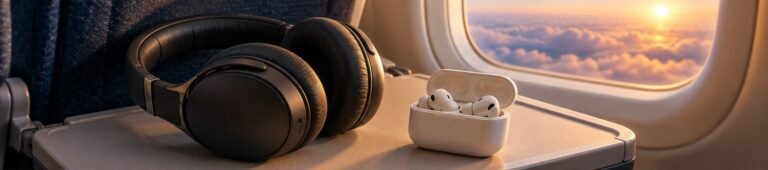
Wired vs Bluetooth Headphones on a Plane
A cable can solve pairing, but only the right connection solves the whole flight.
Choosing wired vs Bluetooth headphones on a plane becomes easier when you start with the screen you will actually use. A seatback entertainment system, your own phone and a laptop can require different connections. The headphones that are convenient on the walk to the gate may need a cable or transmitter once you sit down.
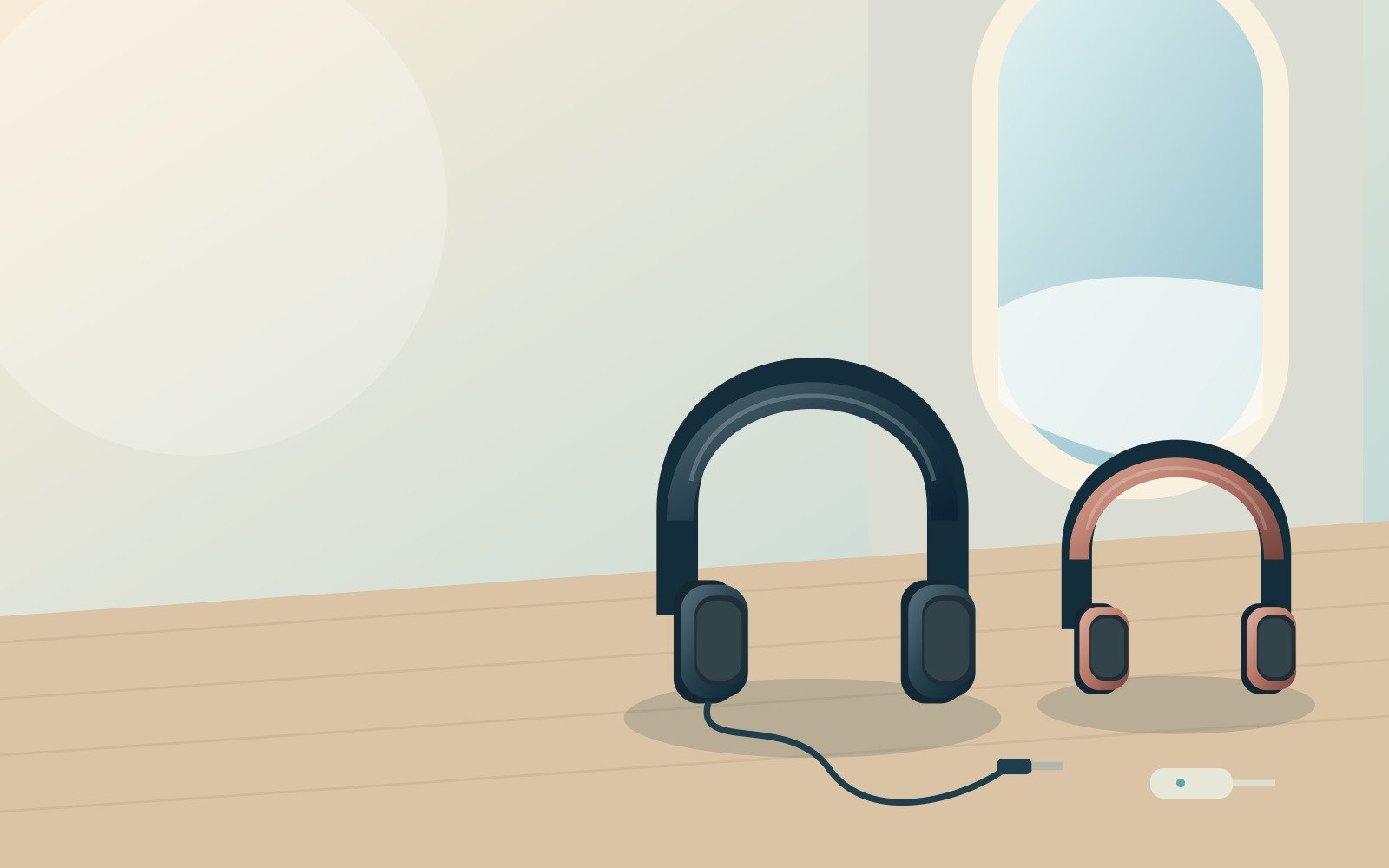
The choice is not simply old technology against new technology. Many wireless headphones also have a wired mode, while some wired arrangements still depend on battery power. Noise cancellation is another separate question. You can have a wire carrying the soundtrack while powered electronics reduce background noise.
This guide compares connection paths, practical model examples and pre-flight checks. It is based on manufacturer documentation and airline guidance, not an invented listening test. The aim is a setup that you understand, can pack neatly and can recover when one part does not work. That may mean buying something, but often it means finding the correct cable for headphones you already own.
Direct cable
No pairing is needed for a compatible analogue socket.
Bluetooth
Convenient with a paired phone or tablet and downloaded entertainment.
Verified wired mode
Not every wireless headphone keeps working when its battery is flat.
ANC and Bluetooth
Noise cancellation is a separate function from how sound arrives.
Wired vs Bluetooth headphones on a plane: three separate decisions
Decide where the sound starts
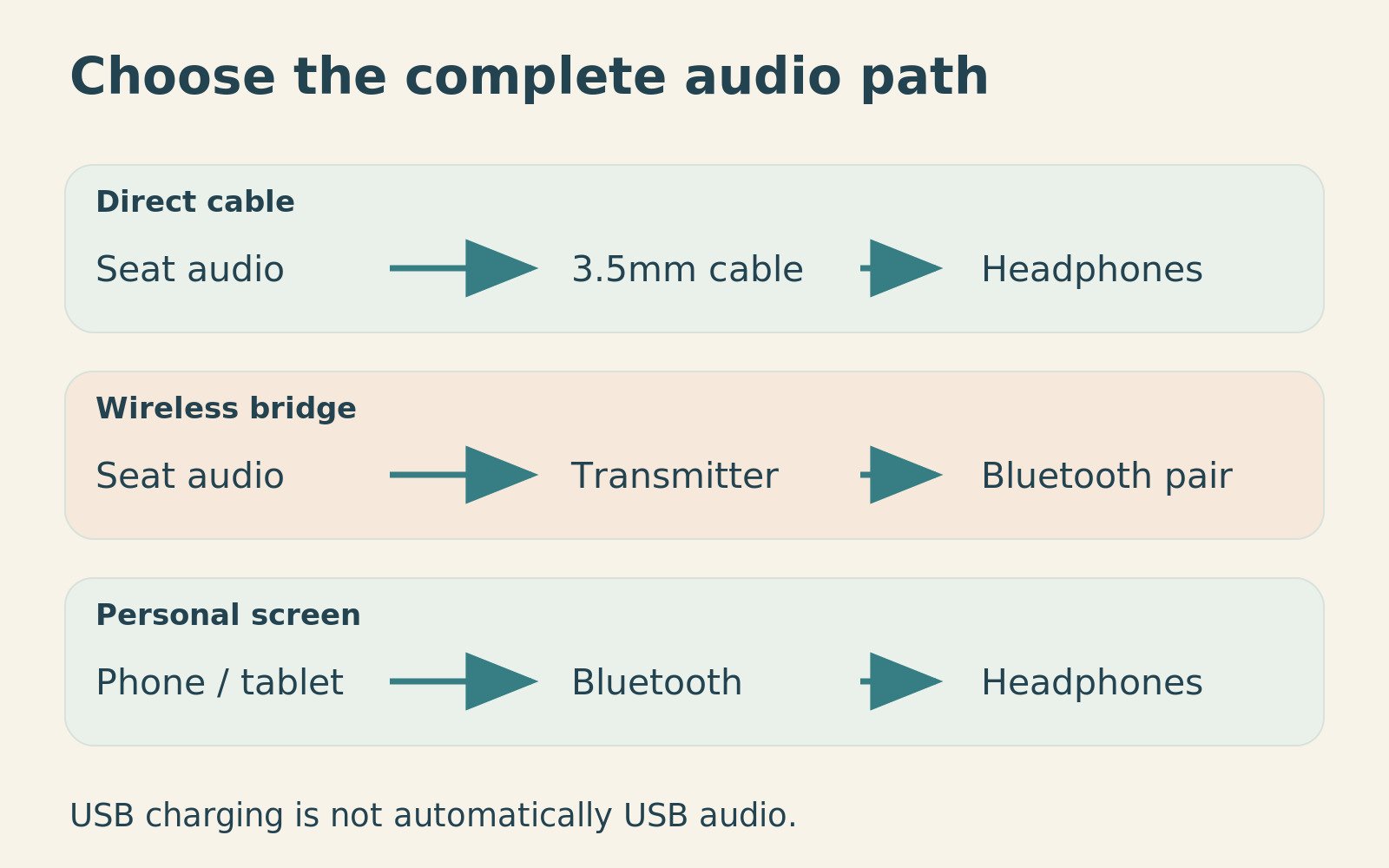
First identify the source. If you mainly watch downloaded programmes on your own phone, Bluetooth may already work well. If you use the seatback screen, investigate its audio output. A headphone socket, Bluetooth pairing menu and USB charging port are different things. The presence of one does not prove the presence of the others.
Next identify how sound enters your headphones. Some accept a detachable analogue cable; others rely on wireless audio or particular digital connections. Do not buy an adapter until both ends of the intended connection are known. A plug that physically fits a socket is not a complete compatibility check.
Separate connection, power and noise cancellation
Finally, establish what requires electricity. A basic passive wired pair has no headphone battery to manage. By contrast, a wireless pair may need power for noise cancellation even when music arrives by cable. Sony explicitly documents this distinction for the WH-CH720N and WH-1000XM6. [2] [3]
Write those three decisions on one line: source, connection, powered functions. For example, seatback screen to analogue cable to powered headphones is a valid wired listening arrangement. It is not battery-free simply because the connection is wired. This small distinction prevents a disappointing discovery halfway through an overnight flight.
Four examples that show the available routes
Compare functions rather than declaring one universal winner
These examples were selected to illustrate passive wired listening, wireless headphones with a documented wired fallback, and a transmitter for an analogue source. They are not ranked by sound quality or noise-cancelling performance. Comfort and the condition of the exact equipment remain personal checks.
| Example | Route it illustrates | What needs checking | Product listing |
|---|---|---|---|
| Sony MDR-ZX110, Black | Simple passive wired headphones | Compatible analogue socket; cable is part of the kit | MDR-ZX110 Black on Amazon |
| Sony WH-CH720N, Black | Bluetooth plus documented passive wired playback | Use its supplied lead; ANC still needs power | WH-CH720N Black on Amazon |
| Sony WH-1000XM6, Black | Another wireless pair with a documented wired mode | Read the wired-control instructions; do not assume USB-C audio | WH-1000XM6 Black on Amazon |
| Twelve South AirFly Pro 2, White | Bluetooth bridge from a 3.5mm source | It is a transmitter/receiver, not a pair of headphones | AirFly Pro 2 White on Amazon |
Keep the exact version and bundle visible
Similar names can hide differences in supplied leads, connector types and accessories. The standard AirFly Pro 2 and a Deluxe bundle should not be treated as identical shopping baskets. Likewise, an older headphone generation’s wired behaviour is not reliable evidence for a newer model, even when the cases look alike. [5]
Retailer listings should be checked for the named colour, model, seller and included accessories. Some retrieved marketplace pages did not display a featured offer when checked on 11 October 2026. The links are model-specific places to check, not a promise of stock, a particular seller or a guaranteed price.
Seatback audio: start with the actual socket
A 3.5mm output is the straightforward case
With a compatible analogue output and headphones designed for it, a direct cable avoids pairing. Insert the plug fully without forcing it, begin at a low source volume and check left and right channels. If the socket is recessed or awkwardly positioned, the shape of the plug housing can matter as much as the diameter of its metal tip.
Look at where the cable will sit when the tray is raised or lowered. A short, neatly routed lead is easier to manage than one stretched across your lap or into the aisle. Leave enough slack to turn your head and stand up after unplugging, but keep loose loops away from seat mechanisms and neighbouring passengers.
Twin-pin sockets need the right kind of adapter
Some aircraft use double audio-pin sockets. A suitable adapter can connect a conventional stereo headphone plug to that arrangement. Go Travel’s 910.101 is an example intended specifically for double audio-pin sockets. That description does not make it a universal solution for every proprietary or unusual seat connector. [6]
Check your airline and aircraft information, while allowing for equipment changes. A photo of a seat on a different aircraft or in another cabin may not describe your booked seat. If the output remains unclear, a basic backup and a request for crew assistance can be more useful than carrying several unidentified adapters.
Your own phone: wired is not always plug-and-play either
A charging connector does not define the audio route
A phone without a 3.5mm socket may need a compatible digital-to-analogue adapter for traditional wired headphones. Conversely, USB-C earphones do not automatically work from an aircraft’s USB-C charging port. The source must provide the appropriate audio connection; a power outlet cannot be assumed to deliver the film soundtrack.
The same caution applies at the headphone end. Sony’s WH-CH720N documentation identifies USB-C as its charging port and a separate jack for the supplied analogue lead. Therefore, packing only its charging cable does not supply the documented seatback audio route. [12]
Check direction, not just connector names
Apple’s USB-C to 3.5mm audio cable is explicitly described as bidirectional and suitable for connecting compatible AirPods Max to sources such as an aircraft audio output. That is a more specific job than a generic phone headphone dongle. Do not assume that any cable with USB-C at one end and 3.5mm at the other performs it. [7]
Before travel, test the exact device, cable and adapter together. Keep the working combination in the headphone case rather than borrowing a visually similar lead at the last minute. This is particularly valuable when family members own different phone connectors or different generations of the same headphone model.
Passive playback: the most useful line in the manual
What the documented Sony examples can do
Sony says the WH-CH720N can play music through its supplied cable when switched off, but noise cancellation is unavailable in that state. Its wired mode also changes how playback is controlled: volume and transport controls are handled on the source. [2]
That makes the WH-CH720N listing an example of a flexible connection design, not proof that it is the best fit for every head. Test passive sound at home before relying on it. A fallback that technically works but is uncomfortable, too quiet from your source or difficult to route may not solve your particular flight.
Sony also documents off-state wired listening for the WH-1000XM6, again without powered noise cancellation. It specifies the supplied lead and describes which functions remain available when the headset is powered during wired use. [3] The WH-1000XM6 listing should therefore be assessed with its own instructions, not an assumption carried over from another Sony pair.
A simple passive pair has a different advantage
The Sony MDR-ZX110 Black illustrates the no-headphone-battery approach. Sony lists a 1.2m lead and a weight of 120g. Those figures describe the product, not its comfort or acoustic performance in a particular cabin. [1]
Its practical appeal is the reduced number of things that must be charged or paired. However, the source still needs power, and a cable can still be damaged or forgotten. Passive does not mean indestructible or compatible with every socket. Treat it as one fewer dependency, rather than a guarantee that nothing can go wrong.
Bluetooth transmitters: helpful, but another part of the chain
What a transmitter actually changes
A transmitter takes audio from a compatible source and sends it to Bluetooth headphones. It can make existing wireless headphones useful with a seatback output that has no Bluetooth menu. It does not turn the aircraft’s charging port into an audio source, nor does it remove the need to check the analogue socket.
Twelve South’s AirFly Pro 2 supports two headphone pairings and has transmitter and receiver modes. The manufacturer rates its battery at more than 25 hours. That is a stated operating claim, not a measured result for your headset combination, volume or battery condition. [4]
The AirFly Pro 2 White listing is relevant when you already like your wireless headphones and want to use an analogue source. It is less compelling when those same headphones already have a straightforward, comfortable wired mode. Compare the extra device with the cable you might already own.
Pair before you board
Practise pairing in a quiet setting where you can read the controls and distinguish your devices from other nearby equipment. Put the transmitter in the correct mode, place the headphones into their documented pairing mode and follow the manufacturer’s sequence. Save those steps offline if you do not expect to remember them.
After pairing, test turning both devices off and reconnecting them. Then check that the headphones have not silently reconnected to your phone instead. A successful first pairing is only half the preparation; reconnection after a meal, battery change or interruption is the behaviour you will use repeatedly during the flight.
Latency, codecs and why the whole chain matters
Do not buy a slogan about zero delay
Wireless audio involves an end-to-end chain. The transmitter, headphones and their compatible operating mode all matter. A feature advertised by one component is not enough to promise the same behaviour with every other component. For travel, a practical film test is more useful than collecting codec names you cannot confirm at both ends.
Watch a short scene with clear dialogue and visible mouth movements. Then try pausing, skipping and resuming. Decide whether the result is acceptable to you, rather than expecting a specification to predict your tolerance. Keep a wired route available when reliable synchronisation matters more than avoiding a cable.
Distinguish a connection issue from the film itself
Try the same clip with a direct connection when possible. If the mismatch appears in both arrangements, the source or content may be the issue. If it appears only with one wireless path, investigate that path before changing several unrelated settings. A controlled comparison saves time and makes a support question much clearer.
Do not promise that an adapter will improve the sound quality of every seatback system. It adds flexibility to the connection, not a new recording or a better entertainment source. Your most valuable upgrade might be a more comfortable pair of headphones, a correct cable or captions on your own screen rather than another wireless feature.
Comfort with a headrest, glasses, pillow and mask
Test the complete arrangement while sitting upright
A headphone can feel fine standing in a shop and become awkward against a tall headrest. Sit in a chair with comparable support and try the actual pillow or eye mask you intend to carry. Check whether the headband, mask strap or pillow pushes an earcup out of position or creates a point you keep adjusting.
Wear your usual glasses for the test. Move your head gently, look down at a screen and lean as you normally would. The purpose is not to imitate every aircraft seat perfectly, but to discover obvious clashes before travel. Do not compensate for discomfort by overtightening straps or forcing your neck into an unnatural position.
Consider the positions you really use
Over-ear headphones, small earbuds and a simple wired pair occupy different amounts of space around the ear. A side-leaning traveller may have a different priority from someone who remains upright. Likewise, someone who alternates between entertainment and conversation needs controls that are easy to find without removing the whole comfort setup.
Keep one part of the kit adjustable at a time during your trial. Start with the headphones, add glasses, then add the mask or pillow. If the combined setup becomes uncomfortable, you will know which addition changed it. Buying several individually praised accessories does not establish that they work comfortably together.
Battery planning without unnecessary extra equipment
Count every powered component
For a wireless seatback arrangement, you may need charged headphones and a charged transmitter, plus a source supplied by the aircraft. With your own screen, the phone or tablet joins that list. With powered wired noise cancellation, the headphone battery still matters even though no Bluetooth connection is involved.
Build in a margin for waiting at the airport, transfers and the journey home. A flight duration alone is not the whole usage period. Manufacturer battery figures also depend on the specified mode and conditions. Avoid comparing an ANC-off headline for one product with an ANC-on figure for another as though they describe the same task.
Use a simple charging routine
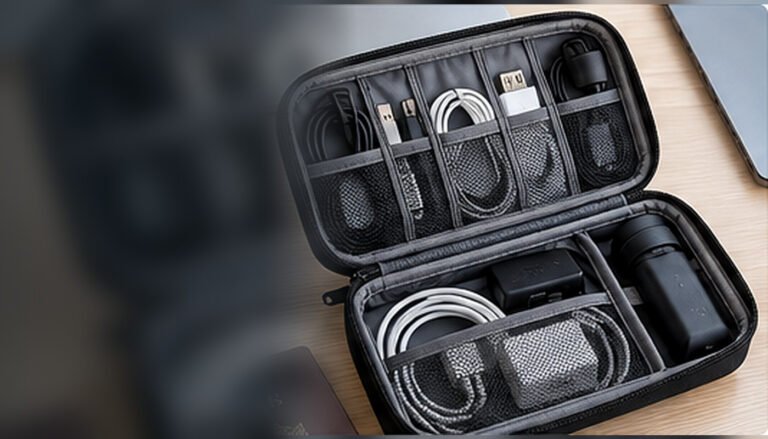
Charge and check the kit before leaving, then put the tested leads together in one small pouch or case. Confirm which connector belongs to each device, especially where a transmitter uses a different cable from the headphones. Label an unusual lead rather than relying on memory during a late-night connection.
Follow the airline’s current rules for charging equipment and battery devices. Keep lithium-powered accessories accessible in cabin baggage and listen to crew directions; the CAA provides current cabin-safety guidance. If a small device falls into a seat mechanism, tell the crew rather than moving the seat to search blindly for it. [10]
Airline rules: permission belongs to the operator
Flight mode does not mean every radio behaves identically
Apple’s current Airplane Mode guidance explains how wireless settings behave and makes their use conditional on airline permission. Therefore, do not treat the presence of a Bluetooth switch as permission to leave it on through every phase of every flight. Check the operator’s information and follow the actual crew briefing. [8]
British Airways’ entertainment FAQs, checked on 11 October 2026, allow Bluetooth devices during flight but require them to be switched off for taxi, take-off and landing. The same page says to remove headphones for the safety briefing. That is a specific operator example, not a claim that all airlines apply the same timing. [9]
Keep the fallback simple when the rules change
A cable can be useful when wireless operation is restricted, provided the headphone’s wired mode actually disables Bluetooth as documented. Sony states that Bluetooth is unavailable while the supplied headphone cable is connected on the cited models. Follow their instructions rather than guessing what the power light means. [2] [3]
Whatever connection you use, remove or pause the equipment when asked. A comfortable listening setup should be easy to take off quickly, with leads clear of the aisle and seat-belt fittings. Do not build a complicated arrangement of straps and cables that must be untangled before you can respond to the crew.
Sharing a soundtrack between two travellers
Two connections do not remove practical differences
A transmitter that supports two headphone pairings can be useful for people watching the same source. AirFly Pro 2 is one documented example. Nevertheless, test the actual two pairs together rather than assuming that two separately successful pairings establish a satisfactory shared session. [4]
Check volume control on each pair, reconnection after one person leaves and whether both listeners find the timing acceptable. Decide who holds the transmitter and which source controls playback. A shared film becomes frustrating when one person’s pause, call connection or pairing attempt repeatedly interrupts the other.
Compare sharing with two independent screens
Sometimes two downloaded copies on separate devices are simpler than a shared connection. That uses more source batteries but allows different volume, captions and viewing positions. The better arrangement depends on whether you want to watch together or merely happen to be watching the same programme.
For a child or less confident user, prioritise a setup that the accompanying adult can check easily. Follow the headphone manufacturer’s age and fit guidance, and do not assume an adult pair or advertised listening mode is appropriate merely because the headband adjusts. No accessory should make it harder for the traveller to hear or follow necessary instructions.
Pack the connections so they survive the journey
Protect the small pieces that make the system work
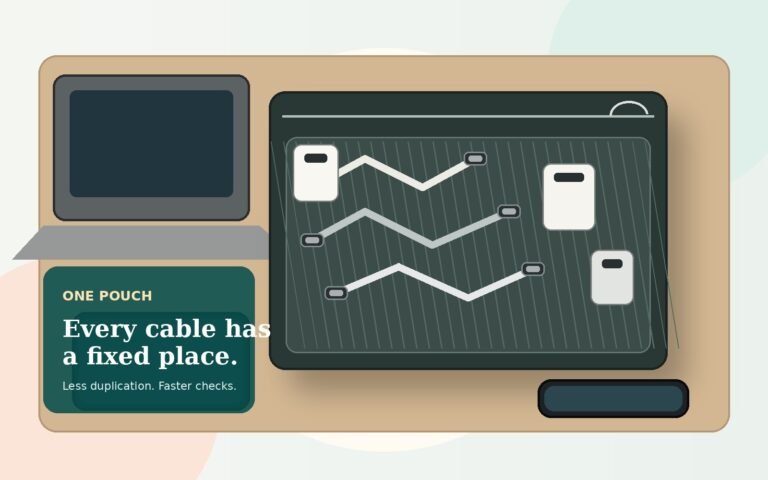
A cable, adapter or transmitter is easy to overlook because it is less expensive and smaller than the headphones. Give these pieces a fixed place inside the case. Coil leads gently, without pulling them tight around an earcup or sharply folding them next to a plug. Follow any specific storage advice supplied with the product.
Keep the working audio cable separate from spare charging leads until you can identify it reliably. If a particular plug fits a recessed socket, do not replace it casually with a bulkier lookalike. A quick photo of the successful arrangement can be useful when repacking after a flight or explaining the setup to another traveller.
Do a seat-area check before leaving
Disconnect from the seatback before standing, then count the small parts into their usual compartment. Look beside the seat, in the seat pocket and around the tray hinge without reaching into mechanisms. A cable left plugged into the entertainment screen is easy to miss when you are concentrating on the overhead bag.
For travellers who prefer a very simple spare, the MDR-ZX110 Black listing provides one passive-wired example to compare with existing headphones at home. Do not automatically buy a backup that duplicates an already reliable wired mode. The smallest useful spare is the one that addresses a specific failure you would otherwise struggle to recover from.
A pre-flight listening test worth doing once
Start with the arrangement you expect to use most
Allow a suggested 20 to 30 minutes to assemble and test the complete kit before your first trip with it. Use the actual phone or tablet, the correct cables and the intended transmitter if applicable. Download a short test video so that unreliable home Wi-Fi does not confuse the audio check.
Listen, pause, resume and adjust volume. Then remove the headphones and put them back on. Check the controls with the case packed away, because the flight environment will not be as convenient as a desk covered in manuals. Keep the result simple enough that you can repeat it without a sequence of guesses.
Deliberately practise the fallback
With wireless headphones that document passive playback, switch them off and connect the supplied audio lead to a compatible source. Confirm what still works and where volume is controlled. With a transmitter setup, practise reconnecting after both devices have been switched off. These are controlled checks of documented behaviour, not a reason to improvise unsupported connections. [2]
Finally, pack the equipment and retrieve it once as though you were already seated. Can you find the right adapter without emptying the bag? Can you remove the headphones without pulling a cable? Small handling problems are worth fixing before departure because they become more irritating in a confined seat area.
Troubleshooting without turning the flight into a project
No sound, one channel or very low volume
Check the source first: is the film playing, is its volume muted and is the headphone plug fully seated? Inspect the connector visually without forcing anything. A twin-pin adapter that is not inserted correctly can complicate the problem. If possible, compare with a known working pair or ask the crew whether the seat’s audio output is functioning.
For wired wireless headphones, verify the documented power state and cable orientation. Do not assume that Bluetooth playback controls will still operate the seatback source. On the Sony examples, the manual directs wired volume and playback operations to the source device. [2] [3]
Pairing works, but the wrong source takes over
Temporarily disconnect an unwanted phone or laptop connection using its normal controls. Then follow the transmitter’s pairing sequence again with only the intended equipment active. Avoid resetting every device at once; you may erase a working relationship without resolving the original issue.
Set a sensible stopping point. If a few straightforward checks do not restore the preferred route, switch to the cable, another screen or a quiet break. Keep the exact symptom for later support. An accessory that promises convenience should not monopolise the journey while you chase one intermittent connection.
Value, maintenance and choosing what not to replace
Keep a working pair when the missing piece is small
If your current headphones are comfortable and have a documented wired input, check whether their correct cable is already in the box. Replacing the entire pair to solve a missing-lead problem can be poor value. Conversely, repeatedly buying adapters will not fix headphones that are uncomfortable for the positions you use on a plane.
Separate those two problems before spending. Connection reliability can sometimes be improved with a small accessory, while physical comfort may require a different design. The product examples here are starting points for that comparison, not a reason to replace a successful setup simply because another model is newer.
Check how ordinary wear is handled
Look for practical information about replacement ear pads, leads and cases for the exact model. Do not assume parts from a similar-looking generation fit. Retain the purchase record and read the seller’s warranty and returns conditions, especially for marketplace or imported stock.
Inspect your existing kit before a major trip. A frayed lead, loose socket or battery that no longer lasts through your usual session is more relevant than the original box specification. Replace damaged parts appropriately rather than building a travel plan around equipment whose behaviour has become unpredictable. Clean and store the headphones according to their manufacturer, not a generic internet recipe.
Controls you can use without rebuilding the setup
Try the buttons while you are already wearing everything
A control that is obvious on a desk may be hard to find when a pillow sits against the earcup. During the pre-flight trial, locate volume, pause and any listening-mode button by touch. Check whether a short press and a long press do different things. Keep the manufacturer’s instructions handy rather than repeatedly experimenting with a button that might start a new pairing process.
Also practise removing the headphones with one hand while keeping the cable clear. If the mask strap catches the headband, change the order in which you put the items on. These small details are especially relevant when a meal arrives or the person beside you needs to get out. A convenient connection should support ordinary seat movements, not just uninterrupted listening.
Keep the source controls reachable
In a wired setup, the useful playback controls may be on the seat screen or phone rather than the headphones. Position that source where you can pause without reaching across a neighbour or pulling a lead. When using your own device, select a readable interface before dimming the screen for a darker cabin.
Do not rely on spoken status messages as the only way to know what is connected. Learn the relevant indicator pattern and check actual playback. A connected announcement may refer to a phone rather than the transmitter you meant to use. When a setting is unclear, a brief deliberate check is better than making several changes while the film continues silently.
Downloads and the source battery deserve their own check
Test the entertainment without the internet
Headphones cannot solve a programme that has not downloaded or an account that requires a fresh login. Before departure, put your own screen into the intended offline state and open a representative download. Check audio, captions and whether the file plays from the beginning, rather than relying on a thumbnail or a completed-looking progress icon.
Use the content provider’s current rules for downloads and access. Different services can apply different limits, so do not assume that a file available at home remains playable indefinitely or in every account state. A short offline test close to departure is a practical check, not a guarantee about the provider’s future service.
Plan the time before and after the flight
A tablet might play comfortably for the flight itself and still be depleted by the airport wait. Keep navigation, tickets and arrival contact details on a device with an appropriate reserve, and consider whether the entertainment screen is also your only essential travel device. The convenient option is not always to run every task from the same battery.
If seat power is unavailable or unsuitable, be ready to reduce screen use rather than assuming that another charging accessory may be used. Follow the airline’s current power-bank and charging directions. A paper note of an essential arrival address or an offline copy on a second device can keep an entertainment decision from becoming a travel-logistics problem.
A microphone and a headphone output are different functions
Do not assume the seatback route carries your voice
A connection that sends a film soundtrack into headphones does not necessarily send the headphone microphone back to the source. Treat a seatback transmitter as an audio-listening arrangement unless its documentation clearly supports another function. The presence of a microphone on the headphones does not change the capabilities of the aircraft socket or the adapter between them.
This distinction also matters during the home trial. If you test a wired pair with a phone call, check which microphone the phone is actually using. Sony’s cable instructions for the cited models direct the user to speak into the phone’s microphone during wired calls. That behaviour should not be confused with the wireless calling experience. [2]
Prepare separate settings for work and entertainment
A headset that works for a laptop meeting may have been using a different connection or microphone setting from the one you plan to use on the aircraft. Record the successful travel arrangement separately, and do not use an onboard entertainment setup as an invitation to make calls against airline rules. Listen privately, respond to crew instructions and restore work settings later in an appropriate place.
Three sensible kits for three different travellers
The seatback-film traveller
Start with comfortable headphones that have a compatible analogue route. A passive pair is simple; a wireless pair with verified wired support is more flexible. Carry a twin-pin adapter only when useful for the expected seat system, and keep the audio lead accessible rather than buried in the main luggage.
The own-phone traveller
A familiar Bluetooth pair and downloaded entertainment may be enough. Check flight-mode behaviour and charging needs, then consider whether a small wired fallback solves a realistic concern. There is no need to buy a seatback transmitter for a journey where you do not intend to use the seatback system.
The frequent flyer with favourite wireless headphones
A transmitter can make sense when the headphones lack a suitable wired route or you strongly prefer wireless listening. Test its full chain and keep the extra charging lead with it. Where the headphones already accept a cable, compare both arrangements before deciding that avoiding one wire is worth another powered device.
Pros and cons that matter in a confined seat
Wired: fewer connection steps, more cable handling
A compatible wired route avoids pairing and can provide a straightforward backup. Its drawbacks are lead management, connector compatibility and the possibility of cable damage. Powered functions may still need battery power. The practical winner is a lead that reaches comfortably, fits correctly and can be disconnected without catching on clothing or seat fittings.
Bluetooth: convenient movement, more dependencies
Bluetooth can keep the seat area tidier and work naturally with a personal screen. Its drawbacks are charging, pairing, possible timing differences and reliance on a transmitter when the source lacks Bluetooth. These costs are manageable when the setup is familiar, but they should be counted rather than hidden behind the word wireless.
The wired advantage
A compatible direct cable avoids pairing and can reduce the number of powered accessories.
The wireless trade-off
Convenient movement can involve another battery, transmitter and reconnection process when using a seatback source.
Common mistakes to avoid
Packing a charging lead instead of an audio lead
Check the documented role of each connector. A headphone’s USB-C socket may be for charging, while wired sound uses a separate analogue jack. A seatback USB socket may also supply power without audio. Keep the proven listening lead with the headphones so that physical similarity does not decide what you pack. [12]
Assuming every wireless pair works when switched off
Some do, and some require power or a particular cable. Read the exact manual and test the supported fallback. Do not extrapolate from a different model, even from the same manufacturer. A battery-free backup should be something you have verified, not a feature inferred from the presence of a wire.
Ignoring the way the whole kit fits together
A pillow, mask, glasses and headphones can each seem comfortable alone and still clash when combined. Trial them together while seated. If you keep adjusting one part, solve that problem before travel rather than assuming tiredness will make it disappear. Comfort is a system-level choice as well as a product choice.
Frequently asked questions
Can I use Bluetooth headphones with an aircraft seatback screen?
Only when the screen supports compatible Bluetooth audio or you add a suitable transmitter to a supported audio output. A USB charging port does not establish either capability. Check the airline’s aircraft information, but be prepared for equipment changes. A wired route remains useful where the socket supports it and your headphones have the correct input.
Does a wire mean noise cancellation will work without a battery?
No. A wire carries audio; active noise cancellation is a separate powered function. Sony’s cited WH-CH720N and WH-1000XM6 instructions allow listening while switched off, but not powered noise cancellation in that state. Other models can behave differently, so read the relevant manual instead of treating these examples as a universal rule. [2] [3]
Do I need an airline adapter for every flight?
No. It depends on the actual audio socket and what you plan to use. A standard analogue socket may accept your plug directly, while a double audio-pin socket may need the matching adapter. Your own phone may need an entirely different connection. Buy for the expected route and keep the parts identifiable rather than collecting adapters without a clear purpose. [6]
Will a Bluetooth transmitter work with any wireless headphones?
Do not assume universal compatibility. Check the transmitter and headphone instructions, supported modes and pairing process, then test the combination before departure. A successful connection is not the whole assessment: volume, reconnection and sound timing should also be acceptable. Where two people will listen, test both pairs together because the shared arrangement introduces another set of practical variables.
Can I leave Bluetooth on during take-off?
Follow your airline’s current rules and the crew’s instructions. Policies differ, and a phone’s software setting is not permission from the operator. For example, the British Airways FAQ checked for this guide requires Bluetooth devices off for taxi, take-off and landing. Always remove headphones for the safety briefing when instructed, regardless of the connection you otherwise use. [9]
Are wired headphones always better value?
Not necessarily. A simple pair can be economical and dependable for compatible seatback audio, but replacing comfortable wireless headphones may be unnecessary when they already have a reliable wired mode. Compare the complete kit, including any missing cable or transmitter, and the number of journeys on which you will use it. Avoid paying twice to solve the same connection problem.
What should I buy when I am unsure about the aircraft?
Begin with what you already own. Check whether it has a documented wired route, confirm the correct lead and download entertainment onto your own device. Then add only the adapter or transmitter needed for a realistic use case. A broadly useful fallback is more sensible than a complicated system built around an unconfirmed seatback feature.
Final recommendation: favour a flexible, familiar connection
For regular flying, a comfortable wireless pair with a documented wired fallback is often the most adaptable arrangement. Compare examples such as the WH-CH720N and WH-1000XM6 by fit, controls and your existing equipment, rather than assuming that the more expensive model automatically solves more of your travel problems.
For a simple seatback route, passive wired headphones remain useful. For favourite Bluetooth headphones that need a bridge, check the AirFly Pro 2 listing after confirming the source socket and testing the full pairing chain. In either case, keep the working lead or transmitter in its usual place and follow the operator’s instructions.
The best setup is the one you can connect, control, remove and repack without a puzzle. Solve that sequence before departure, and you will have a clearer answer than any blanket claim that wired or wireless always wins.
Sources and fact-checking notes
- Sony UK MDR-ZX110 specifications 120g, 1.2m lead and stereo mini plug.
- Sony WH-CH720N: supplied headphone cable Passive playback is available; ANC requires power; playback controls move to the source.
- Sony WH-1000XM6: supplied headphone cable Wired listening with power off is possible, without noise cancellation.
- Twelve South AirFly Pro 2 Two headphone pairings, transmitter/receiver modes and manufacturer-rated 25+ hours.
- Twelve South UK AirFly Pro 2 Check the standard versus Deluxe bundle.
- Go Travel airline headphone adaptor 910.101 Designed for double audio-pin sockets, not every possible seat connector.
- Apple UK USB-C to 3.5mm audio cable Bidirectional cable for compatible AirPods Max; different from a generic USB-C headphone dongle.
- Apple Support: Airplane Mode Wireless use remains subject to airline permission.
- British Airways entertainment FAQs Retrieved policy requires Bluetooth off during taxi, take-off and landing; remove headphones for the briefing.
- UK CAA: cabin safety
- Amazon UK AirFly Pro 2 White listing No featured offer displayed in the retrieved listing.
- Sony WH-CH720N: ports and controls The USB-C port is specified for charging; analogue audio has its own jack.
Illustrations in this article were created for Taylor’s Trailblazing Travel Gear. Third-party photographs, where used, are credited beside the image or in the source list.