A One-Pouch Cable System for Multi-Device Travel
A practical way to cover a phone, tablet, laptop and specialist accessories without carrying a drawer full of mystery cables.
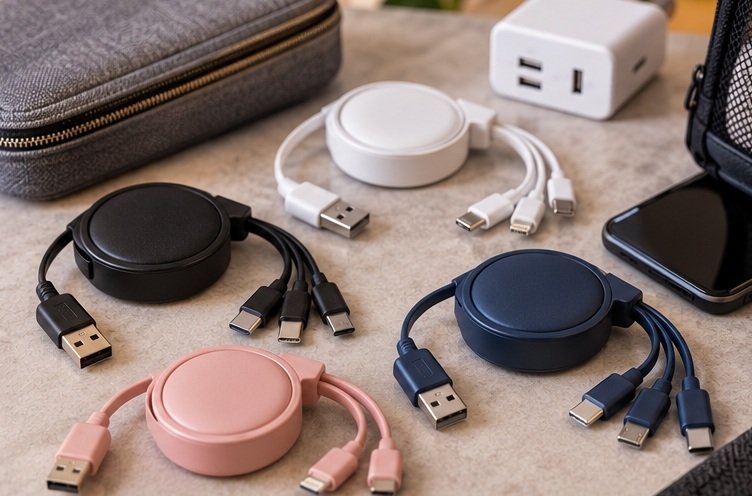
A one-pouch cable system prevents cables from multiplying quietly. A phone upgrade leaves one old lead, a watch adds a puck, a new laptop adds a high-power charger, and soon the travel pouch contains eight black cords whose capabilities nobody remembers. However, the problem is not untidiness alone. A cable can fit physically and still fail to charge a laptop properly or move files at the speed expected.
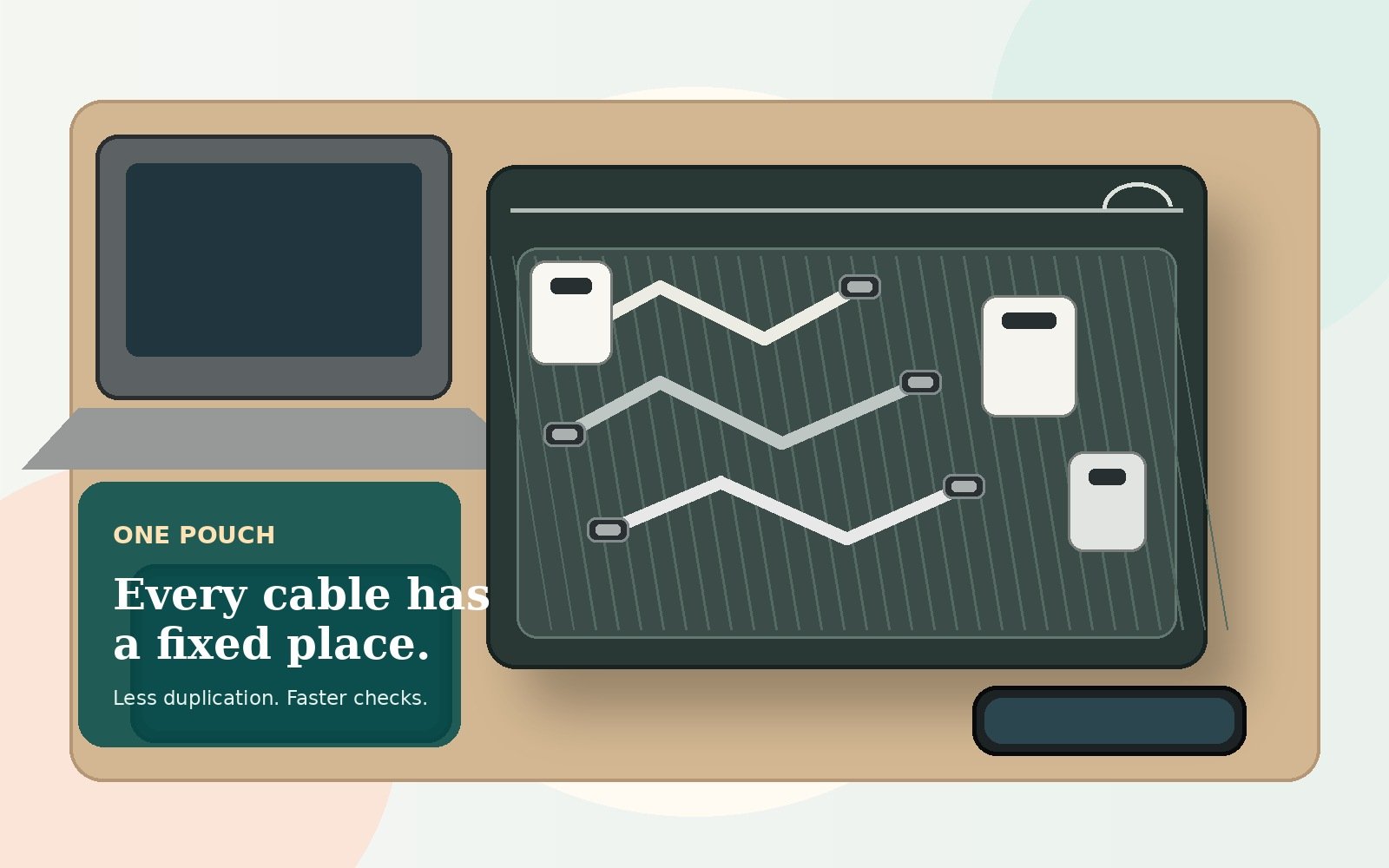
Therefore, the one-pouch cable system solves the problem by giving every item a defined job and fixed location. The pouch is built from the device list, not from spare storage. Once the highest-power device, simultaneous charging needs and specialist connectors are known, the excess becomes obvious.
Device audit
List ports, original charger wattage and which devices must charge together.
Long + short USB-C
Different lengths add more flexibility than two identical leads.
Per-port wattage
A 100W charger may not give 100W to the laptop when other ports are used.
One fixed spare
Back up the dominant connector, not every accessory in the house.
A good cable pouch is designed backwards from the kit you will charge, rather than filled with every connector you own.
Write a one-line device inventory
List the phone, tablet, laptop, watch, headphones, camera and any medical or work device that needs power. Beside each one, record the charging port and the original charger’s wattage. That short audit reveals whether three white cables are genuine backups or three versions of the same job.
First, the highest-power device sets the charger decision. However, a phone may be happy on a modest USB-C port, while a laptop can charge slowly, display a warning or lose battery under load when the port allocation is too low. Apple’s current fast-charge guidance, for example, pairs recent MacBook Air models with adapters from 67W or 70W upward depending on model, while some MacBook Pro combinations need 96W or 140W [3]. Other brands publish their own requirements.
Separate essential from convenient
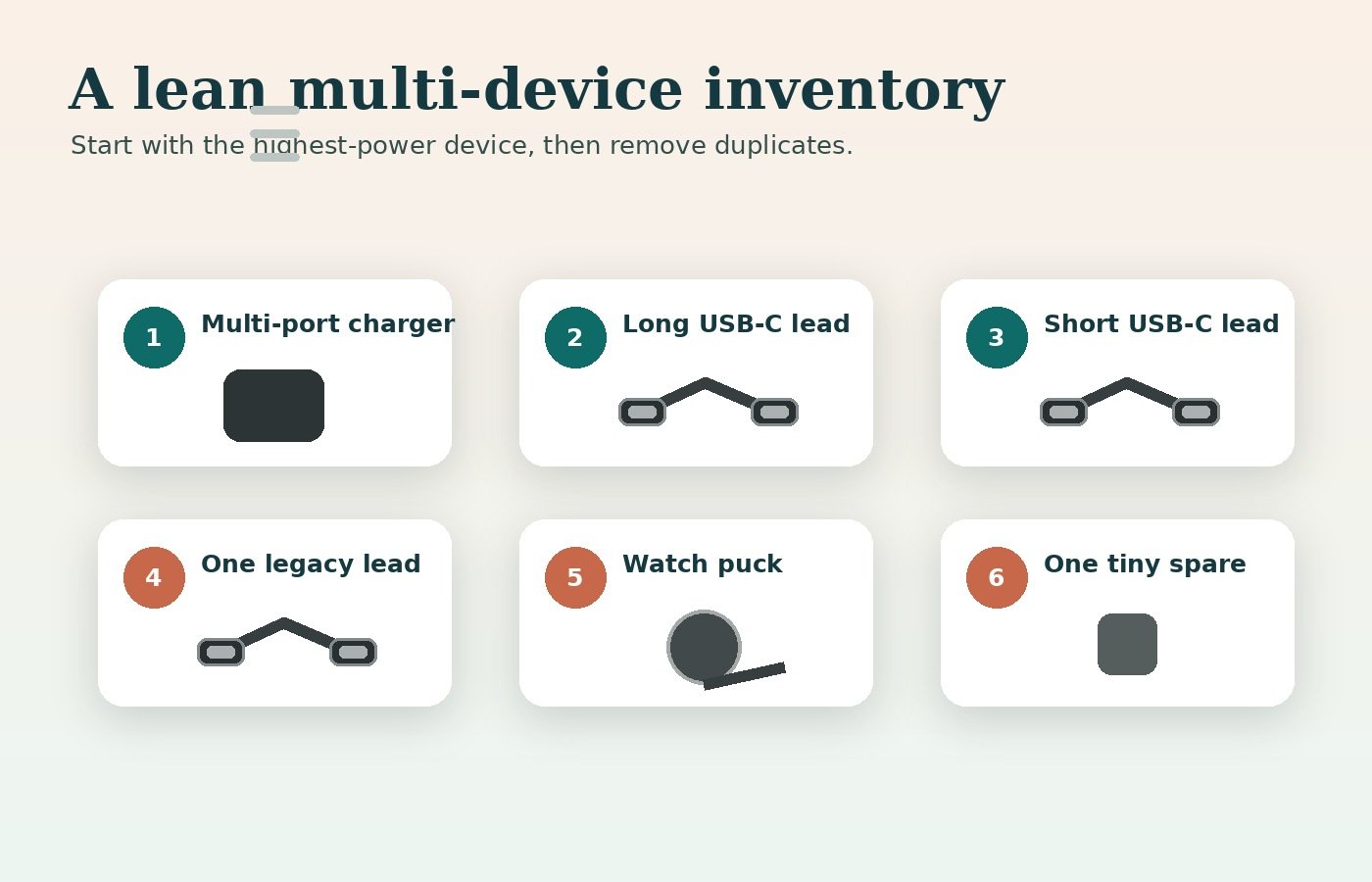
An essential cable keeps a device needed for boarding, communication, medication or work running. A convenience cable merely avoids waiting. That distinction prevents the pouch becoming a storage drawer. For a typical phone-tablet-laptop trip, the core is one multi-port charger, two USB-C leads of different lengths and only the specialist leads the actual devices require.
- Photograph every device port.
- Note the original charger wattage.
- Circle devices that must charge at the same time.
- Choose one cable for each unique connector.
- Add one deliberate spare, not a duplicate of everything.
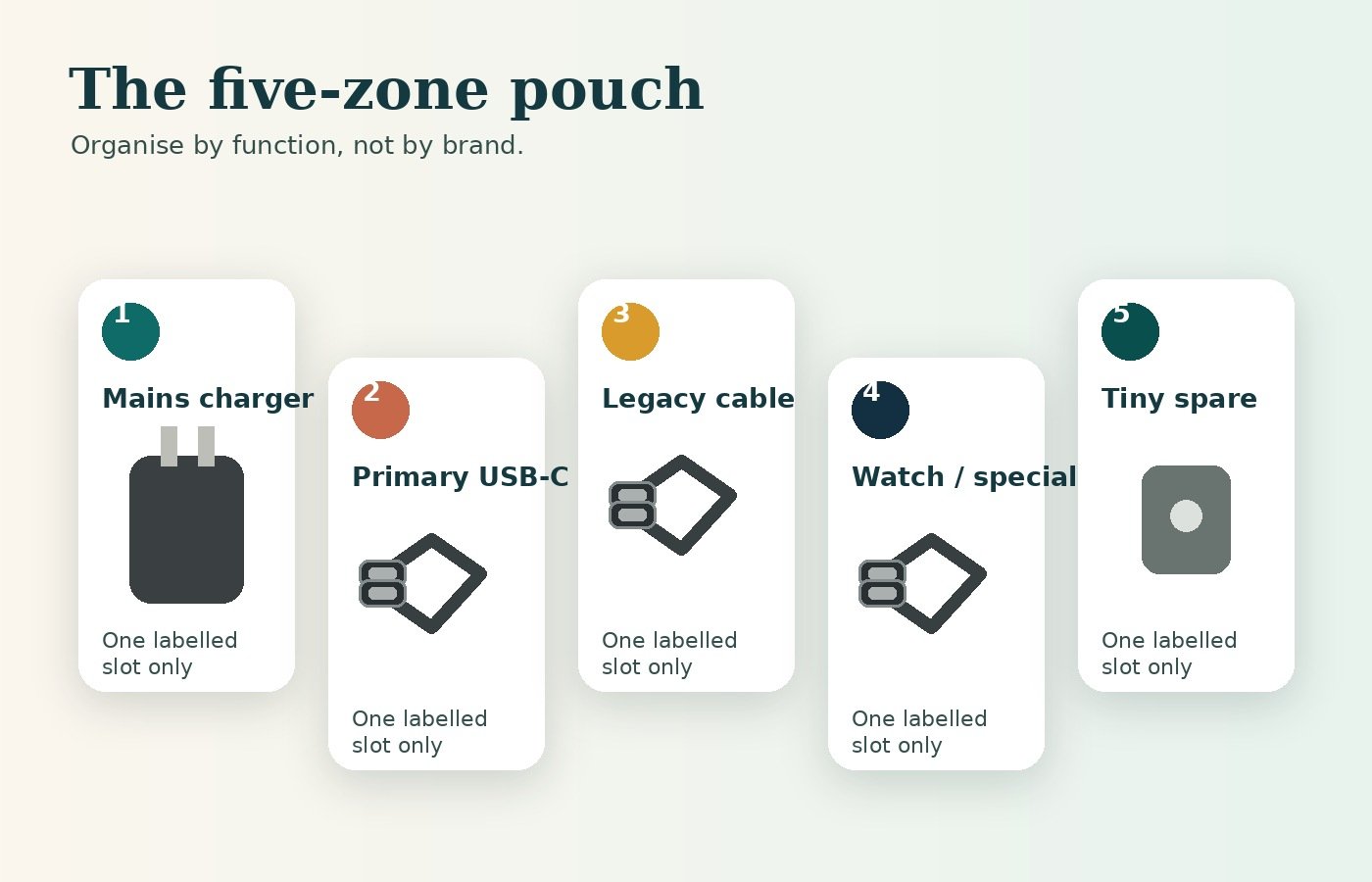
A fixed place for each function makes a pouch quicker to check, repack and troubleshoot.
Zone 1: the mains charger
Give the charger the strongest pocket or elastic loop. Keep folding pins closed and separate any detachable travel plug. Otherwise, a dense charger left loose can damage cable ends and scratch screens.
Zone 2: the primary USB-C pair
Use one long lead for hotel bedsides and one short lead for desks, trains and power banks. Coil them loosely and secure them with reusable hook-and-loop straps. Tight figure-eight winding around a hand is kinder than sharp folds at the connector.
Zone 3: the legacy bridge
This slot holds one cable that USB-C cannot replace: perhaps USB-C to Lightning, micro-USB for an older accessory or a camera cable. When the final legacy device leaves the kit, the cable leaves too.
Zone 4: the specialist item
Watch pucks, camera-battery chargers and proprietary laptop leads belong together because they cannot be borrowed easily at a hotel desk. Label this zone and test it before departure.
Zone 5: one tiny spare
A compact spare USB-C lead or simple USB-A adapter can rescue a trip. Limit the zone physically: when it is full, remove something before adding another item.
Two cables with the same ends can differ in charging power, data speed, display support and internal electronics.
Power rating
USB-IF’s current cable-labelling programme distinguishes certified 60W and 240W USB-C power ratings, with combined logos that can also state data speed [2]. A 60W cable is ample for many phones, tablets and light laptops. A 240W cable supports the Extended Power Range used by higher-power equipment, provided the charger and device also negotiate it.
Meanwhile, the cable does not force 240W into a phone. USB Power Delivery negotiates what the device requests. The practical drawback is that high-power cables can be thicker, so the smartest pouch often carries one robust laptop lead and one lighter everyday lead.
Data and video capability
Charging performance does not prove fast file transfer. A cable may charge at high power while offering only basic data speed, and a fast data cable may be unnecessary for a bedside phone. Keep one known data-capable cable when you transfer photographs, use an external SSD or connect a laptop to a display.
E-marker and certification
Higher-current USB-C cables use electronic identification so charger and device can negotiate safely. Consumers do not need to decode the chip; they do need a reputable manufacturer, clear power rating and traceable product specification. USB-IF publishes a certified product list and current Type-C specification for manufacturers [1].

The large wattage printed on the front can be misleading when several devices share it.
| Travel kit | Useful planning range | What to verify |
|---|---|---|
| Phone + earbuds | 20-35W | One USB-C PD port and the phone’s fast-charge protocol |
| Phone + tablet | 35-45W | Enough total output for both; second port does not collapse to very low power |
| Ultraportable laptop + phone | 65-70W | Laptop port keeps most output when the phone is connected |
| Laptop + tablet + phone | 100-140W | Published three-port allocation, appropriate cable and laptop requirement |
| High-power workstation laptop | Match original specification | Some machines charge slowly or not at all below their designed adapter output |
Planning ranges, not universal requirements. Check the label or support page for every device.
Read the allocation table
For example, a charger sold as 100W may deliver 100W from one port when used alone but split to 65W + 30W + a smaller third output when several devices connect. Moreover, the split can change again depending on which ports are used. Keep a photograph of the allocation diagram in the pouch or phone notes.
GaN is helpful, not a safety certificate
Gallium nitride can make a charger smaller and more efficient, but the material label does not prove electrical safety or protocol compatibility. Buy from a traceable manufacturer and retailer, inspect the plug and cable, and look for the conformity information appropriate to the market. UK guidance explains continued recognition of CE marking alongside UKCA routes for many products placed on the Great Britain market [4].
Compare compact multi-port chargers
Check total wattage, the per-port split and the included plug. Avoid choosing only by the largest number printed in the title.
A simple rule prevents both risky single points of failure and a pouch full of unused backups.
One working cable per unique connector
If every main device uses USB-C, two USB-C to USB-C leads can rotate between them. Add one cable for each unique connector that cannot share. The goal is coverage, not one dedicated lead per device.
One spare for the dominant standard
Choose a spare for the connector that would cause the biggest disruption if lost. For most modern kits that is USB-C to USB-C. A second watch puck is rarely worth the space unless the watch is medically or professionally important and replacements are hard to find.
Two useful lengths
A two-metre primary lead reaches sockets hidden behind hotel furniture. A one-metre or shorter cable avoids tangles at a desk or power bank. Packing two identical three-metre cables increases bulk without adding flexibility.
No adapter chains for critical charging
USB-C to USB-A to micro-USB can work, but every join adds resistance, movement and another compatibility question. Use a native cable for the laptop and any device that must charge reliably overnight.
| Item | Default quantity | Reason |
|---|---|---|
| Multi-port mains charger | 1 | The shared power source |
| Long USB-C to USB-C lead | 1 | Hotel reach and primary laptop/phone charging |
| Short USB-C to USB-C lead | 1 | Desk, train and power-bank use |
| Legacy or specialist lead | 1 per unique device | Only while that device remains in the kit |
| Tiny spare lead or adapter | 1 | Covers the dominant failure without duplicating the pouch |
| Reusable cable ties | 1 per lead | Stops knots and makes missing items visible |
The best organiser is not the one with the most pockets; it is the one that reveals a missing cable immediately.
Open-flat versus clamshell
An open-flat pouch gives a fast visual inventory and works well for hotel desks. A clamshell or book-style design can separate the heavier charger from flexible cables. Deep unstructured bags hide small adapters and encourage overpacking.
Elastic loops should fit without crushing
Loops need enough tension to hold a cable strap, not bite into the connector or deform a charger. Mesh pockets should close fully so adapters do not spill when the pouch is opened vertically.
Keep weight close to the hinge or centre
A dense charger placed at the outer edge makes a soft pouch flop and strain. Position it near the spine or base, with lighter cables around it. Avoid storing screens or memory cards where the charger can press into them.
Size the pouch after the audit
Lay the final kit on a sheet of paper, measure the footprint and add modest clearance. Buying a large pouch first almost guarantees that empty space will be filled with “just in case” accessories.
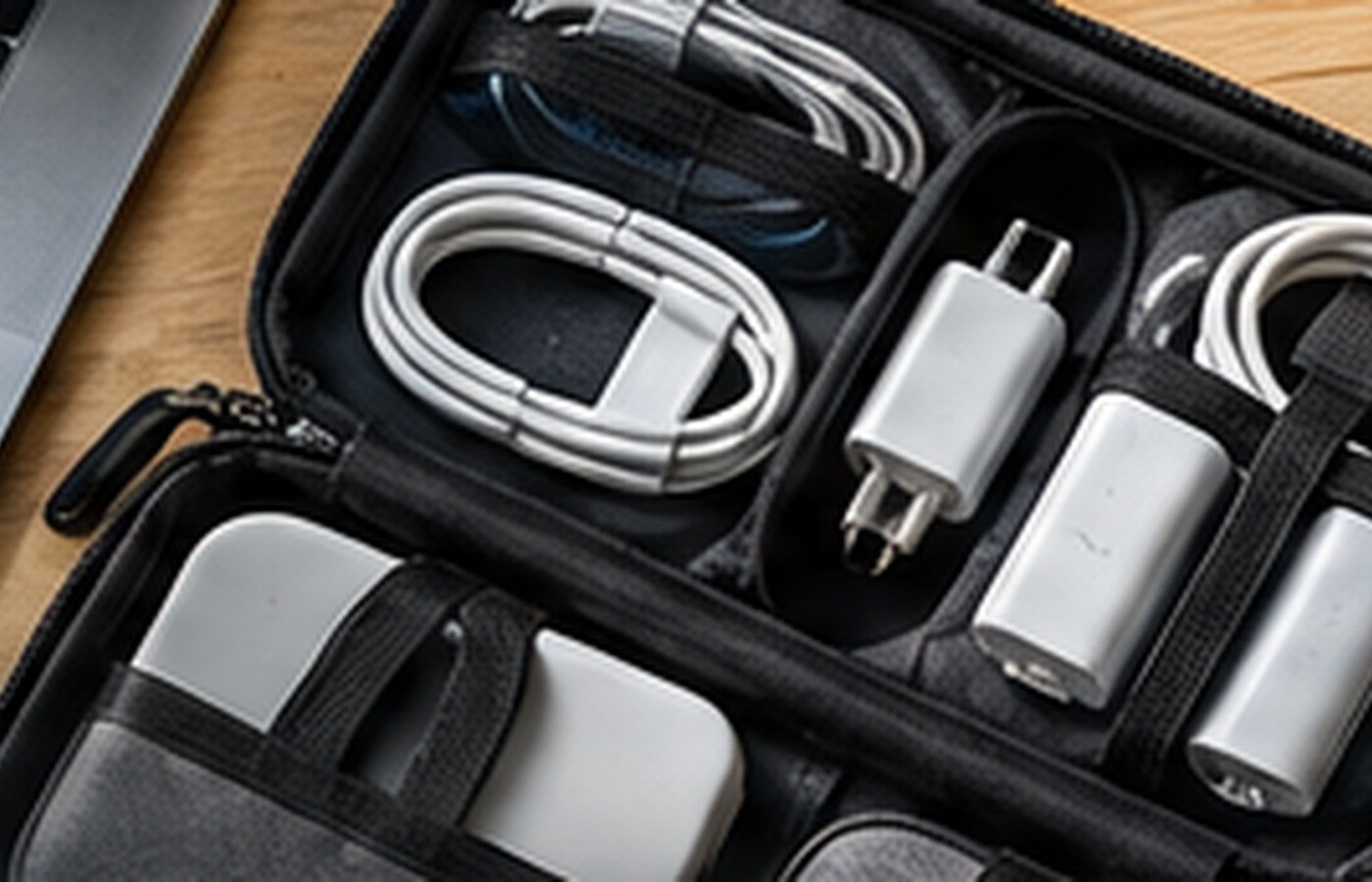
Compare compact cable organisers
Look for an open-flat view, a secure charger pocket and no more capacity than the audited kit needs.
The system becomes valuable when the same sequence is used at home, in transit and before checking out.
Before leaving home
- Charge every device.
- Test each lead with the highest-power device it may serve.
- Photograph the open pouch.
- Count the charger, primary pair, legacy lead, specialist item and spare.
- Place the pouch in the same cabin-bag compartment every trip.
At the hotel
Open the pouch flat in one controlled area. Remove only what is in use and return each item after charging. Avoid scattering leads across both sides of a bed, desk drawers and bathroom sockets.
Before checkout
Unplug the charger first so it cools while you pack. Match every empty loop or labelled pocket to an item. Check the wall socket, behind the bedside table, under the desk and the charging device itself. The open-pouch photograph is a useful reference when tired.
During airport security
Keep the pouch accessible if security staff ask to inspect electronics. Do not bury it beneath liquids or clothing. Power banks belong in cabin baggage under airline rules; if the pouch includes one, never let it remain in a bag surrendered at the gate.
Mystery cables create the most frustrating failures because they look usable until a laptop or drive refuses to cooperate.
Give every lead a job label
Use a small wrap label or marked hook-and-loop tie: LAPTOP 240W, EVERYDAY 60W, DATA, WATCH or LEGACY. The label describes the known job, not a guess based on colour.
Test under realistic load
A phone charging test does not prove that the same cable can sustain a laptop. Connect the intended charger, cable and laptop while the laptop is in use. Check the operating system’s charging status and whether the battery rises rather than merely holding steady.
Test data separately
Move a reasonably large file to an SSD or camera, or connect the display the cable is intended to serve. Mark the cable only after it passes. When a lead is charge-only, label that limitation.
Retire damage early
Remove cables with split jackets, bent connectors, intermittent charging, heat, discolouration or exposed shielding. The pouch is not a quarantine area for accessories you no longer trust.
Buy the smallest complete system rather than three unrelated accessories that happen to fit in one bag.
| Component | Look for | Avoid |
|---|---|---|
| Pouch | Open-flat visibility, secure zip, charger pocket, useful loops | Deep unstructured bag with hidden corners |
| Charger | USB-C PD, published port allocation, traceable manufacturer, correct market plug | Unbranded high-wattage claims with no allocation table |
| Laptop cable | Clear power rating, reputable maker, appropriate length | Mystery lead borrowed from a low-power accessory |
| Data cable | Published speed and display support when required | Assuming charging success proves fast data |
| Cable ties | Reusable and wide enough not to pinch | Tight rubber bands or sharp folds |
| Adapters | One clearly needed bridge | A chain of adapters for critical charging |
Compare clearly rated USB-C leads
Choose by the device requirement and label the lead when it arrives. Do not buy 240W only because it is the largest number.
The method saves time and duplication, but only when the pouch is kept deliberately small.
Pros
- One place to check before leaving
- Fewer duplicated cables and chargers
- Faster troubleshooting because each lead has a known job
- Easier hotel checkout and airport access
- A deliberate spare protects the dominant charging standard
Cons
- A single lost pouch affects several devices
- An oversized organiser encourages accessory creep
- Multi-port chargers can reduce output when several ports are used
- Specialist watch and camera leads remain unavoidable
- Labels and tests need updating when devices change
A tidy-looking pouch can still be technically unreliable when the contents were chosen by appearance.
Buying the pouch before counting the kit
Empty capacity becomes an invitation to carry spare adapters with no defined use.
Assuming every USB-C cable is identical
Connector shape does not prove wattage, data speed or display support.
Ignoring multi-port power splits
The charger may advertise one large total while the laptop receives much less after a phone is connected.
Carrying one cable for every device
Shared standards should reduce cable count. Pack by unique connector and simultaneous need.
Using adapters as permanent joints
A native cable is more dependable for high-power charging and important data transfers.
Coiling too tightly
Sharp bends at the connector create strain. Use loose coils and a reusable strap.
Leaving the pouch in checked baggage
Essential charging gear and any power bank belong in cabin baggage, especially when a bag may be gate checked.
Keeping a cable after intermittent failure
Unreliable electronics do not become safer because they are stored neatly.
These answers cover the decisions that usually cause either overpacking or a charger that cannot support the laptop.
How many charging cables should I take for three devices?
Most travellers can cover a phone, tablet and laptop with two USB-C to USB-C leads plus one specialist lead for a watch, older phone or other non-USB-C device. Add one compact spare only when losing a cable would stop essential work or communication.
Do all USB-C cables charge a laptop?
No. USB-C describes the connector shape, not the full power rating. A cable must support enough power for the laptop and charger combination. Look for a declared rating and, where available, a certified 60W or 240W logo.
Is a 100W cable obsolete?
No. Many legitimate 100W e-marked cables remain in use. Newer USB-IF consumer logos simplify certified power labelling around 60W and 240W. Check the manufacturer’s specification rather than assuming every unlabelled cable is equal.
Do I need a 240W cable for a phone?
No. A phone will request only the power it supports. A 240W cable can be a future-proof laptop lead, but it may be thicker and less convenient than a lighter 60W cable for bedside phone charging.
Can one charger safely power a phone, tablet and laptop?
Yes, when the charger supports the required protocols and its total and per-port output cover the devices. Read the multi-port allocation table because plugging in a second device can reduce the laptop port’s wattage.
What charger wattage should I choose?
Use the original laptop charger’s wattage as the starting point. Phone and tablet trips often need 35-45W; an ultraportable laptop plus phone commonly suits 65-70W; simultaneous laptop, tablet and phone charging may justify 100-140W depending on the laptop.
Should I pack USB-A cables?
Only when a device or transport outlet genuinely needs them. A tiny USB-A adapter can be useful, but a native cable is more reliable than a chain of adapters when the connection is important.
Can a charging cable also transfer photos and files?
Sometimes. Some inexpensive cables support only basic USB 2 data, and others are intended mainly for charging. Keep one known data-capable cable if you connect an SSD, camera, monitor or phone to a computer.
What cable length works best for hotels?
A two-metre primary cable reaches awkward bedside sockets; a one-metre or shorter lead keeps desks and power banks tidy. Two different lengths are usually more useful than duplicate long cables.
Should the charger stay in the cable pouch?
Yes, if the pouch can separate the heavier mains charger from cable coils. Give it a fixed pocket so it does not crush connectors or disappear into another bag.
Do magnetic cable tips belong in the pouch?
Treat them cautiously. They can collect metal debris, add an extra failure point and may not support the expected power or data standard. A normal certified cable is the safer default for laptop charging.
How often should I review the pouch?
Audit it after changing a phone, laptop or watch and before a major trip. Remove mystery cables, frayed leads and adapters that no longer serve a listed device.
Build the system around one capable charger and two known USB-C leads, then add only the exceptions your devices prove they need.
For a modern phone, tablet and ultraportable laptop, a compact 65-70W or 100W multi-port charger, one long USB-C lead, one short USB-C lead and one specialist watch or legacy cable is a strong starting point. Higher-power laptops may need 100-140W and an appropriate 240W lead. The original charger label remains the authority.
Choose a pouch that opens flat and shows every fixed position. Label power and data roles, test the real combinations, and keep the entire pouch in cabin baggage. The system succeeds when you can see in ten seconds that nothing is missing.
Start with the audited gaps
Compare only the pouch, charger or cable your device inventory shows is missing. A smaller complete kit is more useful than a larger collection.
Official and primary references used for the claims, specifications and safety guidance in this article.
Research checked against current USB-IF, Apple and GOV.UK material on 20 September 2026. Retail ranges are deliberately broad and dated because charger and accessory prices change frequently.
- USB-IF: USB Type-C Cable and Connector Specification Release 2.5 – Current Type-C specification released in 2026 and official certification context.
- USB-IF: USB Type-C cable power-rating logo guidelines – Certified 60W and 240W power markings and combined power/data logos.
- Apple Support: fast charge MacBook Air or MacBook Pro – Examples of laptop adapter and cable power requirements.
- GOV.UK: placing UKCA or CE marked products on the market in Great Britain – Current conformity-marking framework and product traceability context.
- USB-IF certified product list – Reference point for certified USB products and manufacturer claims.
Illustrations in this article were created for Travel Gear. Third-party photographs, where used, are credited beside the image or in the source list.