Best USB-C Cables for Travel
One connector, several very different jobs: choose the cable your journey actually needs.
The best USB-C cables for travel are not necessarily the thickest, most expensive or highest-wattage leads. They are the ones that perform the jobs in your bag without creating a second tangle of unnecessary accessories. A phone, laptop and portable drive may share the same connector while needing very different cables.
That distinction matters when a lead charges a laptop perfectly but refuses to run a portable screen, or takes much longer than expected to copy holiday photographs. USB-C describes a connector; the cable still has separate limits for power, data and, where supported, video. A product name that mentions only fast charging leaves several questions unanswered. [1][2]
This guide compares seven useful approaches, from straightforward charging leads to a short USB4 cable. The recommendations are research-led rather than hands-on test results. The aim is to help you leave with a small, understandable kit, not replace every cable you already own. Keep a sound existing lead when its documented capabilities already match your equipment.
Anker A82E2
A flexible 240W-rated lead; 480Mbps data only.
Belkin CAB025
A 2m charging option with cable management.
StarTech 50cm USB4
An 80Gbps-rated option for a close-connected dock or drive.
Watts versus gigabits
A charging cable can be powerful but slow at moving files.
Best USB-C Cables for Travel: how the choices were made
Compare the job before comparing the brand
The shortlist prioritises clearly identifiable models, documented charging limits, stated data capabilities and practical lengths. Everyday charging comes first because it is the most common shared task. Specialist data and display cables have their own places rather than being presented as necessary upgrades for every phone owner.
A higher position is therefore not a laboratory score or a promise of better durability. For a traveller carrying only a phone and e-reader, an ordinary compatible charging cable may be more useful than an advanced Thunderbolt lead. Conversely, a photographer who backs up large files needs something that a cheap charging bundle may not provide.
I have not independently measured charging current, cable resistance, bend life or transfer speed. Manufacturer test claims are not treated as comparable results across brands. The useful buying questions are simpler: does the exact cable support the required function, is its length appropriate, and can you identify it quickly when several similar leads are on a hotel desk?
Read the exact variant, not the family name
Cable families often include different lengths, connector combinations and pack sizes. A listing for a 1m twin pack should not be mistaken for a single 2m lead. Likewise, a USB-A to USB-C cable is not interchangeable with a USB-C to USB-C cable when the power adaptor has only one type of socket.
Specifications were checked on 09 October 2026. Retail links are places to inspect the named variant and current buying options, not promises of stock, seller identity or a particular delivery date. No live price is reproduced here because cable bundles and temporary discounts can make apparently similar offers difficult to compare fairly.
The seven cable options at a glance
| Cable | Main travel role | Stated capability | Length discussed | Main limitation |
|---|---|---|---|---|
| Anker A82E2 | Everyday charging | Up to 240W; 480Mbps data [3] | 1.8m / 6ft listing | No display output |
| Belkin CAB025 | Flexible charging lead | Up to 240W; USB 2.0 [4] | 2m | Not a fast SSD cable |
| Apple USB-C Charge Cable | Simple laptop/phone charging | Up to 240W; USB 2 data [5] | 2m | Not Thunderbolt |
| Anker 333 A8756 | A matched main-and-spare pair | Up to 100W; 480Mbps [6] | 1m twin pack | Not for video |
| StarTech USB4 80Gbps | A short work-desk link | Up to 80Gbps and 240W [7] | 50cm | Too short for many wall sockets |
| Apple Thunderbolt 5 Pro | Compatible high-bandwidth equipment | Thunderbolt 5; up to 240W [8] | 1m | Unnecessary for ordinary charging |
| Belkin CAB001 | Existing USB-A outlets | USB-A to USB-C [9] | 1m | Not a USB-C Power Delivery lead |
Shortlist the charging candidates
For an uncomplicated charging setup, compare the Anker A82E2, Belkin CAB025 and Apple Charge Cable first. They solve broadly similar problems, so there is little reason to buy all three. Pick the length and handling style that fits your kit, then use a separate, clearly identified specialist cable only when required.
Everyday charging: four sensible choices
1. Anker A82E2: a flexible main travel cable
The A82E2 combines a 240W charging rating with USB 2.0-speed data transfer, stated at up to 480Mbps. Anker explicitly separates that charging role from video output. It is a useful starting point for a modern phone-and-laptop kit where the lead will mainly connect a power adaptor or power bank to one device. [3]
The 1.8m version gives some flexibility when the socket is not beside the bed. However, that extra reach also means more cable to manage at an airport seat. Before choosing it, lay out your charger and normal travel bag at home. Check whether the lead can reach your preferred resting place without pulling sideways on the connector.
I would choose this as a general charging candidate, not as an all-purpose connection for every USB-C accessory. Mark it as a charging lead when a similar-looking data cable travels alongside it. The practical benefit is avoiding uncertainty, particularly when you are packing quickly and cannot remember which black cable belongs to the SSD.
2. Belkin CAB025: soft handling and simple organisation
Belkin’s CAB025 is another 240W-rated USB-C to USB-C charging cable with USB 2.0 data capability. The selected 2m version belongs to the soft braided range; its cable-management features are more relevant to travel than treating the wattage headline as a speed guarantee for every device. [4]
This suits someone who repeatedly coils and uncoils a bedside lead and wants it easy to distinguish from older, stiff cables. Even so, a flexible jacket does not remove the need to protect the ends. Avoid packing the connector underneath a tightly compressed plug or forcing the lead into a pocket that bends it sharply at the strain relief.
My preference would depend on the bag rather than the brand name. A shallow organiser may handle a loose 2m coil well, while a small sling may benefit from a shorter alternative. Do not purchase the 3m variant automatically because it looks more generous: more length is useful only when it solves a real reach problem.
3. Apple 240W Charge Cable: straightforward, not universal
Apple’s 2m woven USB-C Charge Cable supports charging up to 240W and USB 2 data transfer. That makes its purpose quite clear: it is a charging lead that can also handle basic data tasks, rather than a replacement for an appropriate Thunderbolt or high-speed USB cable. [5]
It is a sensible choice for someone who values a recognisable, uncomplicated cable and already knows that 2m fits their charging routine. Nevertheless, buying an Apple-branded cable does not give every connected Apple device the same capabilities. The device port, power adaptor and software can all matter, and the charging lead does not add a missing display function.
The most useful comparison is with what you already own. A working, correctly rated lead that came with a laptop may be entirely adequate. Consider buying another only when you need a dedicated travel kit, a useful spare or a different length. Keeping a cable permanently in a pouch can prevent forgetting it, but does not justify carrying several duplicates every day.
4. Anker 333 A8756: a matched pair for charging redundancy
The Anker 333 A8756 is rated for charging up to 100W and data transfer up to 480Mbps; it is not intended for video output. The linked variant is a black 1m twin pack. Two identical leads can make a simple main-and-spare system, provided 100W covers the requirements of the devices you intend to charge. [6]
A twin pack is not automatically better value for the trip. It is useful when both cables have a defined role, such as charging two devices or keeping one spare in the main luggage. It is less useful when the second cable merely joins several unlabelled spares and makes the pouch harder to manage.
For a laptop whose preferred USB-C charging setup exceeds 100W, choose a suitably rated higher-power cable instead. For a phone-only kit, the 100W ceiling may already be more than enough. In either case, compare the actual connector type and length with your charger. A tidy 1m lead works well at a desk but can be frustrating beside a badly positioned hotel socket.
Data, displays and older sockets
5. StarTech 50cm USB4: for a close-connected working setup
The linked white 50cm StarTech USB4 cable, CC50CM80GUSB4CABLEW, is advertised for up to 80Gbps data and 240W power, with supported display modes documented by the manufacturer. This is a different category from the charging-only priorities above. Its short format is aimed at equipment sitting close together, such as a laptop and a portable drive or compatible display. [7]
The attraction is not simply having the highest number printed on a lead. It is keeping a capable connection compact and identifiable. However, the listed maximum requires suitable equipment at both ends. Connecting an older drive through a slower hub will not produce 80Gbps performance merely because the cable has that rating.
Allow enough slack for normal movement. A short cable can look wonderfully tidy until opening the laptop lid or moving the screen pulls the connected device towards an edge. Measure the route around the actual ports, including any bends around a stand. For many travel desks, a slightly longer suitable cable is safer and more practical than the shortest possible option.
6. Apple Thunderbolt 5 Pro: a specialist choice
Apple’s 1m Thunderbolt 5 Pro cable supports compatible Thunderbolt, USB and display connections, with a charging rating up to 240W. Its Thunderbolt 5 bandwidth figures describe supported operating modes, not a universal file-copy speed for every USB-C device. It belongs in a kit built around equipment that can use those capabilities. [8]
For example, someone travelling with a compatible high-performance dock may reasonably prefer a cable specified for that connection. A traveller who only charges a phone overnight generally gains little from paying for the same functionality. The useful question is whether the cable replaces a genuinely required specialist lead, rather than whether it sounds more future-proof.
Before replacing the cable supplied with a dock or drive, compare the manufacturer’s requirements carefully. Some peripherals are easiest to manage with their original, known-working lead. Label that cable and keep it with the accessory. Buying a premium replacement without checking the chain can leave you with a more expensive version of the same unresolved connection problem.
7. Belkin CAB001 USB-A to USB-C: a conditional spare
Belkin’s CAB001 has a rectangular USB-A plug at one end and USB-C at the other. It is useful with equipment that still offers USB-A, but it is not the same product category as a USB-C to USB-C Power Delivery cable. The connector at the power-source end determines where it can physically connect. [9]
Carry one when a known accessory or planned setup needs it, not because every hotel or aircraft is assumed to have the same outlet. For instance, an older car charger may make a USB-A lead useful during a road trip. A kit using only your own USB-C charger and compatible devices might not need it at all.
Check data requirements separately when the lead will be used for a vehicle’s wired phone integration. A cable that charges does not, by itself, prove the complete system is configured correctly. Test the actual phone, socket and cable before relying on it for navigation. Meanwhile, keep a charging alternative available so a connection issue does not leave the phone unusable.
Understand power, data and display support
What the wattage number really tells you
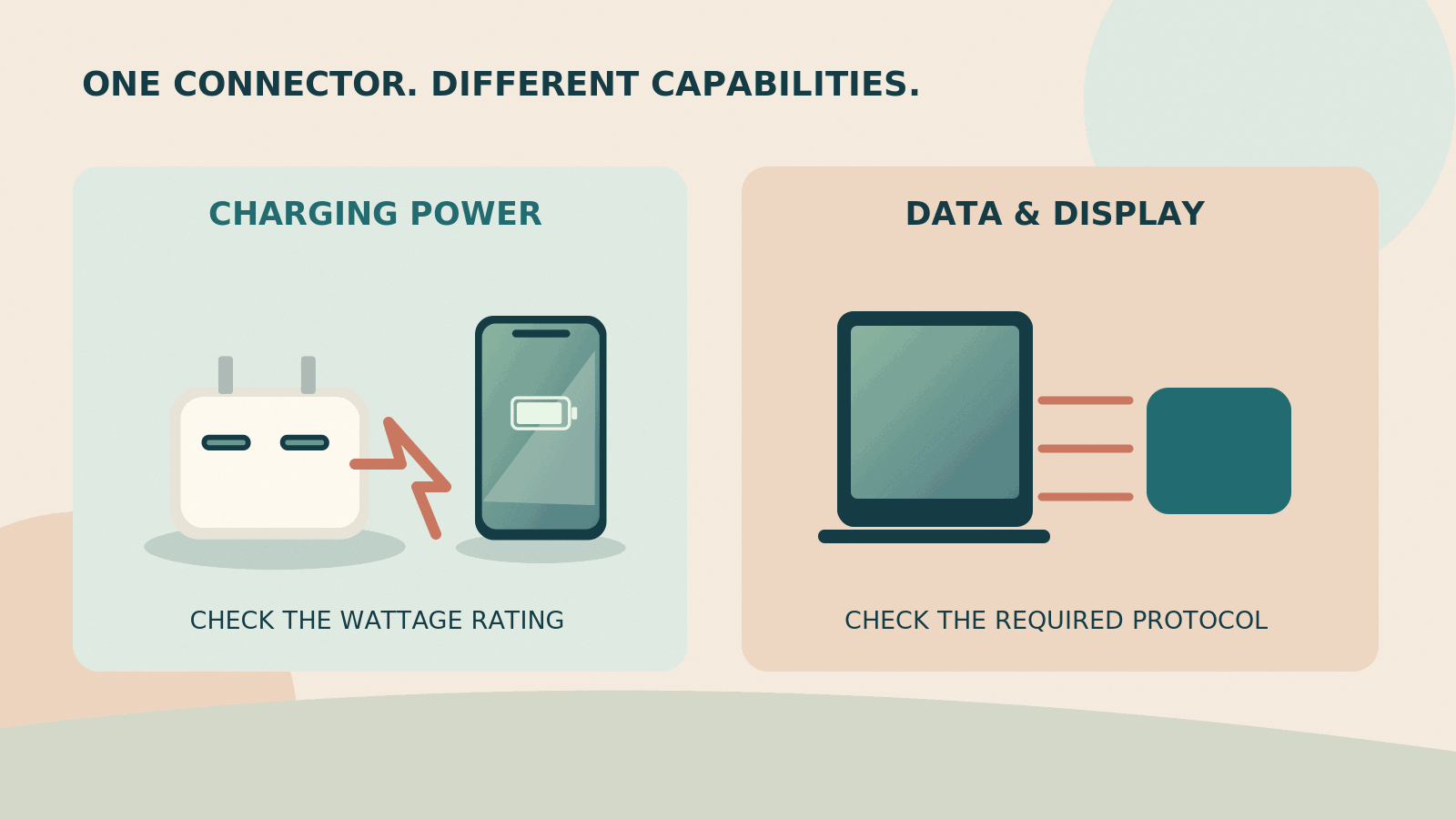
A cable’s charging rating is an upper supported capability, not power that it forces into a device. USB Power Delivery involves the connected equipment establishing an appropriate power arrangement. A 240W cable does not make a low-power charger supply 240W, nor does it make a phone accept a laptop-sized charging input. [2]
Start with the charger output and device requirement, then ensure the cable is suitable for that connection. For higher-power charging, use a cable explicitly rated for the required level rather than an unmarked spare. Keep proprietary charging arrangements separate: an unusual phone charging mode may require the maker’s particular charger and cable, even when both ends look familiar.
Why a fast-charging cable can move files slowly
The charging cables above illustrate the distinction: several support substantial charging power while documenting only USB 2.0 data speeds. That is perfectly reasonable for their intended role. It becomes a problem only when they are bought as substitutes for a fast storage or display connection. [3][4][5][6]
For frequent photo backups, note the requirements of the drive enclosure and computer port before choosing a lead. Treat the maximum data figure as a ceiling for a complete compatible system. File sizes, the storage devices, the connection path and other activity can reduce actual transfer performance. A cable cannot compensate for every bottleneck elsewhere in the setup.
A monitor needs more than a matching plug
A portable display may require a compatible video-capable port, a suitable cable and enough power through the chosen connection. Some arrangements also need separate display power. Apple and StarTech describe supported capabilities for their relevant cables, but those do not mean every USB-C port will output video. [7][8][10]
Test the complete arrangement on your own desk before leaving. Confirm the screen stays connected while the laptop charges and while you use the resolution you actually need. This is more informative than buying to a headline such as 8K when your travel screen is much simpler. Keep the setup uncomplicated unless your work genuinely demands otherwise.
Choose lengths around the places you charge
Short leads for power banks and close desk connections
A short lead can prevent a power-bank cable becoming a loop that catches on bag contents. However, it should still let the phone and battery sit securely without hanging from either connector. Measure the space between the ports in the arrangement you really use, rather than measuring only the objects themselves.
For an SSD or small hub, start with the supplied lead when it works correctly. The most compact replacement is not always the best one. Enough slack to reposition a device and avoid a sharp bend matters more than making a photograph of the desk look perfectly neat.
A metre for an orderly charging spot
A 1m lead is a practical candidate when the charger stays on the desk or beside a chair. It is also easier to manage inside many small pouches. Nevertheless, a metre can be surprisingly short when the socket is behind furniture, the adaptor protrudes sideways and the phone needs to rest somewhere stable.
Try a simple rehearsal: use your travel charger in a socket that is not your usual convenient one, then place the phone on a safe surface. That reveals whether a slightly longer main lead would remove a recurring frustration. Keep this as a packing decision, not a reason to buy several lengths without a plan.
Around two metres for bedside reach
A longer lead gives you more placement options, but it also creates more slack across a room. Route it away from walking routes, bed mechanisms and places where a suitcase wheel could catch it. Do not leave a charger or device suspended by the cable merely because the lead just reaches.
When two people share a charger, consider where both devices will lie. A single long lead plus one short lead may be more useful than two identical long coils. Avoid stretching either cable tightly to make the arrangement work. Moving the charging station is often better than adding more adapters and extensions.

Build a small cable kit for your trip
Phone-only city break
Begin with the correct charging lead for the phone and any genuinely different connector required by an essential accessory. When the phone, earbuds and power bank share a compatible connector, decide whether charging them sequentially is convenient enough. The fact that they can share a cable does not mean they must all be charged at the same time.
Add one sensible backup when losing the main lead would cause a real problem. Keep it apart from the main charging pouch if practical. Otherwise, leaving the pouch behind loses both the main cable and its supposed backup at once. This is a simple packing habit rather than a guarantee against disruption.
Laptop and phone working trip
Identify the laptop’s preferred charging connection first. Then decide whether the phone can share that cable when the laptop is not charging, or whether simultaneous charging warrants a second lead. Check your charger’s multi-port behaviour separately; the cable does not decide how a multi-output charger allocates its total power.
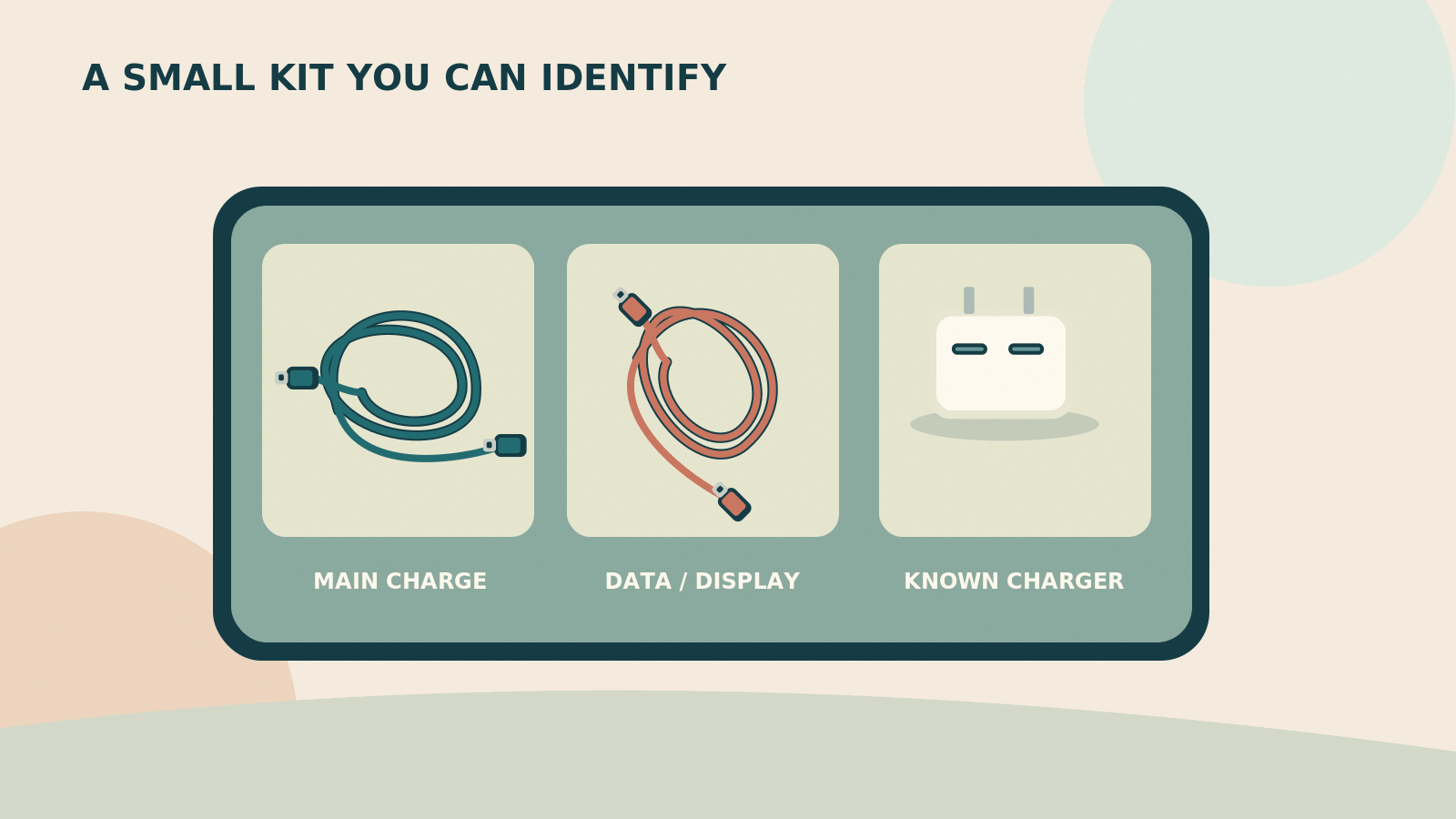
A pair of cables with distinct lengths or colours can make the kit easier to use. Label the specialist one by function, such as display or drive, rather than relying on memory. Leave unrelated office cables at home. A travel setup is easier to troubleshoot when every lead has a purpose you can describe in one sentence.
Photography or external-drive workflow
Keep the drive, its known-working cable and any required adapter together. Before the trip, copy a representative group of files and open a few from the backup destination. A transfer appearing to start is not the same as confirming the saved files are present and readable. Retain another sensible backup process for irreplaceable material.
Allow time for the actual workflow instead of calculating the trip around advertised maximum bandwidth. If your computer and drive do not benefit from an 80Gbps cable, a correctly specified lower-speed option may be entirely sufficient. The priority is a reliable, tested chain that you understand, not an impressive specification unrelated to the equipment you own.
Three connection problems to solve before departure
The laptop charges alone but slows when a phone is connected
Treat this as a question about the complete charging arrangement, not proof that the laptop cable is defective. First, consult the charger’s documented output allocation when multiple sockets are used. Then check whether the laptop is connected to the appropriate port. A charger with a large total rating may divide its output differently when another device is added.
Next, repeat the test with the laptop alone and the same cable. Keep the test conditions broadly similar: a device doing demanding work or near a full battery may behave differently from an idle device with a lower charge. The purpose is not to produce a laboratory charging-speed result. It is to establish a routine that works reliably for your trip.
Only replace the cable when its rating, condition or documented compatibility gives you a reason to do so. Otherwise, you may buy a more expensive lead without changing the limitation. For a working trip, a practical answer might be charging the phone separately while the laptop is busiest, then sharing the charger when the workload is lighter.
The drive is visible, but copying photographs is frustratingly slow
Start by checking whether you used the drive’s usual data cable or a phone charging lead. Several charging-focused options in this guide only document USB 2 data rates. That can explain a large difference from a faster compatible connection without either cable being faulty. Keep the data lead with the drive to make that mistake less likely. [3][5][6]
Also inspect the entire route. A drive connected through a slower hub is not the same arrangement as a drive connected directly to a suitable port. Use the drive and computer manufacturers’ requirements to choose a sensible connection, then test a representative set of files rather than assuming every transfer will match a headline rate.
For travel planning, note how long your ordinary backup process actually takes on your own equipment. Leave time for checking files and safely disconnecting devices according to their instructions. A last-minute copy while checking out of a hotel is a poor place to discover that the compact replacement cable was intended mainly for charging.
The portable display works at home but not in the travel setup
Recreate the exact travel connection before blaming the display. Check whether the same computer port, cable and power arrangement were used at home. A dock or adapter added for convenience introduces another compatibility question. Some portable displays need a separate power connection in the chosen setup, even when another arrangement uses a single cable. [7][10]
Keep the display’s instructions available offline or in a place you can access without relying on the display itself. Identify the minimum working arrangement, then add accessories one at a time. This makes it easier to distinguish a missing power requirement from a cable or port that does not support the needed video connection.
A small note in the pouch can be enough: the correct laptop port, the correct lead and whether separate display power is needed. That may seem unnecessary at home, but it becomes useful when setting up in an unfamiliar room after a long journey. A repeatable setup is more valuable than a collection of adapters you have not tested together.
Decide which convenience features are worth carrying
Angled connectors and magnetic organisers
An angled connector can reduce protrusion in a particular arrangement, but the direction has to suit the actual port and device case. Check that it does not block a neighbouring socket or make the lead bend back on itself. A shape that fits one laptop or phone case neatly may be awkward with another.
Separate magnetic cable organisers are a storage preference, not evidence of better electrical performance. Consider whether a simple reusable tie would do the same job with less bulk. The organiser should be easy to remove when you need the full cable length and should not encourage tight coils around the ends.
Multi-ended leads need an exact use case
A cable with several tips can look like an easy way to reduce clutter, but the supported charging and data behaviour must be documented for that particular product. Do not assume every tip supports the same power, that two tips can charge simultaneously or that a data function remains available through every arrangement.
This shortlist favours separate identifiable leads because they make compatibility easier to explain. That does not mean every multi-ended product is unsuitable. It means that convenience needs to be checked against your actual devices. Keep a straightforward known-working alternative when a specialised combination cable would otherwise become a single point of failure for the entire kit.
A display on a cable does not replace a proper diagnosis
Some cables show a power figure while charging. That can be interesting, but a changing number is not automatically a fault: the device’s charging behaviour can change during use. Without knowing the measurement method and accuracy, do not treat a small cable display as a calibrated diagnostic instrument.
Buy that feature only when it helps you understand a setup you already know how to use. For most travellers, clear capability labels and a tested charger matter more. Adding more electronics to the cable can also change its bulk and handling, so compare the whole product rather than treating the display as a free benefit.
Pack, inspect and troubleshoot without guesswork
Coil loosely and separate the hard parts
Let the cable form a comfortable loop rather than winding it tightly around a power brick. A soft reusable tie can keep the coil manageable without crushing it. Position plugs so their pins and corners do not press into the jacket. The organiser should protect the equipment, not require force to close.
Keep leads away from leaking toiletries, damp swimwear and loose grit. After a beach day, clean and dry the outside of the pouch before placing it among charging equipment. Do not plug in a wet connector or try to keep using a cable with exposed conductors, damaged insulation, unusual heat or an unreliable physical connection.
Change one part of the connection at a time
When charging fails, start with a known-working socket and charger, then try a known-working compatible cable. This separates a cable problem from a source or device problem more effectively than swapping several pieces simultaneously. Check the device’s own instructions for warnings or charging restrictions rather than repeatedly forcing a connection.
For a drive or display, test directly where the manufacturer permits before adding a hub back into the chain. A cable that charges a phone has not thereby passed a data or video test. Keep those functions distinct in your troubleshooting notes so you do not discard a sound charging lead for failing a task it never supported.
Use a short packing rehearsal
Spend a few minutes checking the complete kit before departure. Charge the devices, connect any display, and confirm your backup drive works. Then pack the cables exactly where they will live during travel. This reveals missing pieces more reliably than a last-minute visual check of a drawer full of similar connectors.
For a shared trip, agree whose cables belong in the communal pouch and which must remain with a work device. Otherwise, the most capable lead can disappear into another bag at the moment it is needed. A small label is more useful than expecting everyone to recognise identical-looking connectors in poor light.
Pros, cons and avoidable buying mistakes
Advantages
A smaller kit is quicker to check and easier to repack. It also gives you a clearer troubleshooting path because there are fewer mystery leads. Choosing two well-understood cables can be more practical than collecting several supposedly universal ones with unclear power and data descriptions.
Trade-offs
However, reducing too far can leave you without the one different connector an essential accessory needs. Keep a justified specialist lead or spare. The objective is not the fewest possible objects at any cost; it is the fewest objects that reliably support the trip you are actually taking.
Check aftercare without confusing it with a test result
Anker’s UK A82E2 page advertises 24-month coverage, while Belkin’s CAB025 page gives a two-year warranty. Those are useful aftercare details to review at purchase, not evidence that either cable has been independently tested here for that lifespan. Check the terms applying to the seller, country and exact product you choose. [3][4]
Keep the receipt and model details with your travel-equipment records. A clear claim route matters more than a warranty slogan when you are away from home. Also distinguish a manufacturer’s specification page used for research from its regional sales terms: the Canadian Anker 333 page supports the model’s technical details, but its offers and local service conditions are not imported into this UK buying guide. [6]
What to avoid at the checkout
Do not compare a twin pack with a single lead without checking length and capability. Avoid treating durability slogans as directly comparable laboratory results. Also resist buying solely on the highest wattage: it does not resolve an unverified monitor connection or make an older USB-A charger into a modern USB-C Power Delivery source. [2]
Check the selected variant again immediately before paying. Marketplace pages can combine colours, lengths and pack sizes under one product family. Keep the receipt and packaging information until you have tested the cable. That makes it easier to identify precisely what you bought if it behaves differently from the documented specification.
Frequently asked questions
Does a 240W cable charge every phone faster?
No. The cable rating describes supported capacity, while the charger and device determine the usable charging arrangement. A phone cannot gain a charging mode merely because the cable advertises a larger number. Choose a compatible, properly rated lead, then check the phone’s recommended charger and any proprietary cable requirements. [2]
Can I use one cable for my laptop and phone?
Often, provided both use compatible USB-C charging and the cable supports the laptop’s requirement. They can share it sequentially, but charging both at once needs separate leads or an explicitly supported arrangement. Consider convenience as well as compatibility: moving a single cable repeatedly during work can be more irritating than carrying one extra suitable lead.
Is every USB-C cable suitable for a portable monitor?
No. The computer port, cable and monitor must support the required connection. Charging ability alone does not prove video capability. Check the monitor’s instructions, use an appropriate documented cable and test the complete setup before travelling. Separate power may also be necessary for the particular display and host arrangement. [7][8][10]
Is a braided cable always more durable?
Not necessarily. The outer covering is only one part of the construction, and the product’s connector design, handling and packing matter too. This guide has not performed comparative wear tests. Treat a maker’s bend-count claim as its own test claim, not evidence that a cable will survive a specified number of trips or outperform every differently constructed lead.
What is the most useful length for travel?
Choose around the charging location. Roughly 1m can be manageable at a desk, while a lead around 2m gives more bedside reach. A short cable can suit a nearby battery or drive. These are practical starting points, not universal rules: check where the ports sit and make sure the connected equipment rests safely without tension.
Should I replace a working 100W cable with a 240W one?
Not simply because the larger rating exists. A sound 100W cable remains useful where its documented capabilities cover your device and charger. Upgrade when you need a higher supported power level, a different function or a more suitable length. Buying another high-rated charging cable will not fix a separate need for faster data transfer. [2][6]
Do I need a USB-A cable as well?
Only when your planned equipment or a useful backup arrangement requires one. A USB-A to USB-C lead can connect a modern device to an older source, but it is not a substitute for every USB-C charging mode. Test any essential wired vehicle connection in advance rather than assuming a matching plug guarantees the required data behaviour. [9]
How should I label similar cables?
Use short, functional labels such as laptop charge, screen or SSD. Keep the labelling on a tie or tag that does not strain the cable. You can also note the model and length in your packing list. Clear identification is particularly helpful when one lead supports high-speed data and another similar-looking lead is intended mainly for charging.
The cable kit I would build first
Start with one familiar, correctly rated USB-C charging cable and a practical length. For a new kit, the Anker A82E2 and Belkin CAB025 are sensible candidates to compare; the Apple Charge Cable is another straightforward option. There is no need to carry all three. Add a specialist data or display cable only when your equipment actually needs it.
For a phone-and-laptop trip, I would put more effort into testing the complete setup than into collecting additional cable specifications. A documented main lead, one justified spare and a clearly labelled specialist cable make a more understandable kit than a pouch full of untested backups. Keep the device-specific accessories that genuinely matter, and remove the rest after a rehearsal.
Sources and fact-checking notes
Last source review: 09 October 2026. Published ratings are cable capabilities, not measured charging or transfer results. Manufacturer technical pages and identifiable UK retail listings were compared. Canadian Anker information is used only for the A8756 model specifications, not UK sales terms. Product availability is not guaranteed.
- USB-IF: cable and connector certification
- USB-IF: USB Power Delivery
- Anker UK: A82E2 240W USB-C cable
- Belkin UK: BoostCharge 240W, CAB025
- Apple UK: 240W USB-C Charge Cable, 2m
- Anker: 333 A8756 manufacturer specifications (Canadian site)
- StarTech: 50cm USB4 80Gbps cable, CC50CM80GUSB4CABLEW
- Apple UK: Thunderbolt 5 Pro Cable, 1m
- Belkin UK: BoostCharge USB-A to USB-C, CAB001
- Apple Support: charge and connect using USB-C
Illustrations in this article were created for Taylor’s Trailblazing Travel Gear. Third-party photographs, where used, are credited beside the image or in the source list.