Best 100W USB-C Travel Chargers
Build a laptop-ready travel kit without confusing a 100W headline with the power on every port.
Buying 100W USB-C travel chargers seems straightforward until you ask where the hundred watts actually go. A dedicated laptop plug and a three-port charger may carry the same headline, yet support very different working routines. The cable, regional version and occupied-port allocation can change the result as much as the brand.
For a work trip, the useful comparison is the whole desk-ready kit. That means the charger, an appropriate laptop cable, the destination mains connection and any separate plan for your phone. It also means knowing whether the computer needs its full allocation while you work or simply a useful refill while it is closed.
This guide separates those choices and keeps the unresolved details visible. It explains why a single-port model may be the simpler answer, when a multi-port design is worth investigating and where a manufacturer's inconsistent table deserves a question rather than a confident recommendation.
Anker Nano A2679
One USB-C output avoids an occupied-second-port trade-off. [2]
Anker Prime A2688
Its three-port combined ceiling is lower than the headline; inspect the intended arrangement. [1]
UGREEN allocation table
Confirm the output on each port for the specific Nexode Pro model. [3]
Satechi with mains lead
Choose the regional lead and resolve the relevant power-table ambiguity. [4]
Best 100W USB-C Travel Chargers: choose the right kind of power
There are two quite different reasons to carry a 100W charger. One is to give a compatible laptop a dedicated high-power connection. The other is to divide a larger supply between several devices. A product can be useful for one job and disappointing for the other, so this guide does not rank every charger as though it performs the same task.
The shortlist uses manufacturer specifications and identifiable UK product listings. It separates verified output arrangements from details that still need model-specific confirmation. These are research-led buying judgements, not results from our own charging-speed, temperature or endurance tests. A product's presence here is not a claim that every seller currently has the correct UK version in stock.
| Exact model | Format / connections | Verified output evidence | Condition before buying |
|---|---|---|---|
| Anker Nano A2679 [2] | Direct plug-in; one USB-C; identified cable bundle | Up to 100W; 20V / 5A | Correct UK version, compatible laptop and suitable included cable |
| Anker Prime A2688 [1][8] | Direct plug-in; 2 USB-C + 1 USB-A | 100W one-port maximum; 100W two-port total; 89W three-port total | Confirm the allocation per occupied port and regional version |
| UGREEN Nexode Pro 15204 [3][9] | Direct plug-in; 2 USB-C + 1 USB-A | USB-C 1 up to 100W | Obtain current per-port and shared-output details |
| Satechi ST-TC100GM-UK [4][10] | Separate mains lead; 2 USB-C + 1 USB-A | One USB-C up to 100W; two USB-C up to 60W / 30W | Confirm UK lead; USB-A combination totals need clarification |
Checked 9 October 2026. International technical pages are not evidence of UK stock, plug geometry or bundle contents.
The first decision is dedicated charging or shared charging
My clearest starting choice for a laptop that genuinely benefits from up to 100W is the single-port Anker Nano A2679, subject to the computer's compatibility and the correct cable bundle. For a flexible three-port arrangement, compare the Anker Prime A2688 and UGREEN Nexode Pro, but check what the laptop receives when the other connections are occupied.
The Satechi offers a different physical arrangement with a separate mains lead. It is a conditional desktop-style option rather than a universal winner: its published combination figures contain an ambiguity discussed below. That limitation matters more than making the comparison table look reassuringly complete.
Decide whether a 100W charger solves your laptop's actual problem
Read the charging requirement, not the screen size
A large screen does not provide an exact charging specification. Neither does a product-family name such as MacBook Pro, ThinkPad or gaming laptop. Find the guidance for the particular model and the USB-C port you intend to use. Some computers have several similar-looking connections with different roles, while others still rely on a separate proprietary power input.
Apple's guidance permits compatible USB-C power adaptors above or below a Mac's usual rating, while recommending an adaptor meeting or exceeding the model's minimum for the best experience. That is useful context, not permission to assume a 100W replacement reproduces every original charging feature. Check the model-specific requirement and any separate fast-charging conditions. [6]
For planning, divide your use into working, travelling and charging while the computer is closed. A setup that is satisfactory for overnight replenishment may not preserve the same battery behaviour during demanding work. Conversely, carrying the largest available adaptor may provide little benefit when the laptop cannot use its extra output.
Identify the failure you are trying to prevent
Are you replacing an inconveniently bulky original adaptor, trying to charge a phone from the same socket, or solving a laptop that loses charge during work? Those problems require different evidence. A smaller charger body addresses the first only if the complete packed system is smaller. More ports address the second only if their allocations are adequate. The third needs device-specific power advice, not a marketing comparison.
Write one sentence describing success before comparing products. For example: my laptop should work at the hotel desk while my phone receives a useful refill. Then specify the equipment and the allocation required. This small exercise makes it harder to be distracted by a fourth port or an attractive display that does not solve the underlying problem.
A 100W label is therefore a starting filter, not the final recommendation. The product must support the necessary output profile through the intended port, with a suitable cable and compatible device. A larger number elsewhere on the packaging cannot repair a mismatch in that chain.
Anker Nano 100W A2679: best for a dedicated laptop connection
Why a single port can be an advantage
The Anker Nano A2679 is a single-USB-C 100W charger. The identified UK listing describes a bundle with a six-foot USB-C cable and gives 100-240V input, with a maximum output profile of 20V at 5A. Check that the selected offer includes that cable and the required regional plug rather than assuming every similarly named bundle is identical. [2]
Its attraction is simplicity. There is no occupied-second-port arrangement to understand because there is no second port. For a traveller who wants the laptop connected throughout a work session, that can be easier to manage than a multi-port charger whose available laptop power changes as other equipment is added.
Who should shortlist it
I would start here for someone who wants a compact dedicated replacement for a compatible laptop adaptor and already has a separate way to charge a phone. It also suits a traveller who deliberately recharges devices one at a time. The usefulness comes from keeping the computer's connection predictable, not from promising that every laptop will draw the full output.
The limitation is equally straightforward. A phone cannot occupy a spare charger socket while the laptop is connected. Charging through a computer's own ports may or may not suit your equipment and routine; do not count on that as an undocumented substitute for a second mains charger.
A bundle can be good value when the included cable is the length and rating you need. It is less useful when the cable is too short for the hotel desk or duplicates a better lead you already own. Compare the complete arrangement, including any phone charger that remains necessary, before declaring the single-port option the smallest travel solution.
Anker Prime 100W A2688: best to compare for flexible multi-device use
Read the manufacturer's technical table carefully
The A2688 Prime has two USB-C ports and one USB-A port. Anker's current technical page specifies up to 100W from either USB-C port used alone, a combined maximum of 100W with two ports occupied, and a combined maximum of 89W with all three occupied. Its headline should not be read as 100W on every connection simultaneously. [1]
The UK listing identifies the same A2688 model, but regional plug construction and seller offers still need checking. US product dimensions are not used here as a guaranteed measurement of the UK packed unit. Likewise, an international manufacturer's stock message is not evidence that a particular UK seller can deliver the correct version. [8]
When I would choose it over the Nano
The Prime is the more relevant comparison when the equipment and charging schedule benefit from more than one output. For instance, a laptop that is content with its shared allocation could remain connected while a phone charges. The exact split for your port combination still needs confirming; the total ceiling alone does not tell you what each device receives.
It is not the obvious answer when the laptop must retain the full 100W while another substantial device also charges. The combined limit leaves no hidden reserve for that requirement. In that situation, use separate chargers or investigate a higher-output model with an explicitly suitable allocation rather than treating the Prime's spare socket as extra capacity.
The buying judgement is about flexibility with known limits. A three-port device can be convenient during a relaxed evening and less suitable during a demanding work session. Keep the laptop's priority clear, and do not let an available USB-A connection quietly change the entire plan.
UGREEN Nexode Pro 100W: a compact-format candidate with checks to complete
Match the 15204 model rather than a generic Nexode description
UGREEN identifies the Nexode Pro 100W, SKU 15204, as a three-port design with two USB-C outputs and one USB-A output. The manufacturer describes up to 100W on USB-C 1 and support for USB Power Delivery and PPS. The UK listing linked here is for the Nexode Pro 100W, not a different Nexode generation. [3][9]
Where it belongs in the comparison
This is a useful candidate for a traveller who likes the compact plug-in format and is willing to obtain the missing allocation detail before buying. It is not a research-led guarantee that two USB-C devices will receive the same power, or that the second port duplicates the first.
I would ask a retailer a specific question: what are the output allocations when my laptop uses USB-C 1 and my phone uses USB-C 2? A response saying up to 100W in total does not fully answer it. When a work trip depends on the arrangement, request the actual table or a manufacturer confirmation for SKU 15204.
Do not turn a missing specification into an automatic rejection when the product otherwise suits your needs. Equally, do not turn a recognisable brand into evidence that the missing detail must be favourable. Treat the question as an unresolved buying condition, then decide using the answer rather than an assumption.
Satechi 100W Compact GaN: a conditional choice for a desk-led setup
The separate mains lead changes the packing decision
Satechi's 100W USB-C PD Compact GaN charger uses a separate mains lead and provides two USB-C connections plus USB-A. Its specification lists 100-240V input and regional models, including ST-TC100GM-UK. Confirm that the offer includes the correct UK lead and model rather than relying on the international page's US box-content description. [4][10]
A lead-connected charger can make sense when you want the charging body on a desk rather than directly at the wall. It may also make the USB sockets easier to reach. The trade-off is another cable to pack and another connection to account for during departure checks.
A specification ambiguity that should not be hidden
My conditional recommendation is to use the documented two-USB-C arrangement as the starting comparison and obtain clarification before depending on a different combination. Someone who needs an unambiguous three-device maximum immediately may prefer another product with clearer documentation.
This is also why it is not ranked simply as the best desk charger. The physical layout may suit a particular room or work habit, but that advantage cannot replace electrical compatibility and a confirmed power budget. Compare the extra mains lead with the reach it provides, then decide whether the resulting kit is better for your actual travelling desk.
Draw a power budget before attaching a second device
Think in allocations, not unused holes
A spare output is a connection opportunity, not a second full power supply. Begin with the device whose operation matters most. Write its required allocation first, then see what the charger's documented combination leaves for the other equipment. Where the table is incomplete, stop and obtain the information rather than doing optimistic subtraction.
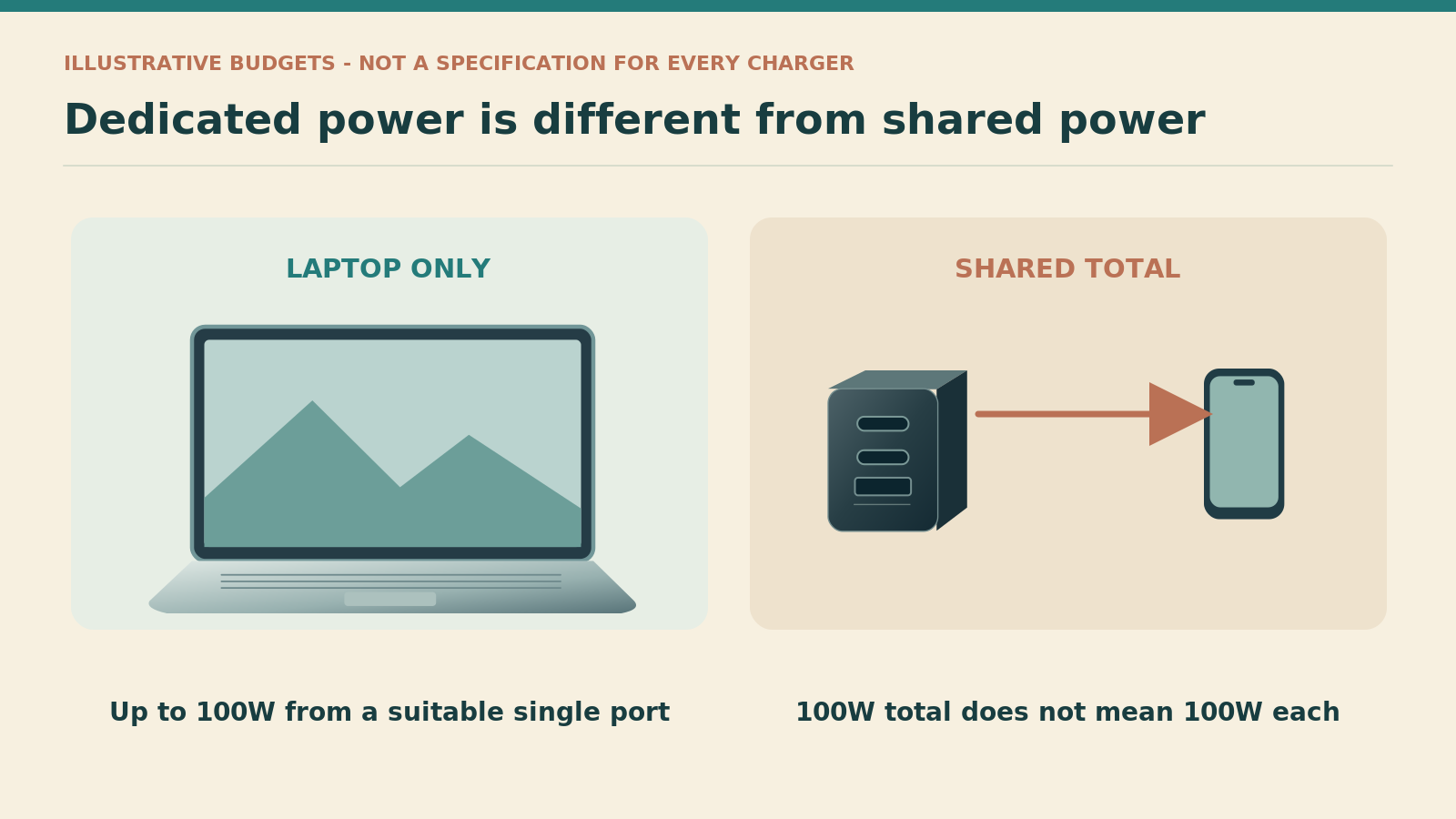
For example, a hypothetical 100W arrangement split into 65W and 30W might suit one laptop-and-tablet combination. Another traveller may need a dedicated 100W laptop connection and a separate phone charger. Those are illustrative budgets, not claimed outputs for every product in the shortlist. The manufacturer must confirm the actual available profiles.
| Your requirement | Useful buying question | Do not assume |
|---|---|---|
| Laptop alone needs up to 100W | Does the intended port support the required profile with the right cable? | That any USB-C cable supports the full arrangement |
| Laptop and phone together | What does each occupied port receive on this exact model? | That 100W total means 100W plus phone power |
| Two laptops at once | Does the verified combination meet both computers' requirements? | That two USB-C sockets replace two full-power laptop adaptors |
| Laptop must keep its full allocation | Would two independent chargers or a suitable higher-output model be simpler? | That unused sockets create extra power beyond the total ceiling |
These are planning questions, not universal charging profiles or independent performance measurements.
Maximum output is not a constant demand
A device does not necessarily draw its largest supported power throughout a charging session. USB Power Delivery allows compatible equipment to negotiate the power it needs. Nevertheless, plan around the charger's supported arrangement rather than assuming a nearly full phone will always leave a guaranteed amount for the laptop. [11]
The important distinction is between observed behaviour and a dependable specification. Your equipment may appear to work well during one trial with a nearly full battery, then behave differently with both devices depleted. A useful purchase has enough documented capability for the situation you care about, not just one reassuring evening at home.
When charging is essential, avoid a system that requires guessing which device currently deserves the larger share. A simple dedicated-laptop connection can be preferable to a sophisticated arrangement that nobody in the travelling group understands.
A 100W cable is part of the charging system, not an optional upgrade
Match the current rating as well as the connector
At 20V, delivering 100W requires 5A. Use an appropriate electronically marked 5A USB-C cable for that arrangement, following the charger and device guidance. A cable limited to 3A is not a full-power substitute merely because both ends fit. Anker specifically calls for an E-Marker cable for optimal 100W use of the Prime. [1][11]
A correctly specified 100W cable you already own may be suitable; a 240W-rated USB-C cable can also provide the necessary power capability when compatible with the equipment. USB-IF's current certification scheme uses 60W and 240W cable power labels. Data performance remains a separate specification, so a high-power label does not promise a fast external-drive or display connection. [5]
Choose the practical length before adding a spare
Measure the likely distance from the charger position to the laptop's stable working surface. The useful length includes enough freedom to move the computer without pulling its connector. It does not need to be the longest available option simply because a distant hotel socket is possible.
A lead-connected desk charger and a wall-mounted plug create different cable requirements. The former may let you use shorter USB leads because the charging body sits nearby. The latter may need a longer laptop cable to reach comfortably. Compare those complete arrangements rather than the cable length in isolation.
For an essential work trip, a second known-good laptop-capable cable can be a modest form of redundancy. Store it separately enough that one forgotten pouch does not remove both leads. For a holiday with occasional laptop use, that additional item may be unnecessary; the right answer depends on how difficult it would be to replace the cable during the trip.
Rebuild your hotel desk on paper before buying
Locate the wall connection and the equipment
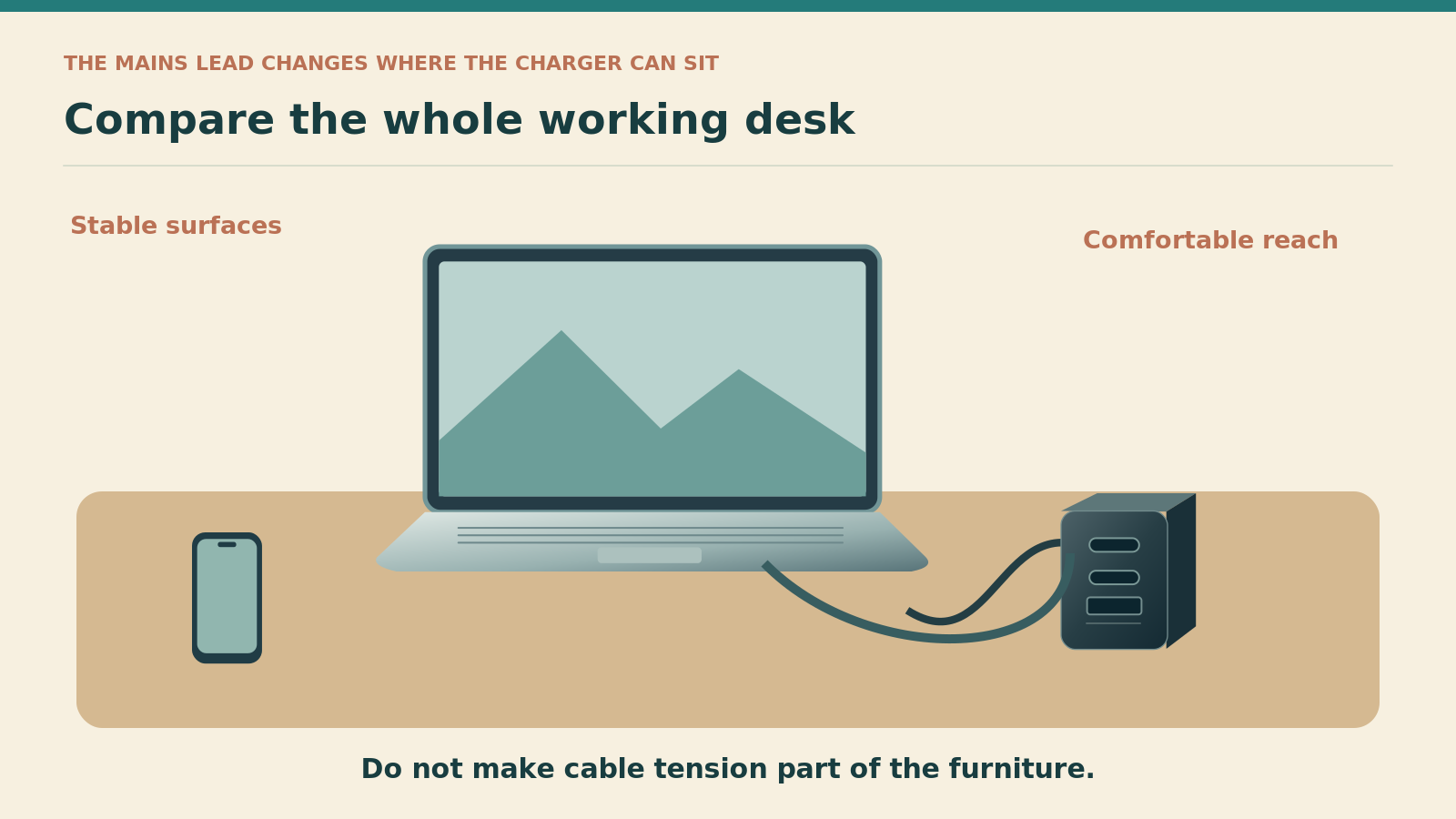
Draw a simple rectangle for the desk, mark the likely wall socket and place the laptop where you want to sit. Add a phone only if it needs to charge within reach. This quick sketch can expose why a charger with an excellent power specification might still be awkward to use.
A direct plug-in model places the USB sockets at the wall. A lead-connected model moves the charger body elsewhere. Neither arrangement is universally better. The useful choice depends on the reach available, the stability of the connection and whether the cables can run without obstructing the workspace.
Leave space for ordinary movement
Think about standing up, moving a chair and closing the laptop. A cable stretched tightly across those movements creates inconvenience even when the charging arrangement is electrically appropriate. Place equipment so that a small movement does not tug the plug or tip a device.
Avoid elaborate chains of adaptors intended to make an unsuitable wall connection work. Electrical Safety First's travel-adaptor guidance explains that adaptors do not convert voltage or frequency and should be selected appropriately. Check the charger's input label and the required destination connection separately. [7]
The Satechi format is worth comparing when its separate lead solves a real reach problem and the confirmed allocation meets your devices' needs. Otherwise, carrying the additional mains cable may add bulk without making the desk any easier to use.
Consider three work-travel situations before settling on a winner
One laptop, one short charging opportunity
For a traveller who has a limited period at a socket and wants to prioritise the laptop, a dedicated single-port charger is an understandable starting point. The key checks are the laptop's supported input, the correct output profile and the cable. Additional ports offer little value when you deliberately want nothing else sharing the arrangement.
The Anker Nano is the candidate I would investigate first for that routine, provided the exact bundle and regional version are suitable. However, no percentage refill time is promised here. Battery state, computer model, workload and charging controls affect the result, so manufacturer speed demonstrations should not be treated as a universal timetable.
A laptop plus a phone during an evening work session
Here, a multi-port charger can be useful when the shared laptop allocation is enough. Start with the documented requirements, then rehearse the actual work you expect to do. A brief battery-icon check with an idle computer is not equivalent to a whole session using the software that matters to you.
The Prime is a straightforward comparison for someone who understands its combined ceilings, while the Nexode Pro needs the exact per-port arrangement confirming. Neither is automatically a better purchase than two separate plugs. Compare convenience, the number of available wall sockets and the consequence of losing the shared unit.
Two people with two laptops
A 100W total-output charger should not be assumed to replace two independent high-power laptop adaptors. The arithmetic may not support the requirement, even before considering the available output profiles. Identify each computer's needs and whether both must be working or recharging together.
When both laptops are essential, independent chargers can simplify responsibility and reduce the consequences of a single failure. A higher-output shared model could be suitable, but only with a verified allocation that meets both devices. Do not buy a two-USB-C 100W charger merely because the port count matches the number of computers.
Travel with a suitable mains connection, not a universal assumption
Inspect the exact regional version
International listings can show different plug shapes, lead bundles and product measurements. The brand and headline output are not enough to establish that the delivered item matches your route. Check the model number, input range, mains connection and supplied accessories on the actual UK offer.
This guide does not turn US manufacturer dimensions into UK packed-size measurements. Foldable prongs, an attached UK plug and a separate UK mains lead are different physical arrangements. A fair comparison measures the complete kit required to make each work at the destination.
Keep the voltage check independent
A suitable physical connection does not prove that the charger accepts the local supply. Read the input rating and confirm the destination requirements. Likewise, an appropriate input range does not prove that a particular plug head or adaptor is supplied in the box.
For the Nano, the identified listing provides a 100-240V rating. The Prime's technical page and Satechi's specification also state that range. For the UGREEN UK purchase, inspect the current unit's label and documentation rather than treating another region's page as conclusive evidence of the delivered mains assembly. [1][2][4]
Keep a photograph of the rating label with the order record. That small habit makes support questions easier if the shop changes its listing after purchase. It also helps when several nearly identical chargers are shared within a household and you need to identify the correct one quickly.
Test the charger with the work that actually matters
Establish a baseline using the existing adaptor
Before replacing a laptop's usual charger, note how the computer behaves during a familiar task with that original equipment. Then try the proposed travel setup using the same task and a comparable battery state. This is a practical comparison of your own experience, not a controlled laboratory benchmark.
Check whether the operating system recognises a suitable power source and whether the arrangement remains useful during the work session. Apple describes where compatible Macs show connected power-adaptor information in System Information. That can help identify the negotiated adaptor rating, but the displayed number is not a measurement of constant battery charging power. [6]
For other computers, use the manufacturer's support guidance for that exact model. Do not treat an unverified third-party utility as the only evidence that a mains charger is safe or performing correctly. The purpose of this trial is to discover a mismatch before travel, not to perform an electrical certification at home.
Add the second device only after the first arrangement works
Repeat the check with the intended second device and the correct port combination. Keep the cable positions consistent and note any difference in the computer's reported charging state or practical usability. Then decide whether that result matches your original definition of a successful purchase.
If it does not, simplify the arrangement before buying more accessories. Remove the second device, confirm the laptop cable and check the supported output profiles. A problem that appears only in shared use may point to an allocation limit rather than a defective laptop or an inherently inadequate product family.
Leave enough time before departure to resolve questions with the supplier. A charger that arrives on the morning of a work trip leaves little opportunity to discover that the UK offer has a different cable bundle or that the intended two-device split is unavailable.
Pack a reliable working kit without duplicating everything
Distinguish essential redundancy from habit
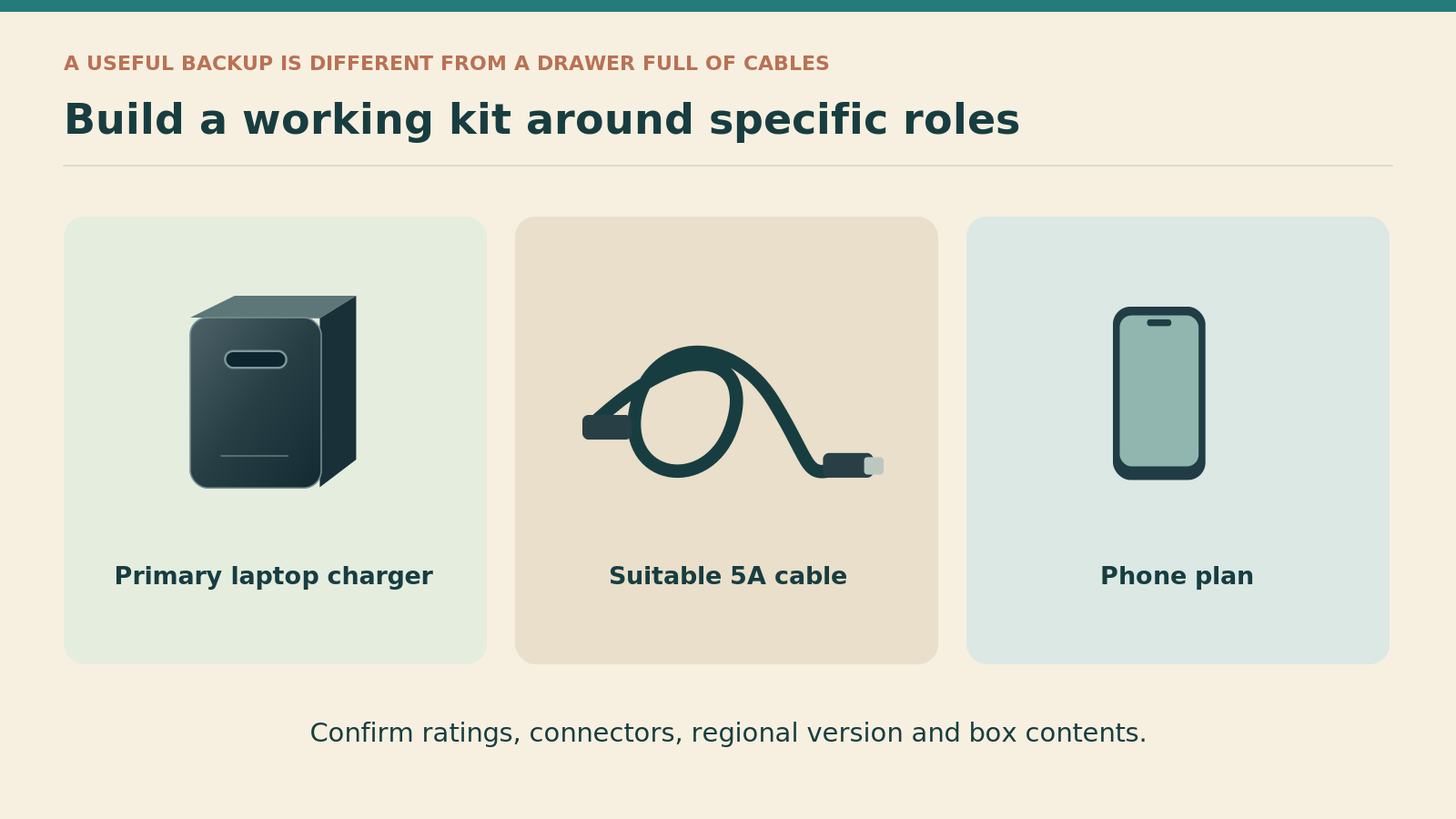
An essential work kit might justify a spare laptop-capable cable and an alternative way to charge the phone. That does not mean it needs three chargers, several unlabelled leads and every adaptor collected from previous holidays. Give each item a specific failure or access problem to solve.
For example, a second charger stored in the same small pouch as the first offers no protection against forgetting that pouch. Separating one useful backup can make more sense than adding several accessories to the same vulnerable location. On the other hand, a leisure traveller who can simply postpone laptop use may prefer a much lighter kit.
Organise by role and order of use
Keep the laptop cable identifiable, the phone lead accessible and any destination attachment in a pocket where it can be counted. Put a separate mains lead beside the charger body rather than in an unrelated clothing compartment. A missing lead can make an otherwise complete-looking desk charger unusable.
Coil cables without forcing sharp bends at their connectors, and inspect them for damage when packing. Do not keep using a cable because it is your only high-power lead if its condition raises concern. Replace unsuitable equipment through an appropriate supplier rather than attempting an improvised repair during the trip.
Make departure checks part of the routine
Check the wall socket before closing the bag. Then check the desk surface and the cable route to the laptop. This catches different kinds of omission: the plug can remain in the wall, the charger body can be under a desk, or a detachable lead can be left behind after the rest is packed.
For two travellers, assign ownership of the shared charger and agree where it will be carried. Otherwise, one person can leave with the charger while the other keeps the only suitable laptop cable. Clear responsibility usually solves that problem better than a more complicated organiser.
Compare total value, seller support and replaceable parts
A low charger price can conceal a more expensive kit
Compare the final working arrangement: charger, correctly rated laptop cable, destination connection and any phone charger you still require. A bundled cable is valuable when it meets your needs; it is not a saving when it must immediately be replaced with a different length or connector arrangement.
No prices are quoted because current offers and regional bundles vary. Before ordering, check the exact seller, the delivered model, cable contents, return conditions and arrival date. An accessible product page is evidence that a listing exists, not a guarantee of a suitable offer or immediate availability.
Ask questions that produce a useful answer
For a multi-port charger, ask for the output on each occupied port in your intended configuration. With a regional bundle, ask which plug or mains lead is included. For the Satechi's conflicting totals, ask the manufacturer to confirm the maximum simultaneous output rather than accepting a repeated marketing headline.
Keep the answer with the receipt. Clear documentation can make it easier to explain why a delivered item does not match what you were told. It also avoids repeating the same investigation when you replace a lost cable or later add another device to the travel kit.
Think about what is easy to replace on the road
A standard, appropriately rated USB-C lead may be easier to replace than a proprietary charging accessory, but availability varies by destination and retailer. Do not base an essential work plan on the assumption that every nearby shop will stock a genuine high-power cable or the correct regional mains lead.
For a lead-connected charger, use a replacement that meets the manufacturer's specification rather than choosing only by a similar connector shape. For a damaged charger body, follow the supplier's replacement or support process. The portable kit should remain a set of correctly specified components, not a collection of improvised substitutes.
When two chargers are the better answer
Preserve the laptop's full allocation
If the computer needs the whole available output while the phone is also important, two independent chargers can be the simplest arrangement. That avoids trying to make a total-output limit serve two incompatible requirements. It can also give each traveller responsibility for a complete, working kit.
The trade-off is another mains connection and another item to pack. A room with limited sockets may make that inconvenient, while a desk with suitable separate outlets may make it easy. Decide from the physical setup and power needs rather than assuming one charger is always the more sophisticated solution.
Keep one failure from affecting everything
A shared charger can reduce clutter but concentrate dependence. Losing it might affect the computer, phone and accessories at once. A dedicated laptop adaptor plus a separate phone charger may be less elegant in a photograph but more resilient on a trip where both devices are essential.
This is a planning judgement, not a claim that a multi-port charger is inherently less reliable. The issue is the consequence of any single unit becoming unavailable. Choose the level of redundancy that fits the trip rather than carrying a backup for every imaginable inconvenience.
Pros and cons of the 100W category
Where 100W makes sense
A compatible laptop can benefit from a dedicated higher-power connection, while an appropriate multi-port model can simplify a mixed-device kit. The category offers both direct plug-in and lead-connected arrangements for different workspaces.
Where the label is misleading
Shared output can be much lower on the laptop port than the headline suggests. Regional bundles, cable ratings and missing allocation tables can undermine an otherwise attractive purchase, and 100W does not meet every computer's requirements.
Choose for a repeatable routine
The strongest reason to buy one of these chargers is that it supports a routine you can explain simply. That might be dedicated laptop charging with the Nano, or a verified laptop-and-phone arrangement with a three-port model. The benefit is a portable setup that works without constant rearrangement.
Avoid buying spare capacity without a purpose
Extra output is not a substitute for checking the equipment. A phone-only traveller may have little reason to carry this category, while a demanding laptop could still need a different adaptor. The useful middle ground is a charger matched to the device and workload rather than a vague belief that 100W must be better.
Common mistakes that spoil a high-power travel setup
Confusing total output with the laptop's share
Read the correct occupied-port arrangement before buying. A statement of 100W total does not establish 100W for the laptop plus something extra for a phone. The Prime's three-port ceiling and the Satechi's published ambiguity are reminders to examine the detailed specification rather than the largest printed number.
Assuming the two USB-C ports are interchangeable
Some products distinguish a primary laptop port from a secondary connection. Match the manufacturer's labels and ask for the current allocation diagram. Do not move the cable to a more convenient socket and assume the original power plan remains unchanged.
Using an unsuitable cable to judge the charger
A lower-rated or incompatible lead can prevent the expected arrangement. Check the cable before concluding that the charger is inadequate, but do not use cable replacement as a reason to ignore an input or output mismatch. Every link in the charging system needs to be appropriate.
Believing a compact body guarantees a compact kit
A separate mains lead, long USB cable or required destination adaptor can change the comparison. Put the complete usable kit on the table before choosing a pouch. The best packing decision is based on what travels, not the dimensions of one isolated component.
Treating an overseas listing as a UK purchase specification
Regional plugs, offers and supplied accessories can differ. Use international manufacturer information for clearly identified technical facts, then verify the actual UK version and seller. Never promise a delivery date, price or included lead on the strength of another country's page.
Frequently asked questions
Can one 100W charger replace my laptop adaptor and phone plug?
Possibly, but only when the multi-port allocations satisfy both devices in the intended configuration. A single-port charger cannot provide two independent connections, and a three-port charger does not necessarily preserve the laptop's maximum output when another device is attached. Start with the laptop requirement, confirm the occupied-port table and test the arrangement before relying on it away from home.
Is the Anker Nano better than the Prime?
They solve different problems. The Nano is the simpler starting point for a dedicated laptop connection, while the Prime provides additional ports with combined-output limits. A traveller who values uncomplicated laptop priority may prefer the Nano; someone whose devices fit a shared allocation may prefer the Prime. Compare the complete kit and charging schedule rather than treating the extra sockets as an automatic upgrade.
Will a 240W cable make a 100W charger deliver more power?
No. A cable with greater supported power does not increase the charger's output or the device's accepted input. It can provide suitable capability within a compatible system, but the charger and device still determine the available arrangement. Choose the cable for appropriate power, useful length and any required data performance, not as a way to turn one charger category into another.
Can a 100W charger run every USB-C laptop at full performance?
No. Some computers need more power, use a different charging arrangement or have model-specific requirements. Even a compatible computer can behave differently under demanding work compared with charging while closed. Check the manufacturer's guidance for the exact model and test the actual travel configuration. A connector and a headline wattage do not establish universal compatibility.
Is a charger with a mains lead better for hotels?
It can be better when moving the charging body away from the wall makes the workspace easier to use. It can also add unnecessary bulk when a direct plug-in model already reaches comfortably. Compare the full cable route, not just the charger body. For the Satechi option here, resolve the relevant output combination as well as choosing the correct regional mains lead.
Why is there no definitive charging-speed league table?
A meaningful speed comparison would need controlled testing with specified devices, battery states, cables, workloads and conditions. This guide does not claim to have performed that testing. Its comparison instead uses published specifications and practical buying checks, while keeping missing or conflicting information visible. Manufacturer demonstrations are not converted into promises about how quickly your own laptop will recharge.
Should I still carry the original laptop charger?
Carry it when the replacement has not been confirmed suitable for essential work, or when the original provides a capability the travel charger cannot reproduce. Once an appropriate travel setup has been checked, whether to carry both becomes a redundancy decision. Consider the cost of losing access, the length of the journey and the practicality of obtaining a genuine replacement, rather than always doubling the kit.
What should I ask about the Satechi before ordering?
Ask for confirmation of the correct regional model and supplied mains lead, then request the simultaneous output limits for the exact ports you intend to use. The published USB-A combinations are ambiguous relative to the headline rating. Do not assume the larger arithmetic total is guaranteed. The documented two-USB-C arrangement provides a starting comparison, but a different requirement needs a specific answer.
My final recommendation
Start with the Anker Nano A2679 when the job is a dedicated, compatible laptop connection and the cable bundle suits your desk. Compare the Prime A2688 for a multi-device setup that fits its documented limits. Investigate the Nexode Pro only after obtaining the required per-port details, and choose the Satechi's lead-connected format only when its practical advantage and confirmed allocation justify the extra cable.
The decisive question is not which charger has the most impressive headline. It is which complete system will let you work, recharge and pack without a daily workaround. Match the computer, occupied-port arrangement, cable, regional connection and seller before purchasing. Then check the delivered kit while there is still time to resolve an unexpected difference.
Sources and fact-checking notes
Checked on 9 October 2026. International manufacturer pages are identified as such; their plug geometry, stock messages and prices are not treated as UK offer details. Confirm the regional model, input label and supplied cable or mains lead before purchase. The Satechi table conflict and unverified UGREEN per-port details are retained openly. No independent laboratory tests are claimed.
- Anker: A2688 Prime technical specification, US manufacturer page.
- Anker manufacturer listing on Amazon UK: A2679 Nano cable bundle.
- UGREEN: Nexode Pro 100W, SKU 15204, manufacturer specification.
- Satechi: 100W Compact GaN technical table and regional models.
- USB-IF: cable power and data capability labelling.
- Apple Support: compatible power adaptors and adaptor information.
- Electrical Safety First: selecting travel adaptors.
- Anker manufacturer listing on Amazon UK: Prime A2688.
- UGREEN manufacturer listing on Amazon UK: Nexode Pro 100W.
- Satechi manufacturer listing on Amazon UK: 100W Compact.
- USB-IF: Power Delivery, 20V/5A and power negotiation.
Illustrations in this article were created for Taylor’s Trailblazing Travel Gear. Third-party photographs, where used, are credited beside the image or in the source list.