Best 65W USB-C Travel Chargers
A smaller charging kit starts with the right port allocation, cable and destination connection.
The best 65W USB-C travel chargers are the ones that match the equipment in your bag. A small laptop, a phone and a pair of headphones may look like a simple three-port shopping list, yet the laptop's allocation can change as soon as another cable is connected. Meanwhile, a useful charger at home may need a different mains connection abroad.
Those details matter more than an impressive photograph of a tiny plug. This guide compares specific models, distinguishes the UK folding format from an interchangeable-head travel kit and keeps a restricted-input single-port option in its proper category. It does not turn an unknown specification into a confident promise.
Begin with your laptop's requirement and the times when devices genuinely need to charge together. Then work through the cable rating, destination connection and full packed kit. A little planning can leave you with fewer plugs and a simpler routine without buying more output than you will use.
Anker 735 Nano II
A2667 makes the occupied-port arrangements visible before purchase. [1]
UGREEN Nexode 90663
A folding UK-plug candidate; confirm the required shared allocation. [2]
UGREEN travel 90409
Interchangeable US, UK and EU heads for appropriate routes. [3]
Anker 715 input range
The UK listing states 200-240V. Check the exact version and destination. [4]
Best 65W USB-C Travel Chargers: the useful shortlist
A 65W charger earns its place by replacing the right combination of plugs, not by displaying the largest number on a small box. For a light laptop, a phone and occasional accessories, the category can be a sensible compromise. However, the same charger may behave very differently when its second and third ports are occupied. Choose around the combinations you will actually use.
This shortlist is based on manufacturer specifications, UK product identification, published input ranges and the clarity of charging arrangements. It is not a laboratory test of sustained output, heat, efficiency or durability. The recommendations distinguish a UK mains plug from an international travel kit, and single-device power from shared power. Missing allocation details are marked as unknown rather than borrowed from a similar-looking model.
| Exact model | Connections / headline | Mains input / format | Decision-changing detail |
|---|---|---|---|
| Anker 735 Nano II A2667 [1] | 2 USB-C + 1 USB-A; 65W maximum | 100-240V; confirm UK version | Two USB-C devices: 45W + 20W maximum |
| UGREEN Nexode 90663 [2] | 2 USB-C + 1 USB-A; 65W total | 100-240V; folding UK plug | Obtain the required occupied-port allocation |
| UGREEN Nexode travel 90409 [3] | 2 USB-C + 1 USB-A; 65W total | 100-240V; US / UK / EU heads | Check destination fit and the sharing table |
| Anker 715 Nano II A2663 [4] | 1 USB-C; 65W maximum | UK page lists 200-240V input | Conditional regional use only; not a worldwide-input recommendation |
Model details checked 9 October 2026. Wattage is a maximum supported arrangement, not a promise that every device draws it.
My starting point for most mixed-device trips
For a UK-based traveller with an ordinary USB-C laptop and phone, I would first compare the Anker 735 Nano II with the folding UK UGREEN Nexode. The former publishes particularly useful port allocations; the latter deserves a closer look when its folding format suits your pouch. For several socket types on one journey, the interchangeable-plug UGREEN is the more relevant comparison.
Work out whether 65W is enough before choosing a brand
Start with the computer you already own
Read the specification for your laptop's charging input and its recommended power adaptor. The USB-C connector alone is not a promise that the computer accepts USB Power Delivery through every socket. Match the particular model and charging port, especially when your laptop also has a separate proprietary power connection.
Apple advises using a USB-C power adaptor that meets or exceeds the recommended minimum for the Mac model for the best charging experience. It also explains that compatible higher- or lower-wattage USB-C adaptors can charge a Mac. That does not mean a lower-powered travel plug reproduces every original-adaptor charging speed under every workload. [7]
A useful planning exercise is to write three needs on a page: the computer's normal charging requirement, the phone's charging requirement and anything you must recharge at the same time. Do not add camera batteries or headphones simply because you own them. Add them when the timing of your trip makes simultaneous charging necessary.
Separate charging availability from working performance
Imagine a traveller whose laptop normally uses a 65W adaptor. A shared arrangement offering 45W to that laptop might be acceptable for topping up while the computer is closed. It might be a poor arrangement during demanding work. Those are planning possibilities, not a prediction for a particular computer; the final check belongs to the device manufacturer and a trial with your actual workload.
The distinction changes the buying decision. Someone writing occasional emails can plan a laptop-only charging window before recharging a phone. Someone working against a deadline may prefer a more powerful multi-port model or separate plugs. Neither traveller is choosing incorrectly: they are solving different charging schedules.
Also consider the consequence of waiting. A slower refill overnight may not matter, whereas a short connection between trains gives little room for negotiation. Choose the charger for the difficult part of the journey, not only the easiest evening in a room with several spare sockets.
Anker 735 Nano II: best for clearly documented sharing
The exact model matters
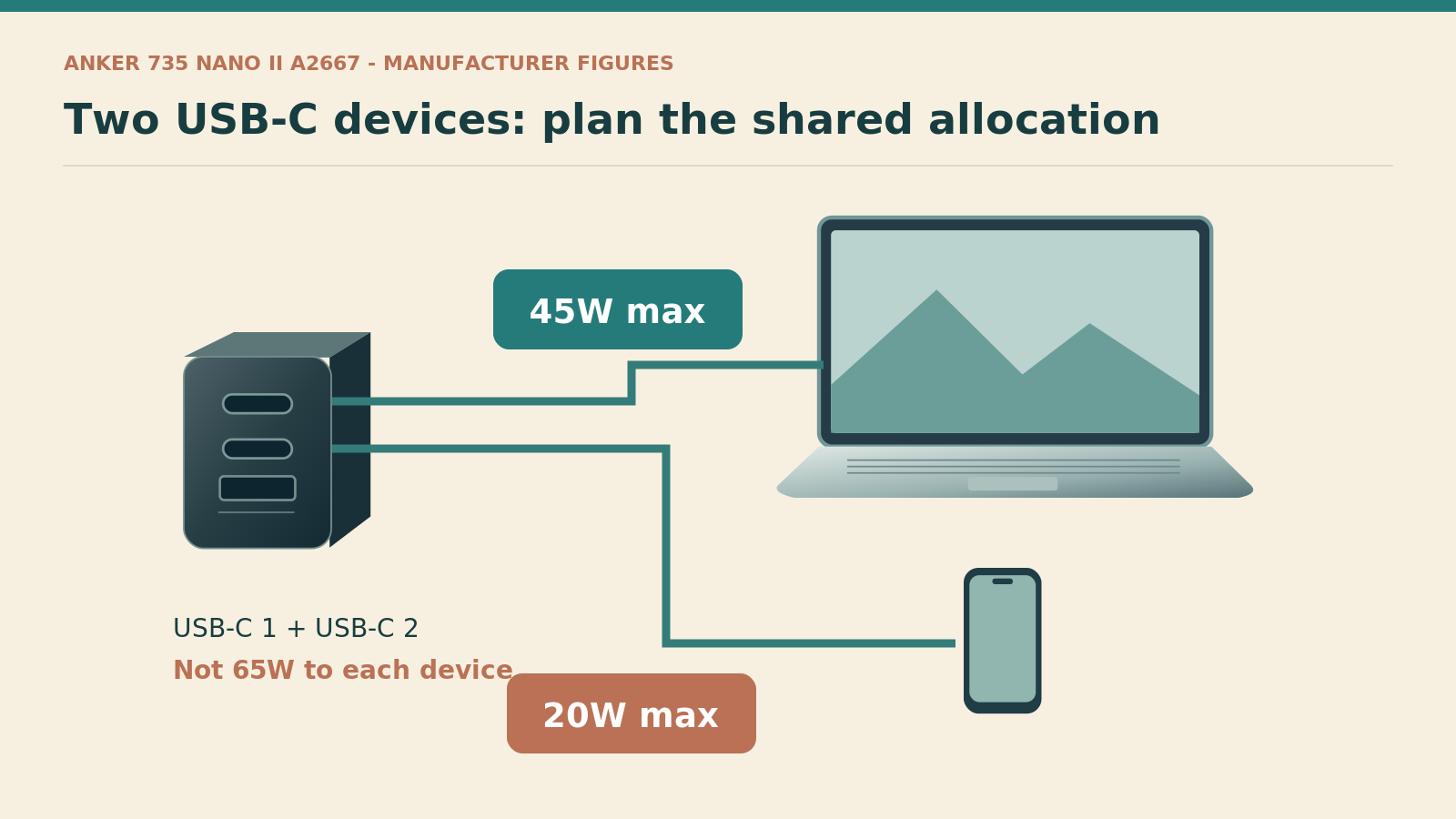
This recommendation is for the Anker 735 Nano II, model A2667, with two USB-C ports and one USB-A port. It is not the similarly named 735 GaNPrime. Anker lists 100-240V input and up to 65W from either USB-C port when used alone. Its published two-USB-C arrangement is 45W plus 20W. [1]
That makes it a particularly understandable option for somebody happy to charge a modest laptop and phone within those limits. Rather than assuming an intelligent charger will somehow find extra power, you can build a routine around the published combination. Put the computer on the appropriate USB-C port and keep the second connection for the device with the smaller requirement.
Why I would shortlist it
Clarity is the main advantage in this research-led comparison. A simple, documented arrangement makes it easier to decide whether the product is suitable before buying. It also makes a disappointing result easier to investigate: you can compare your connection pattern with a table instead of searching through vague claims about fast charging.
However, filling all three ports changes the proposition. Do not treat an unused-looking USB-A socket as an invitation to add another device without reviewing the resulting allocations. A tidy bedside setup is useful only when it still delivers the charging arrangement you expected.
Anker also states that this model does not support Samsung's 45W Super Fast Charging 2.0. Therefore, it is not my first recommendation for someone whose overriding requirement is that particular phone-charging mode. A 65W headline does not establish every lower-wattage proprietary or programmable charging mode. [1]
UGREEN Nexode 65W UK folding charger: best to compare for a compact UK kit
Check SKU 90663 rather than the product family alone
UGREEN's UK listing for the folding Nexode 65W identifies a three-port model with two USB-C connections and one USB-A connection. The published input range is 100-240V, and the unit supports USB Power Delivery and PPS. The specification belongs to SKU 90663; similar Nexode chargers should not automatically inherit its details. [2]
A folding UK plug can be attractive when the complete charger fits your existing pouch more neatly. Nevertheless, judge the closed item and the cables together. A charger body that looks small beside a coin can still require a surprisingly deep compartment once a protective case, adaptor or stiff connector is added.
The missing comparison to resolve before ordering
A complete, unambiguous port-sharing table was not established from the material used for this guide. That is a limitation of this recommendation, not permission to assume the Anker's arrangement applies. Ask for the current allocation diagram when you intend to use a laptop and phone together, or when one particular port combination is essential.
My practical shortlist decision would be conditional on that answer. For laptop-only use, the main questions are compatibility, the UK plug and the required cable. For a two-device working setup, the allocation becomes a buying requirement rather than a minor detail to discover later.
Avoid comparing an advertised body dimension with a competitor's packed size unless both measurements include the same parts. Plug position, removable heads and supplied cables can explain apparent differences. A photograph of the items inside your actual pouch may tell you more than a small numerical advantage extracted from inconsistent measurements.
UGREEN Nexode 65W travel version: best for a planned set of socket types
What makes the travel version different
The Nexode 65W travel charger, SKU 90409, is a separate product from the folding UK model. UGREEN describes two USB-C ports, one USB-A port, 100-240V input and interchangeable US, UK and EU plug attachments. Its appeal is the supplied socket-head arrangement, not a claim that every destination in the world is covered. [3]
This is the model I would investigate for a journey involving those particular socket types. Make a country-by-country socket checklist first, including any stop where you need to recharge rather than merely change aircraft. Then confirm that the supplied heads match that checklist and that the product's input label covers the supply.
Keep the pieces together without making the kit awkward
An interchangeable-head system introduces small parts that can be left behind. I would store the unused head in a separate pouch pocket and check the hotel socket before departure. A simple packing routine can be more useful than buying a larger organiser with numerous compartments that hide the missing piece.
As with the UK folding Nexode, a fully verified allocation table for the relevant port combinations was not available in the research used here. Compare it as a travel-format candidate, but obtain the current manufacturer's diagram before depending on a particular laptop-and-phone split. A change of plug attachment does not increase the available USB output.
Do not interpret this product as a mains extension, a socket converter for a hairdryer or an adaptor that changes the local supply voltage. It is a USB charger with interchangeable mains connections. Keeping that distinction clear prevents a much more expensive packing mistake than choosing the wrong colour or an unnecessarily large pouch.
Anker 715 Nano II: a restricted-input single-port alternative
Why the UK input label changes the recommendation
The UK Anker 715 Nano II page, model A2663, lists one USB-C output up to 65W and an input of 200-240V. That differs from the worldwide-input range shown for the other main candidates here. The limitation must travel with the recommendation: this UK-listed version is a candidate only where the supply and exact product label are compatible. [4]
A traveller who needs one device charged at a time within that input range may prefer the simplicity of a single port. There is no decision about which combination of sockets preserves the laptop's allocation. Equally, the absence of a second port means the phone needs a different charging window or another charger.
Do not resolve conflicting regional pages by optimism
A search result for a different country can describe another version of an apparently identical product. Do not select whichever input range is more convenient and assume the delivered UK unit will match it. Ask the retailer for a photograph of the rating label and retain the answer with your order details.
For a mixed-voltage itinerary, my practical recommendation is to choose a candidate whose exact version clearly states the required range rather than using this ambiguity as a travel experiment. A plug adaptor cannot solve an incompatible input rating. The small saving in bag space would not justify arriving with a charger that is unsuitable for the available supply.
This is why the 715 is not the overall winner in a travel guide. It remains useful to discuss because it shows how a familiar brand name and a sufficient output number can conceal the specification that matters most on a particular journey.
Understand the port-sharing table before plugging everything in
Read rows, not just the headline
A charging table describes a configuration. One device on USB-C is a different configuration from a laptop on USB-C plus a phone on USB-A. Start with the row that matches your intended connections. Then compare the allocation on each port with the corresponding device's requirement.
For the A2667, Anker publishes 40W plus 22.5W when USB-C 1 and USB-A are used, and 12W plus 12W for USB-C 2 with USB-A. With all three occupied, the stated allocations are 40W, 12W and 12W. These figures explain why changing only one cable position can materially change the plan. [1]
| Anker A2667 connections | USB-C 1 maximum | USB-C 2 maximum | USB-A maximum |
|---|---|---|---|
| USB-C 1 alone | 65W | Not in use | Not in use |
| USB-C 2 alone | Not in use | 65W | Not in use |
| Both USB-C ports | 45W | 20W | Not in use |
| USB-C 1 + USB-A | 40W | Not in use | 22.5W |
| USB-C 2 + USB-A | Not in use | 12W | 12W |
| All three ports | 40W | 12W | 12W |
Published Anker 735 Nano II A2667 allocations, checked 9 October 2026. These rows do not apply automatically to a different 735 or another charger. [1]
Build a realistic two-stage routine
A useful routine might give the laptop a dedicated charging period while you shower or unpack, followed by a phone-and-accessory period while the laptop is no longer the priority. The exact time required depends on the equipment and battery state; this is a scheduling method, not a promised charging speed.
Another traveller might keep the laptop connected during a work session and postpone the phone refill until after dinner. That arrangement may make a smaller charger sufficient without adding hardware. However, it stops being sensible when both devices are needed urgently or when the computer's requirement exceeds what the occupied-port configuration provides.
Keep the routine simple enough to remember. A charger that works only when three people carefully rotate five cables can be a false economy. At that point, a second small plug or a more capable unit may be the more practical choice.
Match the cable to the power you actually need
The connector shape is not the complete specification
USB-C cables differ in their supported power and data capabilities. USB-IF's current certification labelling distinguishes 60W and 240W USB-C cable power ratings; a power label does not by itself establish a particular data-transfer speed. Check both when the same cable also connects storage or a display. [5]
For a charger offering its full 65W at 20V, the arithmetic is 3.25A. That exceeds a 3A cable's current rating, so the full arrangement needs an appropriate electronically marked 5A USB-C cable rather than relying on a 60W cable. [12] A properly specified older 100W cable can also be suitable; there is no need to discard it merely because newer certified labels use 240W.
Pack one deliberate laptop cable
Choose the length around the distance from the socket to a stable surface, not simply the smallest coil in the shop. A very short cable may leave the laptop awkwardly placed or the connector under tension. Conversely, an unnecessarily long cable can turn a neat desk into a tangle and make leaving a lead behind more likely.
My starting kit would contain one clearly identified laptop-capable cable and a separate lead for any device with a different connector. Add a spare when losing the main lead would prevent essential work. This is an individual risk decision rather than a rule that every holiday requires duplicate equipment.
Also label the role, not just the owner. A small removable tag saying laptop can be useful when several visually identical leads share a pouch. Keep the label away from the connector so that it does not obstruct a socket or encourage bending at the strain relief.
Check plug type, input voltage and the complete packed kit
Three separate checks prevent a common mistake
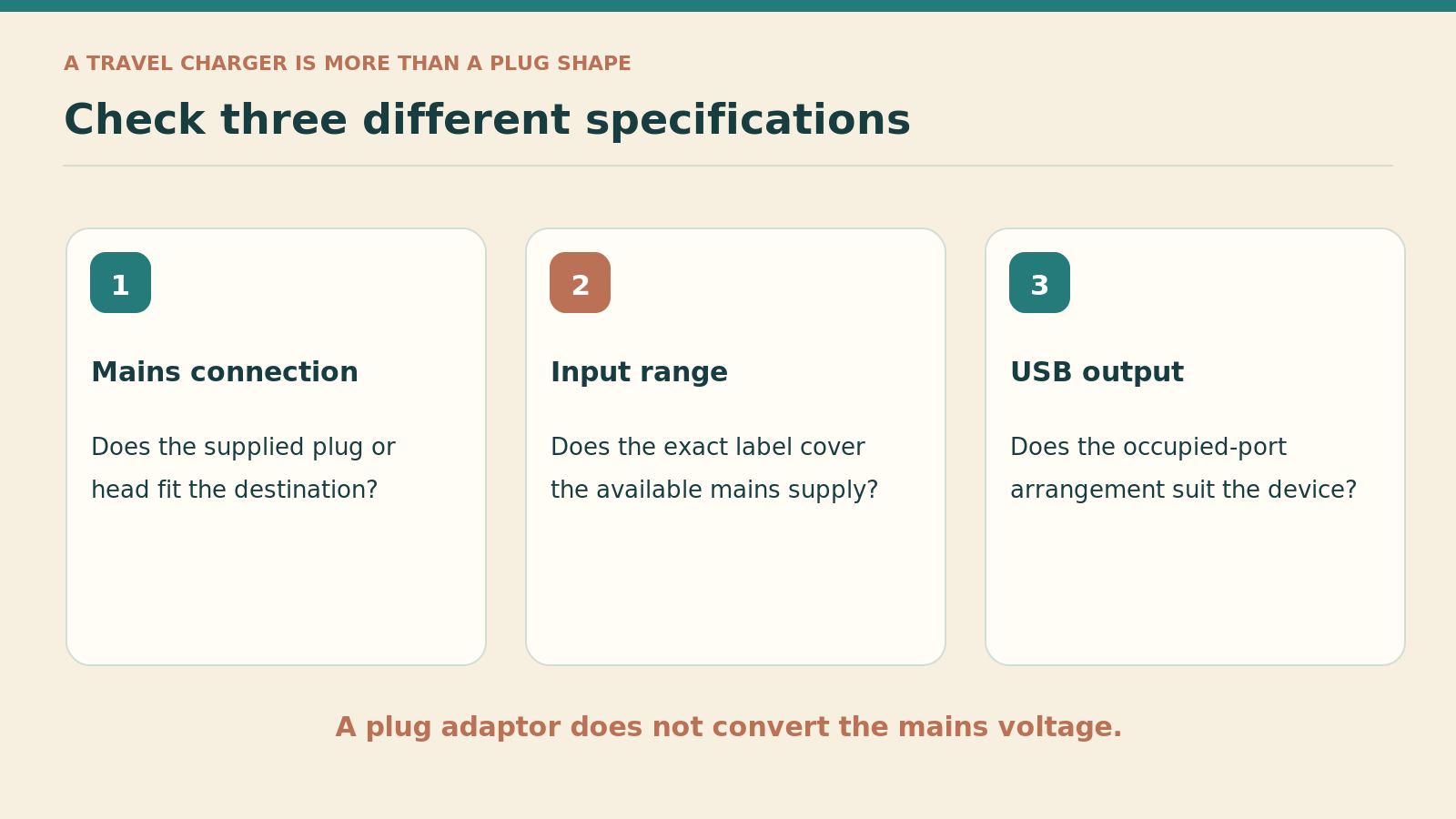
The wall connection, the accepted mains input and the USB output are different specifications. A charger can have the right-shaped plug but an unsuitable input range. It can also accept the local supply yet provide the wrong charging arrangement for your equipment. Work through those checks separately rather than treating the word travel as evidence of all three.
Electrical Safety First explains that travel adaptors do not convert voltage or frequency. Its guidance also stresses appropriate ratings and suitable products. Use an adaptor appropriate to the destination and appliance, not an improvised stack that defeats the intended connection or support. [6]
Compare the kit you will really carry
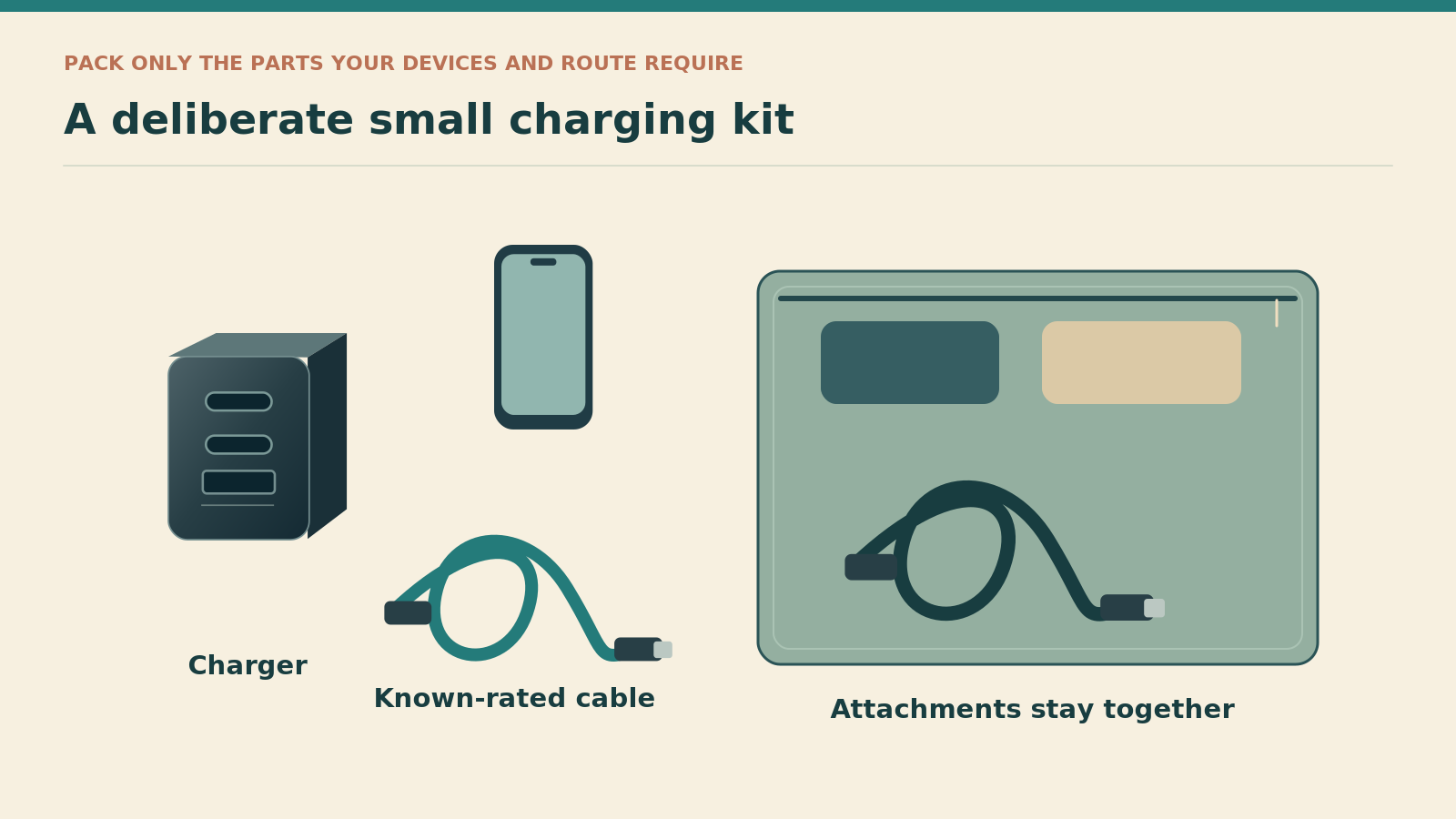
Lay out the charger, required plug attachment or adaptor, laptop cable, phone lead and any spare. Those items are the travel system. Comparing only the charger bodies can reward a product that needs a bulky extra component for your route.
For a UK-only weekend, a folding UK plug might be the neatest arrangement. On a trip with several compatible socket types, an interchangeable-head unit could reduce separate pieces. For a journey that includes an unsupported socket type, the supplied travel kit might still need an additional suitable adaptor. The answer comes from the itinerary, not the marketing category.
Keep any weight comparison consistent. Include the same number of working cables and the required destination connection with every candidate. This guide does not rank products by a supposed gram advantage where the published regional measurements describe different contents.
Choose around three realistic travel routines
A weekend with a phone and a light laptop
For a traveller who mainly needs documents, tickets and occasional laptop access, the aim may be fewer loose plugs rather than the fastest possible simultaneous refill. A three-port charger can make sense, provided the laptop's input is compatible and the chosen sharing arrangement is adequate.
Before buying, rehearse the evening sequence using the devices you already own. Would the laptop be closed while the phone charges? Does an accessory genuinely need a dedicated port, or could it be charged earlier? These questions can keep a straightforward 65W setup from becoming needlessly expensive.
For this routine, I would compare the documented Anker option and the folding UK Nexode after confirming its required allocation. The international Nexode becomes more relevant when the trip's sockets justify its attachments. The restricted-input Anker 715 would be a single-device alternative only within its confirmed supply range.
A work trip with a demanding daytime schedule
Here, the penalty for inadequate charging is different. A battery that slowly recovers overnight may be acceptable on holiday and inconvenient before a client call. Write down the laptop's requirement during the work you actually do, then check the manufacturer's guidance rather than relying on the battery icon alone.
If the laptop needs the entire available output, give it a dedicated port configuration with other devices disconnected, or choose a different charging system. Buying a three-port unit does not oblige you to occupy all three ports. Nor should the presence of spare sockets override the computer's needs.
A shared room with two travellers
Two people often create a scheduling problem rather than a wattage problem. One phone might be nearly full while the other is needed immediately; the laptop may not be used until tomorrow. Agree on priorities instead of choosing a plug solely by how many cables it can accept.
However, one charger is also one item that can be forgotten, damaged or left with the other traveller. For an essential work trip, keeping a compatible backup in a different bag can be more useful than buying a single elaborate charger. For a light weekend, that redundancy might be unnecessary bulk. The decision depends on the consequence of losing access, not on a universal packing rule.
Test the actual arrangement while a return is still practical
Use a repeatable desk check
Set aside a short checking session before the trip, rather than first opening the box at the airport. Inspect the delivered model number, plug and input label. Compare the cable's rating with your intended laptop output, then connect the laptop through its designated charging port.
Next, repeat with the second device attached in the configuration you plan to use. Observe whether the computer reports charging and whether its behaviour suits your normal work. This is a functional check of your own combination, not a measurement of certified output or a substitute for electrical safety testing.
A fifteen- to twenty-minute session can be a useful first appointment in your packing schedule, but it cannot establish long-term reliability or every battery state. Allow enough time afterwards to ask a retailer questions or exercise the applicable return process. Do not leave the whole assessment until the departure morning.
Diagnose one change at a time
If the expected arrangement does not work, begin with the model and port labels. Then check the cable, the device's supported charging method and whether the problem appears only when another port is occupied. Changing charger, cable, socket and device simultaneously makes it difficult to identify the cause.
Stop using an item that is damaged or behaves in a way that suggests a fault, and seek advice from the supplier or manufacturer rather than repeatedly retrying it. Do not dismantle a mains charger or attempt a home repair as part of troubleshooting. The useful test is whether an intact, correctly specified product meets your needs, not how far you can push it beyond them.
Keep the charger accessible without letting the pouch become the luggage
Organise by the first item you need
Place the main charger and laptop cable where they can be removed without emptying the bag. Put destination-specific attachments in a small, visible pocket. This arrangement is particularly useful during a short stop when there is no room to spread the entire kit across a table.
For a room with limited surface space, decide where the equipment will sit before running cables. Keep connections free of avoidable pulling and place the charger where its ventilation is not obstructed. Do not cover a working charger with clothing simply to make the bedside area look tidy.
A small pouch should solve a retrieval problem, not create permission to carry every spare lead you own. Remove the cables that belong to devices staying at home. Then check whether the remaining kit still fits after including the necessary socket attachment rather than only the charger body.
Make the departure check specific
A useful leaving-room check names the places where small items hide: wall socket, desk edge, bedside table and the pocket holding unused heads. Check each once. Saying remember the charger is less effective when the charger body is packed but its removable head remains in the wall.
For shared equipment, decide who carries each component before leaving. This prevents a situation in which both travellers assume the other has the only laptop cable. A simple division of responsibility is often more helpful than another accessory purchase.
Buy the exact version and judge value without a misleading price race
Compare the product code and seller
The links in this guide point to identifiable product listings, but listing titles, sellers and bundles can change. Match the model number, UK plug or supplied travel heads, input range and box contents before ordering. Do not accept a different-generation substitute merely because it has the same headline wattage.
For the restricted-input Anker 715, obtain the rating information before treating it as suitable for your destination. For the UGREEN models, obtain the sharing information when simultaneous charging is essential. A retailer's willingness to answer those specific questions is more useful than a generic statement that the charger works with laptops.
Count any required extras
A fair value comparison includes the cable and destination connection you need to buy separately. It also considers the inconvenience of carrying an unnecessary second charger because the first cannot support your intended arrangement. The lowest displayed charger price is not necessarily the lowest cost of a working kit.
No live prices are quoted here because seller, regional version and bundle differences would make a simple price league table misleading. Check the current total, seller identity, delivery timing and applicable returns before paying. Manufacturer warranty information does not remove the need to confirm who sold the unit and which regional version you receive.
Keep the order confirmation and a photograph of the delivered rating label with your travel records. Those details are useful if the listing later changes or a support question needs the exact model. This is especially worthwhile when several visually similar chargers appear under the same product-family name.
Pros and cons of a 65W travel-charging kit
Reasons to choose 65W
A deliberate 65W setup can replace several plugs, keep the working kit manageable and suit compatible light laptops. An explicitly documented two-device arrangement is easier to plan around than an unexplained high headline number.
Reasons to choose something else
A computer that needs more power, two demanding devices at once or an unsuitable input range can make this category the wrong compromise. One shared charger also creates a single point of failure for essential equipment.
When a smaller setup wins
Choose the category when it matches the equipment rather than as a stepping stone to buying the largest possible charger. A light laptop, a phone and a sensible charging schedule can make a compact kit satisfying to use. The advantage is fewer decisions and fewer loose components, not merely a smaller box.
When the compromise becomes inconvenient
Move beyond it when the laptop must retain a higher allocation while other devices charge, or when the charging schedule is becoming a daily negotiation. Alternatively, keep a dedicated laptop adaptor and use a separate phone plug. A modest two-charger arrangement can be more resilient and easier to understand than an overloaded single unit.
Common mistakes to avoid
Buying a family name rather than a specific version
Nano, Nexode and Prime describe product families, not one fixed electrical specification. Save the full model code and compare it with the delivered unit. In particular, do not merge the 735 Nano II with a GaNPrime model, or the UGREEN folding UK plug with its interchangeable-head travel version.
Treating every cable and socket as equivalent
A matching connector can conceal a lower cable rating, a different charging protocol or a port that shares power differently. Start from the intended device and work back through the cable and charger configuration. That is more useful than buying another lead at random when the first combination disappoints.
Assuming worldwide input from the word travel
The Anker 715 example shows why the mains input must be checked separately. An adaptor that changes the plug shape is not evidence of voltage compatibility. Read the exact rating, then confirm the destination connection rather than relying on a photograph from a different country's listing.
Packing without a working routine
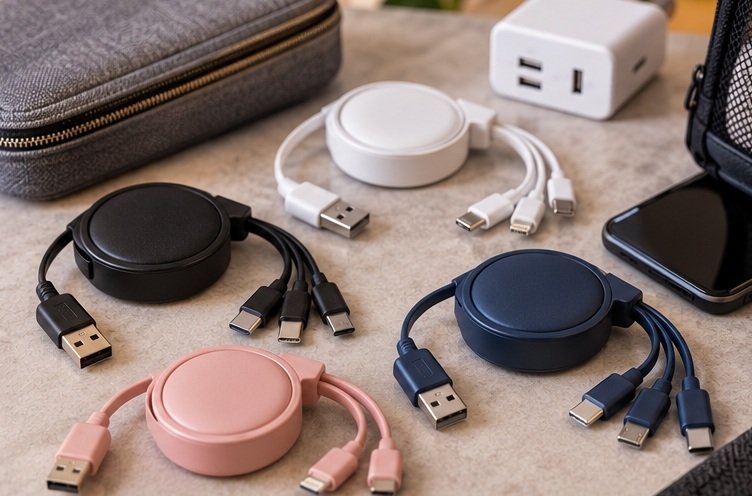
A neat photograph of three charging cables does not establish that three devices will receive the power you expect. Rehearse your real setup, including the awkward cable position and the second device. Resolve a limitation while alternatives and returns remain practical, not during the first work session abroad.
Frequently asked questions
Can a 65W charger damage a phone that needs less power?
A suitable, standards-compliant charger and compatible device negotiate an appropriate charging arrangement; the maximum printed on the charger is not an instruction to force that entire output into every phone. [12] However, product quality, cable suitability and the required charging protocol still matter. Buy an appropriate product and follow the device manufacturer's guidance rather than using this principle to justify an unknown or damaged charger.
Will a 60W USB-C cable stop the charger working completely?
Not necessarily. The practical issue is whether the complete setup can provide the required charging level, not whether the plug physically connects. A lower-rated cable is not a way to obtain the full 65W arrangement described here. For laptop use, choose a correctly specified cable that supports the needed current and check the result with your own equipment before travelling.
Does PPS mean every Samsung phone charges at 45W?
No. A general PPS statement is not a model-specific guarantee of a particular phone-charging mode. Check the exact phone, charger and cable combination. Anker explicitly excludes 45W Super Fast Charging 2.0 for the A2667 despite its 65W headline, which is a useful warning against treating the total output as a complete compatibility description. [1]
Should I choose the UK folding UGREEN or the travel version?
Choose around the socket types and packed kit for your route. The folding UK version is a candidate for a compact UK-plug setup, while the travel version supplies interchangeable heads for the stated socket types. Neither choice removes the need to check the input range and port-sharing information. Compare the exact model codes rather than assuming the differences are purely cosmetic.
Can the charger replace my travel adaptor for everything?
No. A USB charger powers compatible USB equipment; it is not automatically a mains outlet for unrelated appliances. Its plug attachments do not create a suitable connection for a hairdryer, kettle or other mains device. Keep those requirements separate, and obtain the correct destination and appliance guidance instead of treating one compact charger as a universal electrical solution.
Is it worth taking a second charger?
Consider what happens if the main unit is lost, forgotten or needed by another traveller. A backup can be sensible when the laptop is essential for work and a replacement would be difficult to obtain. For a short leisure trip with flexible charging opportunities, it may be unnecessary duplication. Make the decision from the consequence of failure rather than the desire to fill every pouch pocket.
Which choice is most straightforward for a laptop and phone?
The Anker 735 Nano II is the clearest starting comparison in this guide because its sharing arrangements are published. It is suitable only when those arrangements match the devices and desired timing. The UGREEN alternatives remain useful candidates, particularly for their different plug formats, but obtain the relevant allocation details before depending on a particular simultaneous charging setup.
My final recommendation
Choose the Anker 735 Nano II as the starting point when a documented mixed-device arrangement meets your needs. Compare the folding UGREEN Nexode when its UK format is preferable, and the interchangeable-head Nexode when the supplied connections match the itinerary. Keep the Anker 715 in the restricted-input, single-device category rather than calling it a worldwide travel winner.
Before paying, confirm five things in one place: exact model, mains input, destination connection, occupied-port allocation and cable rating. Then rehearse the combination you will actually carry. A successful purchase is a charger that quietly fits the trip, not one that requires you to reorganise every evening around a misunderstood number on the box.
Sources and fact-checking notes
Research reviewed on 9 October 2026. Electrical specifications describe identified models, not every regional edition or similarly named charger. Unverified UGREEN sharing details remain explicit buying checks. The UK Anker 715 input limitation is not replaced with another region's specification. Prices and laboratory charging-speed claims are not presented as our own measurements.
- Anker UK: 735 Nano II A2667 output allocations.
- UGREEN UK: folding Nexode 65W, SKU 90663.
- UGREEN UK: Nexode 65W travel charger, SKU 90409.
- Anker UK: 715 Nano II A2663 and its listed input range.
- USB-IF: cable and connector certification information.
- Electrical Safety First: travel-adaptor guidance.
- Apple Support: choosing a Mac power adaptor.
- Anker manufacturer listing on Amazon UK: A2667.
- UGREEN manufacturer listing on Amazon UK: folding 65W.
- UGREEN manufacturer listing on Amazon UK: travel 65W.
- Anker manufacturer listing on Amazon UK: 715 Nano II.
- USB-IF: USB Power Delivery and negotiated power.
Illustrations in this article were created for Taylor’s Trailblazing Travel Gear. Third-party photographs, where used, are credited beside the image or in the source list.