Best 20,000mAh Power Banks for Travel
Best 20,000mAh Power Banks for Travel
More stored energy helps only when the output, refill time and carrying weight suit the equipment in your bag.
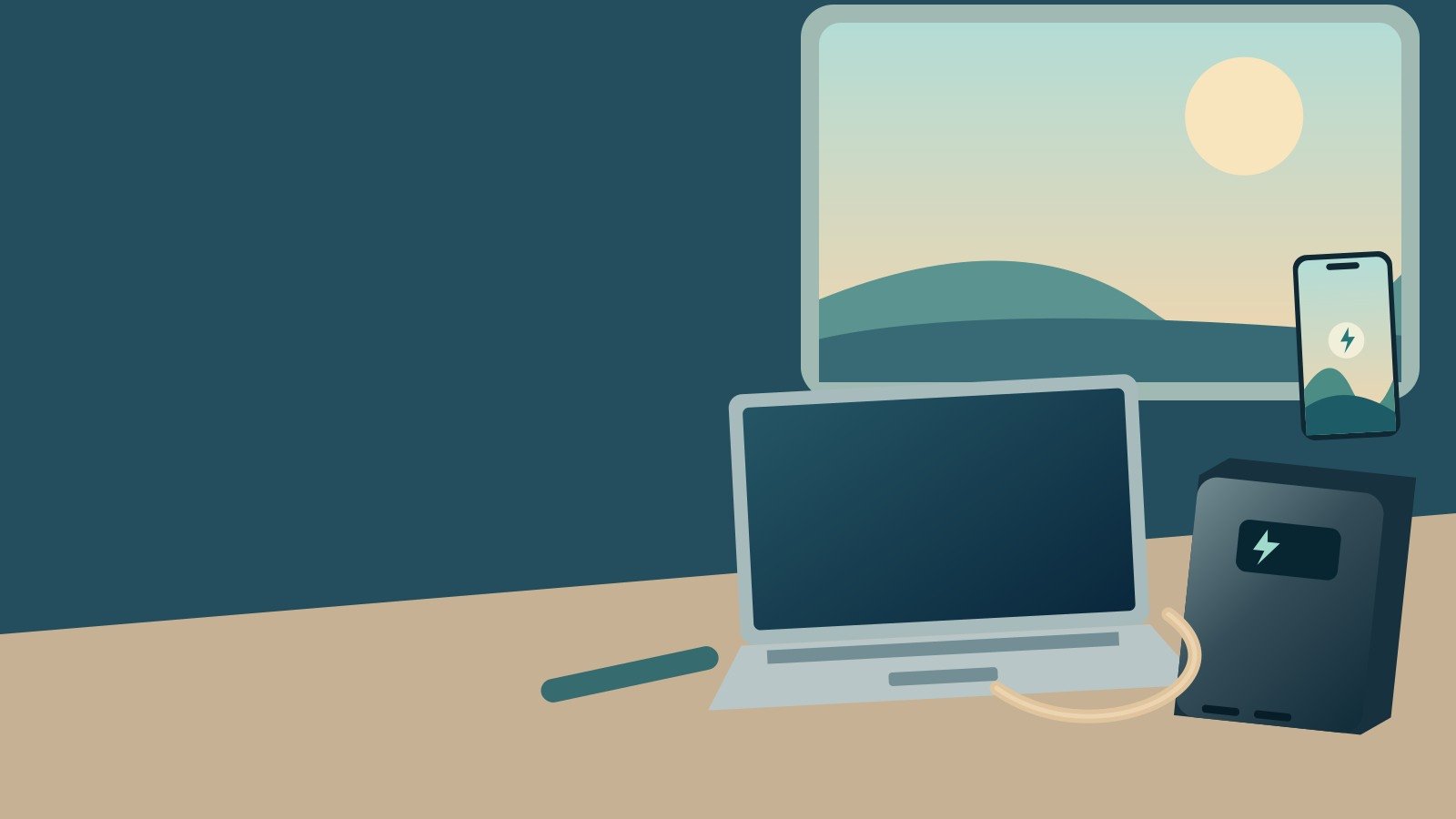
Original concept illustration of a laptop and portable battery kit; not a product photograph.
The best 20,000mAh power banks for travel solve a longer gap between sockets, rather than simply winning a capacity contest. They can make sense for a phone-heavy weekend, shared charging or a compatible laptop top-up. However, two banks carrying the same 20K label may differ dramatically in output and refill time.
That distinction shapes this shortlist. UGREEN Nexode 130W, Anker A1383, Nitecore NB20000 Gen3 and Belkin BPB024 cover different priorities. The first two warrant attention for higher-output USB-C work; the latter two should be judged mainly as phone and small-device reserves. This is a comparison of manufacturer specifications and practical operating requirements, not a set of laboratory endurance results. [1] [2] [3] [5]
A larger bank also deserves a more deliberate packing and safety decision. Check the exact model before following an offer, keep the capacity marking readable and do not treat an old airline-friendly badge as a current boarding entitlement. The useful choice is the smallest complete system that covers your real power gap.
UGREEN 130W 20K
100W maximum from C1, not 130W into one laptop.
Anker A1383
65W single-device ceiling behind the 87W headline.
NB20000 Gen3
291g, but its 22.5W output is not a high-power laptop solution.
Belkin BPB024
30W class with an integrated USB-C lead.
01Best 20,000mAh power banks for travel: compare the right jobs
The selection method
These four models were chosen to represent different priorities within the same nominal-capacity class: higher laptop output, integrated-cable convenience, lower carrying weight and straightforward phone/tablet support. Specifications come from the identified manufacturer pages and technical sheets. No bank was discharged, weighed or thermally tested for this guide.
There is no universal winner because the requirements conflict. The lightest body in the shortlist is not the strongest laptop supply, while a high-output bank can be unnecessary weight for someone who only needs phone top-ups. Start with the job, then compare the model that is designed to cover it.
| Exact model | Power distinction | Published carrying information | Most useful role | Buying reference |
|---|---|---|---|---|
| UGREEN Nexode 130W 20K, SKU 35524 | Up to 100W C1; 130W aggregate | 476g; 131 x 54 x 50.8mm | Higher-output USB-C laptop reserve | Check UGREEN 130W |
| Anker 20K 87W, A1383 | Up to 65W to one device | Integrated USB-C cable | Laptop top-up with fewer loose leads | Check Anker A1383 |
| Nitecore NB20000 Gen3 | 22.5W single; 15W shared | 291g without accessories | Lower-weight phone-focused reserve | Check the UK Gen3 listing |
| Belkin BoostCharge BPB024 | Up to 30W total | Integrated cable; about 154 x 76 x 25mm | Phones and tablets rather than high-demand laptops | Check Belkin BPB024 |
Model specifications were checked on 11 October 2026. No full-recharge count or sustained-power result is claimed from those manufacturer ceilings. [1] [2] [3] [5]
What was excluded
A recalled model, an unidentified marketplace battery or a product whose only attraction is a very large number is not a sensible foundation for travel advice. Closely related capacities and newer editions also remain separate: a 19.2K, 25K or differently rated model may be useful, but it is not silently substituted into this 20K comparison.
02UGREEN Nexode 130W 20K: the higher-output choice
Read 130W as an aggregate figure
UGREEN’s UK specification identifies SKU 35524, 72Wh capacity, up to 100W from USB-C1 and 30W from USB-C2. The USB-A ceiling is separately listed at 22.5W, while USB-C1 input reaches up to 65W. The body is specified at 476g and 131 x 54 x 50.8mm. [1]
Those figures make this the first model I would investigate for a compatible laptop that needs more than a modest phone bank can supply. However, 130W does not mean one laptop can draw 130W. You must match the particular USB-C output and the device’s supported charging profile, then check any multi-device arrangement you intend to use.
Account for the thick body
The relatively deep shape may fit a tech pouch better than a shallow pocket. Place it where it cannot roll, pull on a connector or press into another item. A high-output battery is most useful when you can set it down safely and use a cable of appropriate length, rather than trying to operate a laptop with the bank dangling beside it.
The direct UK page showed £47.99 when checked on 11 October 2026. Treat that as a dated reference, not a promised price or an assertion that a marketplace offer matches it. Confirm the actual seller and variant before ordering. [1]
03Anker A1383: integrated-cable convenience at a 65W single-device limit
Separate the model from other Anker 20K banks
Anker’s A1383 is the 20K model with an 87W aggregate headline and a 65W maximum for one device. Its integrated USB-C lead is the main convenience feature. The brand’s UK page also advertises a 1.5-hour full refill with a suitable 65W charger; that is a manufacturer claim, not an independently reproduced result here. [2]
This makes it worth comparing when your computer’s relevant charging requirement fits within the single-device ceiling and you value a lead that remains with the bank. Do not assume that the word Anker or the 20K capacity identifies it adequately: the model number is what keeps this recommendation separate from other products and recall notices.
Think about cable reach and backup
A built-in lead removes one item from the immediate setup, but it also places more importance on how that lead is handled. Check that it reaches the computer comfortably from a stable resting position. Avoid trapping it under the device or putting the full weight of the bank on the connector.
I would still consider a separate suitable cable when the trip depends on laptop power and the additional socket supports the intended use. That is not mandatory for every traveller; it is a consequence-based backup decision. A weekend phone kit and a work-critical laptop kit deserve different redundancy budgets.
04Nitecore NB20000 Gen3: low body weight, not laptop-class output
Capacity and output point in different directions
Nitecore specifies 72Wh, a 291g body without accessories and 118 x 69 x 21.5mm dimensions. USB-C input is limited to 18W; maximum single-port output is 22.5W, with 15W total when shared. The IPX5 rating does not make the bank an underwater power supply. [3]
For someone carrying phone energy over a long walk, the advantage is clear. The limitation is equally clear for a laptop user: a large energy store does not create a high-wattage output. Some low-input devices may accept it, but it should not be presented as equivalent to the UGREEN’s 100W socket.
Slow refill can matter more than empty weight
The low input ceiling deserves attention on an itinerary with short overnight stops or unreliable access to a wall socket. A bank that lasts longer between refills can still be inconvenient when a refill finally becomes necessary. Work out both halves of the journey: how you spend the energy and when you can put it back.
The UK supplier lists an included USB-C to USB-A adaptor rather than a charging cable, and battery-specific delivery restrictions apply. Its checked price was £104.95 on 11 October 2026. Read those purchase conditions before treating it as an immediately available solution for an imminent trip. [4]
05Belkin BPB024: a phone-and-tablet option with an attached lead
Know which BoostCharge model you are looking at
BPB024 is the integrated-cable 20K model rated for up to 30W total output. Belkin describes charging through the built-in USB-C lead plus additional USB-C and USB-A connections. Its technical support sheet gives a body approximately 154 x 76 x 25mm and a two-year warranty. [5]
It is a sensible comparison when a laptop is not the dominant requirement. The longer, flatter footprint differs from UGREEN’s deeper block, so test it against the bag compartment you intend to use. Do not confuse the model with a separate digital-display bank or a newer higher-output version.
A built-in lead does not remove every connection question
The lead has to fit the phone case and reach the device without strain. Older phone connectors still require the appropriate separate cable. In a group, decide which person needs the attached lead and whether a second cable will be available to the other device.
A general manufacturer compatibility list is a starting point, not a guarantee of maximum charging speed for each entry. For a tablet or light laptop, check the actual supported input and your working load. The 30W total remains a real limit even when the bank’s energy capacity sounds generous.
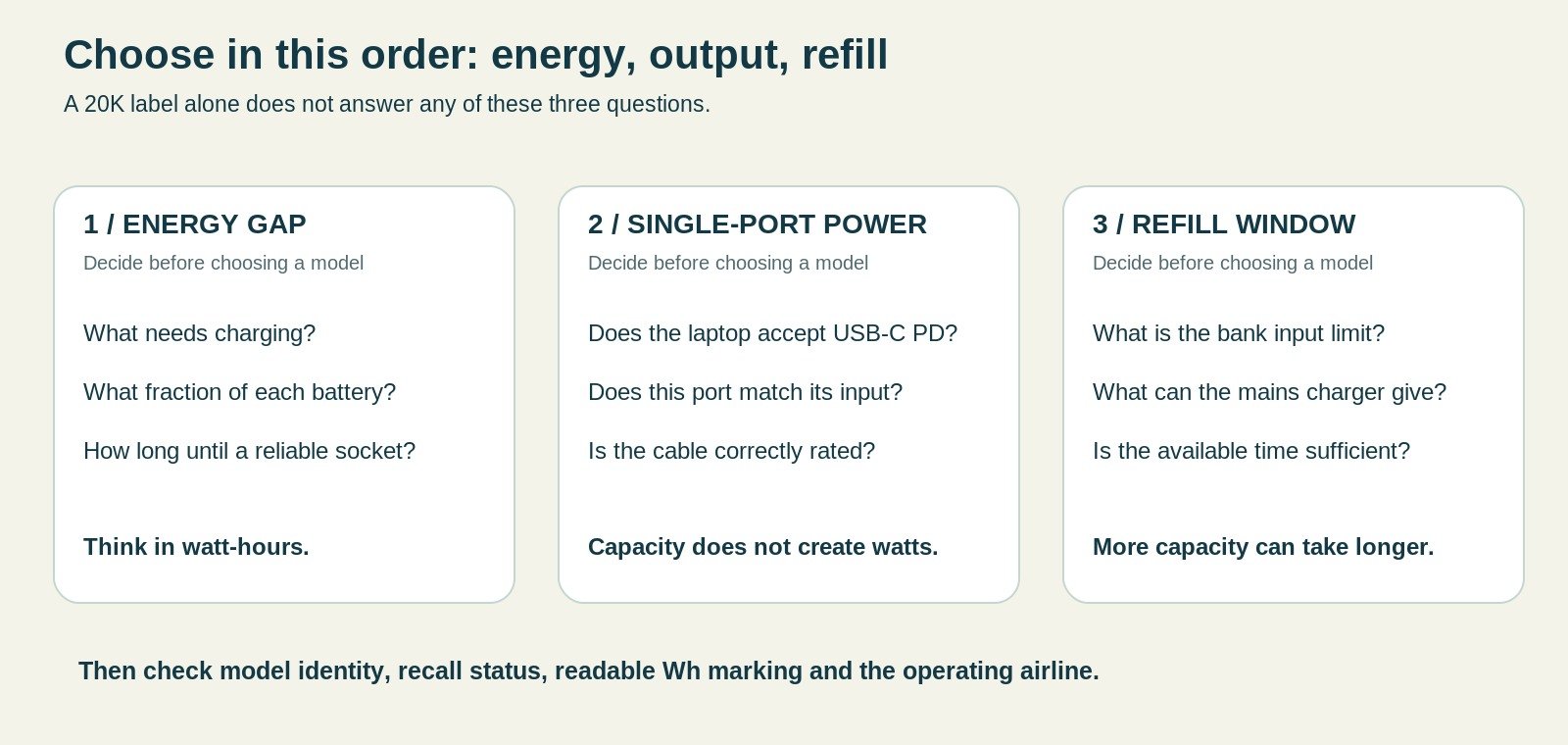
06Work out the energy gap before choosing a larger bank
Start from the devices, not from capacity shopping
List the devices that genuinely need power between reliable sockets. For each, write an approximate battery energy figure from its specification or label, then decide what fraction of a recharge you expect to need. A phone that starts full and only needs an evening top-up should not be budgeted as several empty-to-full charges without a reason.
Next add an uncertainty margin for delay, navigation, poor signal or unplanned use. This is a planning exercise, not a prediction of exact consumption. Its purpose is to reveal whether you need a modest reserve, a substantial phone battery or genuinely high-output laptop support.
Do not double-count energy already available
A second phone that is already mostly charged may be an alternative navigation device, not another empty battery that must immediately consume the power bank. Likewise, a train connection with a reliable permitted socket can shorten the gap. The useful plan distinguishes assured charging opportunities from sockets you merely hope will be free.
07Why 20,000mAh does not mean four guaranteed phone charges
Use watt-hours for the calculation
A nominal 20Ah bank specified at 3.6V contains 72Wh. That is the figure explicitly listed for the UGREEN and Nitecore models here. It is not 100Wh simply because USB can supply 5V, and it is not all energy that will arrive in the phone battery. [1] [3]
For an illustrative calculation, assume that 70% of a 72Wh reserve reaches device batteries after all losses. That gives 50.4Wh. Dividing by an imaginary 18Wh phone battery gives roughly 2.8 full-battery equivalents, not four. The 70% figure is a transparent assumption for the exercise, not a measured efficiency claim for any shortlisted product.
Partial top-ups can be the more useful unit
A half-battery top-up for that hypothetical phone requires about 9Wh in its battery. Planning several small interventions may fit your trip better than counting full charges. However, the phone’s own work during charging also consumes energy, so leave margin rather than allocating every calculated watt-hour to an exact schedule.
08Laptop compatibility begins with watts and voltage profiles
A large reservoir can have a small outlet
Nitecore’s 72Wh capacity and 22.5W maximum output illustrate the distinction. The bank can store meaningful phone energy without supplying the high input a laptop may need. In contrast, UGREEN’s C1 is rated up to 100W and Anker’s single-device ceiling up to 65W. These are different jobs despite the shared 20K label. [1] [2] [3]
Check the laptop manufacturer’s USB-C charging requirements, including the relevant port and any minimum recommendation. A charging icon while the computer is idle does not establish that the same bank can power your normal workload and replenish the battery simultaneously.
Workload changes the outcome
Imagine a compatible laptop averaging 25W during a light task and a bank delivering an assumed usable 50Wh. The simple division suggests around two additional hours before other losses and behaviour are considered. If the task instead averages 50W, the same assumed energy covers around one hour. These are examples of the relationship, not runtime predictions for a named laptop.
That reasoning is often more useful than an advertised full-charge claim. A bank may be valuable because it bridges a critical meeting or train segment even if it cannot fill the computer from empty. Define that bridge before deciding the product has succeeded or failed.
09The cable must support the intended laptop arrangement
Match both ends and the power rating
For a 100W, 20V USB-C arrangement, a suitable 5A electronically marked cable is part of the system. Do not assume that a cable supplied with an unrelated low-power device has that capability. USB-IF’s guidance makes clear that cable categories have different power and data capabilities, and current certification uses explicit power markings. [10]
A high-power cable does not force a lower-power phone to draw more. Nor does it increase the bank’s output. The purpose is to avoid making the cable the bottleneck while keeping the physical connection sound.
Long enough for a stable setup
Choose a length that lets the bank rest safely beside the laptop rather than hang from it. On a small table, a short lead may be tidy; in a lounge with awkward seating, a slightly longer lead can be more practical. Avoid routing it where another person can trip or pull the equipment off the surface.
A cable with a display can show a momentary reading, but it is not automatically a calibrated capacity tester. A fluctuating number needs context, including the laptop’s state and charging demand. Do not turn a single display reading into a claim about total usable energy.
10Refill time can overturn a capacity recommendation
Calculate a lower bound, then add realism
A 72Wh bank receiving an ideal constant 18W would need four hours just from the division. At an ideal 65W, the corresponding arithmetic is a little over one hour. Real full charging takes longer because the bank may not sustain that input throughout and there are losses. Those calculations are not replacement specifications for the manufacturer. [1] [3]
They still explain why the Nitecore’s low input matters and why a faster-input bank can suit frequent short stops. A lightweight bank with ample stored energy is less useful when you cannot replenish it before the next long day.
Match the mains charger, too
A bank rated for 65W input does not receive 65W from every wall charger. The charging block, occupied-port combination and cable must all support the arrangement. If a laptop and bank share a multi-port charger, the bank may receive less than you expected after the charger divides its output.
The original UGREEN Nexode 100W wall charger is one relevant mains option to compare, but use its actual sharing chart rather than treating 100W as an unlimited pool. Schedule a dedicated refill window if that is simpler than carrying a much larger mains unit.
11Examine A1383’s actual sharing examples
The manual is more specific than the headline
Anker’s A1383 user guide distinguishes the built-in USB-C cable from the separate USB-C socket and the USB-A socket. It lists a 45W cable allocation plus 42W from the USB-C socket for one two-device arrangement. For the built-in cable plus USB-A arrangement, the listed maxima are 60W and 22.5W. These are manufacturer figures, not results measured for this article. [14]
The same guide says that the separate USB-C and USB-A sockets share a 24W maximum when used together, and describes 60W for the built-in cable alongside that shared pair. Therefore, choosing the integrated lead for the laptop can be materially different from choosing the free socket when other devices are connected. [14]
This is why a blanket instruction to use any USB-C connection is not enough for a mixed-device trip. Draw a simple connection map for the actual computer, phone and accessory, then compare that arrangement with the manual. The benefit of a built-in lead includes its role in the power distribution, not only its convenience.
Weight and dimensions complete the comparison
Anker’s support record lists about 431g and 157.5 x 73.5 x 26mm for A1383. That is a much flatter body than the UGREEN model discussed here, but not a lightweight 5K-style pocket reserve. Treat those dimensions as the beginning of a packing check, including the path the attached lead takes when stored. [15]
Where a support summary and a detailed manual simplify the distribution differently, use the device-specific operating guide for the particular connection pattern. Do not add unrelated maximum figures to manufacture a more favourable total. A conservative readable port plan is more useful than presenting every advertised number as simultaneously available.
12Build a mixed-device energy worksheet
A transparent hypothetical example
Suppose a trip needs a 60% top-up of an 18Wh phone, a 40% top-up of a 30Wh tablet and a 50% top-up of a 50Wh laptop. The corresponding battery-side requirements are 10.8Wh, 12Wh and 25Wh. Together they require 47.8Wh before allowing for any additional device use during the charging sessions.
Under the earlier illustrative assumption of 50.4Wh arriving in device batteries from a nominal 72Wh bank, the unallocated margin would be only 2.6Wh. That is not a robust reason to promise all three tasks. It shows that a seemingly large reserve can already be almost committed by a plausible mixed-device plan.
These are invented device sizes and chosen top-up fractions for arithmetic, not specifications for particular products. Substitute your own device information and leave room for uncertainty. The point is to reveal the dependency, not to create an exact-looking spreadsheet that hides optimistic assumptions.
Decide which task can move to a socket
If the tablet can wait until the accommodation, the hypothetical requirement falls substantially. If the laptop can start fully charged and only needs a smaller bridge, the bank may comfortably cover the journey. Changing the charging schedule can therefore be more useful than increasing the bank’s nominal capacity.
On the other hand, if every task is essential before the next reliable socket, acknowledge the limited margin. Consider a different compliant power arrangement or reduce the work expected during that interval. Do not disguise the shortfall by counting manufacturer maximum charge claims as guaranteed results for your devices.
Check output after checking energy
The worksheet only answers whether the stored reserve might be sufficient. Each device must still accept the bank’s available output. A phone-focused 20K may contain enough nominal energy for the hypothetical laptop top-up yet lack the required charging profile or useful power rate.
That two-stage process prevents a common mistake: recommending a lightweight large-capacity bank for a laptop purely because the energy arithmetic looks favourable. Energy and power are related, but they answer different practical questions. Both need to work for the trip.
13Consider repeated short stops instead of one complete refill
A partial recharge can still be useful
A bank does not need to reach full before every use to provide value. If a reliable suitable socket is available during a stop, a partial refill can restore useful reserve. However, calculate the plan from realistic available input rather than assuming the printed input maximum applies for every minute.
For illustration, a constant 30W input for half an hour would represent 15Wh entering the charging system before losses and control behaviour. That is not a prediction for a particular bank. It simply shows why a short opportunity can matter without being a complete recharge.
Avoid building a timetable around ideal arithmetic
A socket may be occupied, a multi-port charger may share output, or the bank may not accept its maximum input at that state of charge. Leave enough flexibility that losing one short top-up does not make the essential return journey impossible. A plan made entirely of optimistic five-minute opportunities is fragile even with a technically capable bank.
The simplest robust routine may be a substantial refill at the accommodation and only optional top-ups elsewhere. Use the bank to reduce dependence on uncertain sockets, rather than buying it and then constructing a day that depends on finding them repeatedly.
14Record the result that matters after the first trip
Review the actual gap, not the marketing promise
After using the bank on an ordinary journey, note whether it covered the critical task and how much unused reserve you habitually carried. If most of the capacity returns home untouched, a smaller or lighter arrangement may suit the next trip. If the reserve is repeatedly marginal, revisit the device workload and refill plan before simply purchasing another similar bank.
Keep the observation specific: the laptop task, approximate duration, starting conditions and connection used. That gives you a useful personal reference without turning one journey into a universal product performance claim. It also helps identify whether the problem was insufficient energy, inadequate output or an inconvenient cable arrangement.
15Sharing energy between two travellers needs a plan
Agree whose essential device comes first
A shared 20K bank can be efficient for a couple, but its energy remains a single reserve. Decide whether it protects navigation, tickets, work or entertainment. Otherwise, a tablet can quietly consume the margin that was intended to keep the main phone available for the return journey.
During a break, prioritise the device that needs energy soonest rather than connecting everything automatically. Shared output can lower each device’s allocation, and the person holding the bank may need to leave with it before another phone has finished.
Capacity is not redundancy
One large bank still represents one item that can be forgotten, damaged or unavailable. Two smaller banks can separate those dependencies, but they also add items to manage and may be unsuitable for a carrier with a strict quantity limit. The right arrangement depends on whether independence or shared efficiency is the more important problem.
16Keep flight rules separate from charging capability
Current rules are not a permanent product attribute
CAA guidance effective from 27 March 2026 requires cabin carriage, individual protection when unused and no more than two power banks per person. Recharging the bank on board is prohibited; the guidance advises against using it to charge other devices. The carrier may impose stricter conditions. [7]
British Airways’ current restricted-items page and Emirates’ policy illustrate why the carrier check matters. Emirates limits carriage to one power bank under 100Wh and prohibits onboard use and recharging. A 72Wh label may meet that capacity condition, but it does not cancel the quantity, condition or stowage requirements. [8] [9]
Do not use an old approval icon as a boarding promise
Manufacturer phrases such as airplane-friendly or TSA compliant are not blanket permissions for every route. Rules apply to the exact item and flight, and can change after the product page was written. Check the operating airlines on all segments, not only the airline whose logo appears on the booking email.
IATA’s 2026 operator guidance also explains the distinction between current implementation and changes expected in the 2027 regulations. This guide therefore avoids using a single capacity slogan as a timeless rule. Its practical shortlist stays well below the common 100Wh threshold, while still requiring the itinerary-specific check. [12]
17Pack for inspection and for unexpected gate-checking
Keep the battery removable
Place the bank where you can reach it before handing a cabin bag over at the gate. If the bag must enter the hold, remove the power bank first. Do not rely on remembering it after the bag has disappeared down a conveyor or been placed on a trolley.
Keep the Wh marking and model identification readable. A photograph of the label can help you find information later, but it should not replace the physical marking or the carrier’s requirements. Avoid decorative coverings that make an ordinary inspection unnecessarily difficult.
Follow the carrier’s stowage instructions
Some policies require accessible storage and forbid placing a bank in the overhead locker. Decide where it will go before boarding, together with any individually protective packaging required. Do not create a setup that leaves the battery connected and concealed while you sleep.
These are safety and compliance decisions, not opportunities to maximise charging time in the cabin. Plan sufficient phone and laptop charge before boarding so that you are not tempted to treat an unavailable power-bank option as essential.
18Recall identification is especially important among similar 20K names
Do not substitute a recalled model for the recommended one
The Anker UK recall page names A1647, A1681 and A1689 and directs owners to a serial-number check. A1383 is a different model, but that distinction does not remove the need to check the current recall portal before purchase or travel. A familiar brand name and a matching capacity are not enough to establish identity. [6]
If a seller offers a different model because it is cheaper or immediately available, restart the assessment. Do not carry over the output figures, safety check or recommendation from this guide onto the substitute.
Follow safe handling instructions for an affected unit
A recalled battery should not continue in use merely because it seems normal. Manufacturer instructions may require specific evidence and specialist disposal. Do not put a suspect or recalled lithium battery in ordinary rubbish or send it through the post without a safe process agreed with the relevant organisation. [6]
Retain order details and a readable record of the model. Those small administrative steps are useful when names and product families are confusing, particularly if a bank has been in a drawer for several years.
19Choose around a weekend away without reliable sockets
Phone-first travel
For a weekend centred on one phone, occasional headphones and perhaps an e-reader, begin with the energy budget and carrying weight. The Nitecore may be appealing if you can accept its input and output limits; Belkin may suit someone who values an attached cable and a more ordinary phone-and-tablet charging role.
Do not automatically use the bank to refill every accessory immediately. Devices that already have sufficient charge can wait. A deliberate reserve for the essential phone is more valuable than a fully topped-up non-essential accessory and an unexpectedly empty bank.
Add weather and carrying duration
On a walking-heavy trip, carrying a deep high-output block may make little sense when there is no laptop. Conversely, a short taxi-to-hotel journey gives weight less importance than convenient refill speed. The same bank can be a sensible purchase for one itinerary and an unnecessary burden for another.
20Choose around a working journey with a laptop
Define the critical gap
Write down the stretch during which the laptop must work without a dependable socket. Then check whether the bank’s supported output fits the laptop’s requirement and whether its usable energy is likely to bridge that interval. Use conservative assumptions rather than expecting a complete recharge while working.
The UGREEN is the stronger starting point when the computer genuinely benefits from a 100W-capable USB-C output. Anker A1383 is worth comparing when 65W is enough and its integrated lead improves your setup. Neither headline guarantees sustained maximum output under every charge level and temperature. [1] [2]
Keep another route to work available
For an important deadline, battery planning is only one layer. Save work locally where appropriate, retain the original mains charger when necessary and avoid making every part of the workday depend on one untested accessory. A power bank is a bridge, not a guarantee that travel conditions will provide a suitable desk or connection.
21Choose around a family or small group’s devices
Separate essential and optional consumption
A child’s tablet, a navigation phone and another adult’s handset may all be compatible with the same bank. Their priority is not equal at every moment. Agree when entertainment charging is allowed to use the reserve and when the bank should be kept for travel-critical devices.
A useful rule for your own group is to stop discretionary charging at a chosen reserve level. The exact level is a planning choice, not a manufacturer requirement. What matters is deciding before the battery is nearly empty, not negotiating in a hurry outside a station.
Keep cables identifiable
Choose a simple way to distinguish leads and return them to the bank’s compartment after use. A larger capacity does not solve a missing connector. Where the group separates, decide who carries the battery and whether the others have enough phone charge to remain independent.
22Port count can be less important than refill control
Three sockets do not create three full-rate outputs
Use the exact manufacturer’s shared-output table when simultaneous charging matters. The total advertised for a product does not establish every possible allocation, and connecting a low-demand device may still change the way available power is distributed. Do not add individual port maxima and assume the resulting sum is always available.
For the Nitecore, the manufacturer states 15W total shared output despite a 22.5W single-device maximum. Belkin’s BPB024 is presented as a 30W total design. UGREEN and Anker require attention to which high-power path is used, not only to their aggregate headlines. [1] [2] [3] [5]
One device at a time can simplify the trip
Sequential charging avoids competing for a shared supply and makes the remaining reserve easier to understand. It is not always fastest overall, but it can be easier to manage when one device is urgent and the others are optional. Test both routines at home instead of deciding from a port-count photograph.
23Storage, heat and water need realistic expectations
Store protected; charge uncovered
Keep an inactive bank protected from loose metal, crushing and sharp objects. During use, choose a stable dry surface and avoid closed padded storage, bedding or direct heat. A fabric organiser is for arrangement and transport; it is not a fireproof charging enclosure.
BAGSMART’s Bubble organiser is an optional size reference, not an essential purchase. Its listed 100g empty weight should be included in the kit comparison, and the selected beige variant was notification-only when checked on 11 October 2026. [11]
A water-resistance claim has limits
Nitecore’s IPX5 claim is not an immersion rating, and this guide does not claim waterproofing for the other banks. Keep ports dry and follow the relevant manufacturer’s instructions. Do not continue charging a wet or damaged unit in the hope that a protection label makes the setup harmless. [3]
If a battery swells, leaks, emits an unusual smell or behaves abnormally, stop using it and obtain appropriate guidance. Repeatedly changing cables is not a reasonable response to visible physical damage.
24Decide whether two smaller banks would be better
Independence may outweigh consolidation
Two smaller batteries can let travellers separate without losing access to reserve power. They can also place a light bank in each person’s own day bag. However, the comparison must include both cables, two enclosures, charging management and any airline quantity limit.
A single 20K can be easier to refill and account for when only one person needs it. It also avoids allocating unused capacity to someone who never draws on their bank. Choose around who needs the energy and when, not around a blanket claim that one large bank or two small ones is always more efficient.
Keep the flight segment in the calculation
A route with a one-bank carrier policy can make a two-bank personal kit unsuitable even when total watt-hours are modest. Do not hide the second bank in a different bag or assume dividing capacity changes the rule. Plan the compliant arrangement before leaving home. [9]
25Verify the purchase while there is time to resolve a mismatch
Check model, ports and included parts
Compare the arrived product with the order and the manufacturer’s specification. Count the connections, identify the input socket and inspect the cable. Confirm the Wh label and check recall status before the battery becomes an essential travel item.
Marketplace offers can change quickly, and some inspected pages did not show a current featured offer. This article therefore uses current model references without promising a permanent checkout price or seller. Prefer a traceable purchase with clear support over a superficially similar anonymous battery.
Test a representative task
Charge the bank as instructed, connect the actual laptop or phone and try the normal task for which you bought it. Check refill behaviour as well as discharge. Record enough of the result to know whether the bank covers your own gap; do not extrapolate one brief successful charge into universal compatibility.
If the kit does not meet the requirement, address it before departure through the seller’s applicable process. Leaving a first test until a long train ride removes the easiest opportunity to change the plan.
26Advantages and compromises of carrying 20K
Advantages
A well-chosen 20K bank can extend the interval between reliable sockets and support several modest top-ups without constant attention to a wall charger. Higher-output models can also bridge useful laptop tasks. Sharing one bank can simplify a group’s kit when access and priorities are agreed.
Compromises
The bank adds meaningful weight, and a low input ceiling can make refilling slow. Capacity does not establish laptop compatibility, maximum port output is not guaranteed runtime, and one large bank is still one possible point of failure. Safe storage, readable identification and current flight rules remain part of owning it.
27Common mistakes that lead to a disappointing purchase
Confusing aggregate power with laptop power
A 130W or 87W headline can describe shared capability rather than a single output. Read the relevant port’s ceiling and profiles, and use a suitable lead. Buying from the headline alone is especially risky when the laptop needs a particular charging arrangement.
Ignoring the wall charger needed to refill it
A large bank that can charge quickly still needs a compatible input source. If the only mains charger in the bag is a small phone plug, reconsider the refill timetable before increasing battery capacity again.
Buying capacity you do not actually carry
A bank left in the accommodation because it is too heavy is unavailable on the outing. Compare the lighter phone-focused options when no laptop needs support. Practical availability is more valuable than capacity sitting in another building.
28Frequently asked questions
Can a 20,000mAh bank go in checked luggage?
Power banks belong in cabin baggage under the current CAA guidance. If your cabin bag is taken at the gate, remove the bank before handing it over. Check the airline’s quantity, capacity and accessible-storage requirements too; meeting one of those conditions does not remove the others. [7]
Is 20,000mAh always below 100Wh?
Do not make the decision from mAh alone. Read the nominal voltage and, preferably, the printed Wh rating. UGREEN’s identified 20K model and Nitecore NB20000 Gen3 explicitly list 72Wh, but that does not justify inventing the label on another product. Airline rules apply to the bank you are carrying. [1] [3]
Which choice is best for a laptop?
UGREEN’s 100W-capable C1 is the first output to investigate for a more demanding compatible USB-C laptop. Anker A1383 is a useful 65W single-device comparison. The laptop’s requirements and your workload decide whether either is appropriate. Neither capacity nor a charging icon guarantees a complete recharge while working. [1] [2]
Why choose Nitecore if it has lower output?
A walking traveller may care more about carrying a substantial phone reserve at lower body weight than about laptop-level power. Its slower input and lower output are real compromises, not defects to hide. Choose it when that trade-off fits the itinerary, not when you need a high-output computer supply. [3]
Can I use a bank while it is being recharged?
Some manufacturers provide pass-through functionality, but implementation and limits vary. Check the exact model instructions and do not assume maximum input and output remain available together. On an aircraft, a pass-through feature does not override the prohibition on recharging the bank or the carrier’s restrictions on use. [7]
How many phone recharges should I expect?
There is no honest universal number. Compare watt-hours, allow for conversion and phone-side losses, and consider whether the phone is actively consuming power. Use the worked energy budget as a planning method rather than as a test result. A personal normal-day trial is more useful than an unqualified charge-count slogan.
Is a recalled bank safe if it still works?
No recall should be ignored because the battery appears normal. Follow the specific manufacturer’s model and serial-number process and stop using an affected unit as directed. Disposal or return may need special arrangements for lithium batteries; ordinary household rubbish or an improvised postal return is not appropriate. [6]
29Final recommendation: choose the power path before the capacity label
Compare UGREEN Nexode 130W and Anker A1383 when a compatible laptop is genuinely part of the requirement. Choose between their single-device outputs, cable arrangements and refill needs. For phones and tablets, compare Belkin BPB024 with the lower-weight Nitecore, giving carrying duration and refill opportunity as much attention as capacity.
A good 20K purchase should make the gap between sockets manageable without creating an unnecessarily heavy kit. Keep the label readable, verify the exact model, test your own equipment and recheck the airline before travel. Those steps are more valuable than choosing the largest wattage number in a marketplace title.
30Sources and fact-checking notes
Sources and product pages checked 11 October 2026. Manufacturer maxima, supplier details and illustrative calculations are distinguished from independent test results. No hands-on product use, capacity discharge testing or thermal testing is claimed.
- UGREEN UK: Nexode 130W 20K, SKU 3552472Wh, 100W C1/30W C2 maxima, 65W input, 476g and 131 x 54 x 50.8mm; no integrated cable on this version.
- Anker UK: 20K 87W A138365W maximum to one device, 87W aggregate and built-in cable; separate from recalled A1647/A1681/A1689.
- Nitecore: NB20000 Gen3 full specification72Wh, 291g without accessories, 18W input, 22.5W single output and 15W combined output.
- Nitecore UK supplier: NB20000 Gen3UK offer, USB-C to USB-A adaptor inclusion and delivery/returns limitations.
- Belkin UK: BPB024 20K integrated-cable model30W total, 12cm integrated cable, 154 x 76 x 25mm and two-year warranty; separate from 19.2K and newer 45W models.
- Anker UK: voluntary recall and serial-number checkRelevant 20K recall identities, serial verification and specialist disposal instructions. This is not an exhaustive list of every recall.
- UK Civil Aviation Authority: power-bank rule changesRules effective 27 March 2026; distinguishes mandatory carriage/recharging rules from advice against using a power bank in flight.
- British Airways: restricted and prohibited itemsCarrier-specific battery quantity, capacity and stowage provisions; operating carrier rules take precedence for its flight.
- Emirates: power-bank rules in full effectOne power bank under 100Wh, no onboard use or recharge, and accessible stowage.
- USB Implementers Forum: cable and connector requirementsCable capabilities and current USB-C power-marking requirements.
- BAGSMART UK: Bubble Electronic Organizer, beige21 x 13.5 x 5.8cm and 100g; selected colour was notification-only when checked. Not fire-resistant battery storage.
- IATA: 2026 operator guidance on power banks2026 implementation guidance and the transition to 2027; not a substitute for the booked carrier policy.
- UGREEN UK: Nexode 100W four-port wall chargerUK product identity, dimensions illustration, current direct-store offer and warranty presentation.
- Anker: A1383 operating guide and sharing tableExact built-in-cable and socket arrangements, input profiles and low-current instructions.
- Anker: A1383 product support specificationsAbout 431g and 157.5 x 73.5 x 26mm; the operating guide supplies the detailed output combinations.
- Belkin: BPB024 technical support sheetManufacturer technical cross-check for the integrated-cable 20K model.
Some marketplace offers could not be confirmed as currently purchasable. Product versions, selected colours, seller terms, recall status and flight policies should be rechecked for the actual purchase and journey. Illustrations depict concepts, not tested products.
Illustrations in this article were created for Taylor’s Trailblazing Travel Gear. Third-party photographs, where used, are credited beside the image or in the source list.