AirTag vs Tile for Luggage
Compare the whole system: the tag in your suitcase, the app on your phone and the people who may need to help.
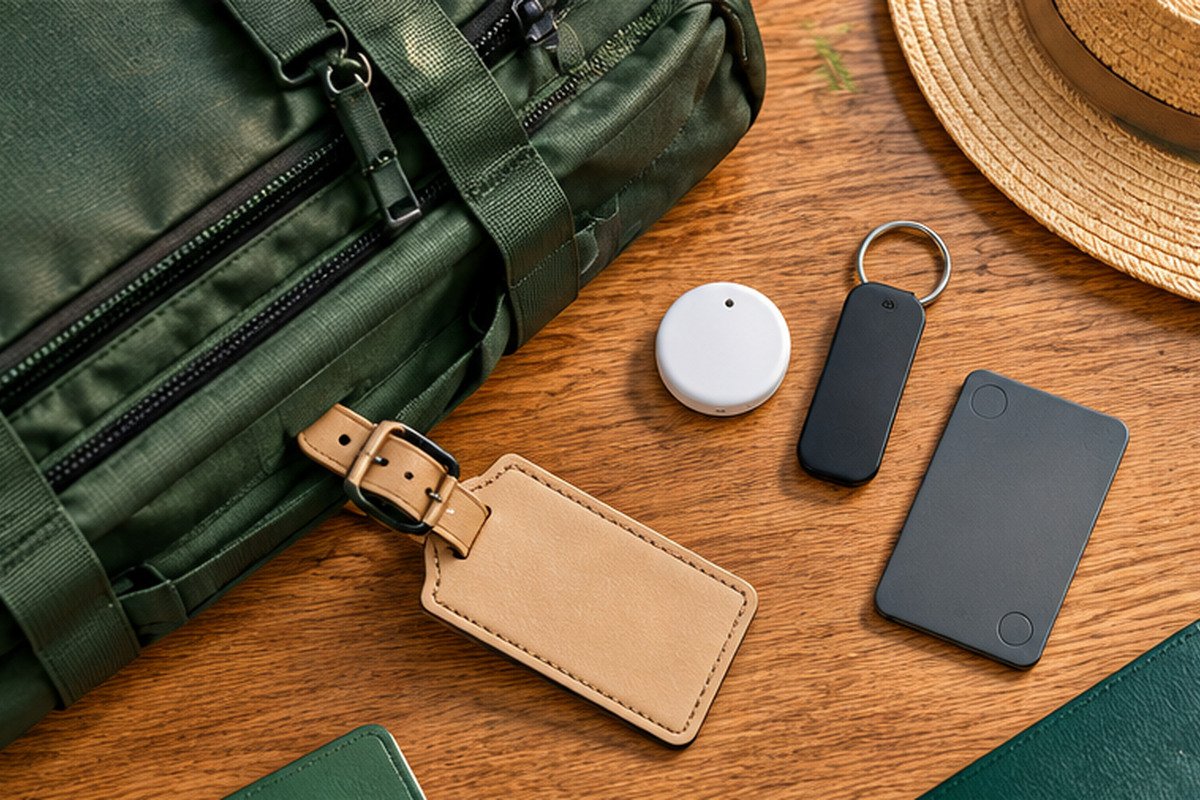
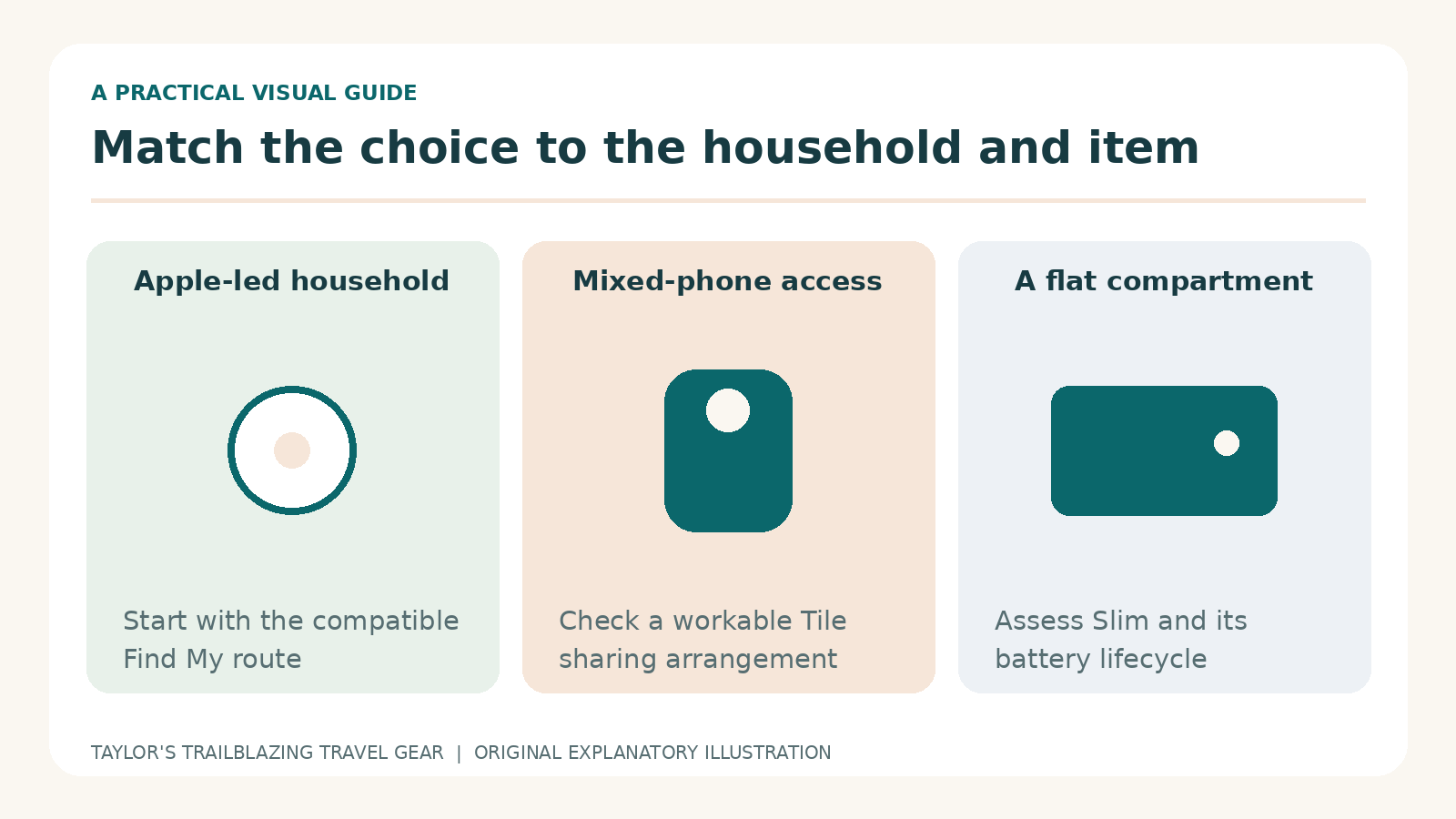
AI-generated conceptual illustration with unbranded tracker shapes. It is not product photography or evidence of a real tracking test.
AirTag vs Tile for luggage is not simply a contest between a round tag and a square one. The more useful choice depends on whose phone will manage the bag, whether another person needs access and how much ongoing app administration you are prepared to do. A tracker is only helpful when the right person can use it at the right moment.
AirTag makes particular sense in a compatible Apple setup. Tile offers a different route for households using both iPhone and Android, with several physical formats and a choice of app workflows. However, cross-platform support does not mean every phone, plan or sharing arrangement behaves identically. [1] [3] [4]
This guide uses second-generation AirTag and the documented 2024 Tile Pro and Slim models as its main hardware examples. It separates manufacturer claims from practical buying judgements and does not claim airport testing, measured network coverage or a guaranteed recovery rate. The scenarios are planning examples designed to reveal which arrangement would be easiest for you to maintain.
AirTag vs Tile for luggage: choose the workflow first
Make a list of the people, not just the bags
Start with the person who will register the tracker and the people who may need to locate the suitcase. They might be a partner, a relative collecting a bag or someone travelling on a different flight. Then note the phones they use. A technically capable tag can still be the wrong choice when the access arrangement is awkward.
A household with compatible iPhones has a different starting point from one with an iPhone, an older Android handset and a work-managed phone. Do not assume that everyone will install a new app or agree to the same permissions. Discuss that before buying multiple tags, because the social arrangement is part of the product’s usefulness.
Decide what the tracker is meant to solve
Finding a bag somewhere in a holiday rental is different from obtaining a distant airport sighting. A slim tag inside a document organiser solves another problem again. Prioritise the task that actually worries you, then identify the functions required for it. Extra features are less valuable when they add complexity without improving that task.
For luggage, a useful target is modest: obtain an additional clue, recognise how current it is and pass it to the right person. Neither system should be bought on the assumption that the airline can be bypassed or that a map will reveal every movement of the suitcase. Good expectations are part of a good purchase.
The two app ecosystems are genuinely different
AirTag lives in Find My
AirTag is managed through Apple’s Find My system, with setup and feature support tied to compatible Apple devices. Its remote sightings come through the Find My network rather than the Tile community. The familiar app can simplify everyday use for an existing Apple household, although hardware-specific nearby functions still need checking. [1] [18]
Do not confuse the ability to read a found-item message on another phone with the ability to own an AirTag. Those are different roles. Likewise, a temporary location webpage sent to an airline does not turn AirTag into an ordinary Android-managed accessory. Identify which role you need before judging compatibility.
Tile has both Tile and Life360 workflows
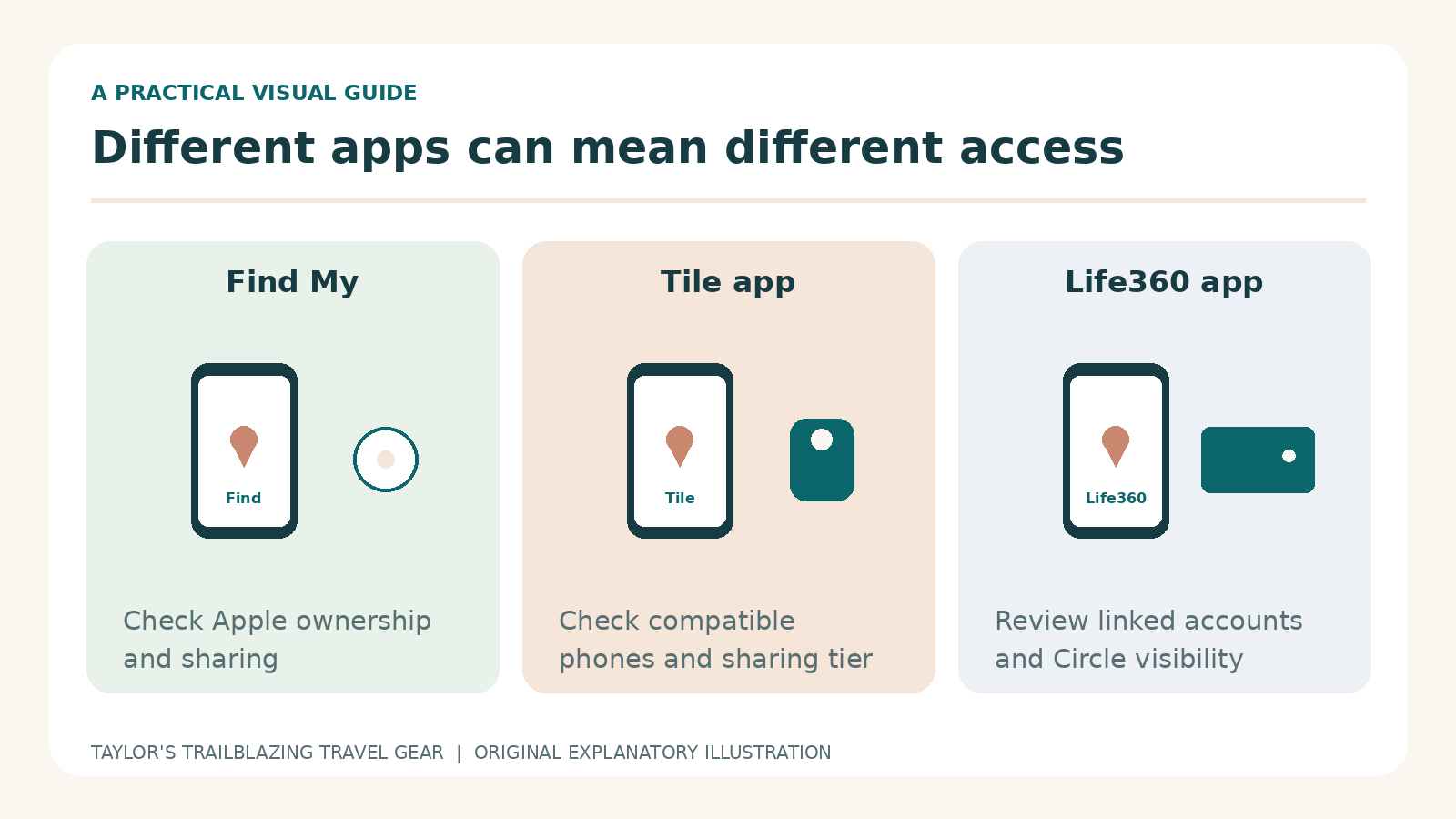
Tile devices can be used through the Tile app and through supported Life360 arrangements. Those paths have different settings, account relationships and sharing controls. Consequently, instructions written for one app should not automatically be applied to the other. Choose the route you intend to use and check the current support page for that route. [5] [9] [12]
Someone who already uses Life360 may find that integration useful. A person who only wants to locate luggage may prefer a more limited arrangement. The correct answer is not to enable every feature by default; it is to understand which accounts and people can see the item and which controls are necessary for your chosen use.
Cross-platform does not mean platform-free
Tile’s ability to work across iPhone and Android is a genuine distinction. However, it still needs a compatible device and the required app permissions. A phone with restricted services, unsupported software or aggressive background limitations may not provide the experience you expect. Confirm the exact device before treating cross-platform as a blanket assurance. [3] [11]
Compatibility checks that prevent a wasted purchase
The two Tile apps have different minimums
At this review, Tile’s support page lists iOS 16 or later and Android 9 or later for its app, subject to the device exclusions it describes. Life360’s separate requirements list iOS 17.4 or later and Android 10 or later. These are not interchangeable minimums. Check the route you will actually use on each traveller’s phone. [3] [4]
For AirTag’s second generation, use Apple’s current setup requirement of iOS or iPadOS 26.2.1 or later rather than an old article about the original tag. An older phone may still run an app called Find My without meeting that newer setup requirement. The presence of the app alone does not settle compatibility. [18]
Check access restrictions on managed phones
A work-managed handset may restrict app installation, account sign-in or background permissions. Ask the relevant administrator rather than assuming you can change those settings during a trip. If the phone must be returned to an employer, plan how ownership and access will be maintained on a personal device before it disappears from your daily routine.
The same principle applies to a phone borrowed temporarily from a relative. Do not register the family’s luggage to an account nobody else can maintain. A simple ownership plan, a recoverable account and a realistic understanding of who will be online can matter more than small differences between the tags themselves.
Test the least convenient phone first
If a household purchase depends on one older handset, check that device before ordering the entire set. A new flagship phone is not the difficult case. Similarly, if somebody dislikes frequent app administration, ask them to complete a small supervised test. A technically compatible system that they will not use is not a successful shared setup.
Tile Pro, Tile Slim and why the shape matters
Pro is the more obvious suitcase example
Tile Pro’s attachment-friendly format and replaceable battery make it a useful comparison with AirTag for bags. The documented 2024 model has an advertised local Bluetooth range of up to 500 feet. Treat that as a manufacturer range claim, not a measurement through a packed suitcase or a prediction of remote airport performance. [7]
Slim belongs in a flat compartment
Tile Slim can be attractive for an organiser or a flat pocket where a round AirTag creates a lump. However, the 2024 Slim uses a non-replaceable battery with a stated life of up to three years. That gives it a different ownership cycle from a tag whose battery you can change. Do not assume every Tile uses the Pro’s battery arrangement. [7]
A slim shape is not a reason to place it loose between travel documents. Choose a compartment where it remains secure when you take out a passport or ticket. If it leaves the bag with the organiser, it is tracking the organiser, not the suitcase. Decide which item matters most before choosing the pocket.
A label is not an electronic tracker
Tile’s passive Lost and Found labels are a different product from its Bluetooth hardware. A finder scanning a label can help with contact, but the label itself does not generate network sightings. When comparing prices, make sure you are looking at an electronic tracker rather than a similarly branded identification product. [13]
The comparison table that is worth using
| Buying question | AirTag, second generation | Tile Pro, 2024 | Tile Slim, 2024 |
|---|---|---|---|
| Best starting use | Compatible Apple-managed belongings | Shared or mixed-phone bag finding | A flat organiser or pocket |
| Main app route | Find My | Tile or supported Life360 setup | Tile or supported Life360 setup |
| Battery approach | Replaceable CR2032 | Replaceable battery | Non-replaceable, up to three-year claim |
| Nearby search style | Sound plus supported UWB direction finding | Sound and app proximity guidance | Sound and app proximity guidance |
| Attachment decision | Holder or secure pocket | Use a suitable secure attachment | Secure flat compartment |
| Paid plan essential for basic finding? | No separate tracking subscription | No | No |
On a small screen, swipe within the table to see every column.
This comparison deliberately avoids a single overall score. A feature can be valuable for one task and irrelevant for another. For example, a flat format may be decisive in a document organiser but unimportant in a large suitcase pocket. Likewise, a replaceable battery is a maintenance advantage only if you remember to check and replace it. [2] [5] [6] [7]
Nearby finding and network sightings are not the same test
Nearby search answers where in this area
When the tag is close enough for a direct connection, the app can help you search locally. AirTag may provide directional Precision Finding with a supported device, whereas the compared Tile models use sound and proximity-style guidance. Do not assume that an app’s visual indicator is the same technology as ultra-wideband direction finding. [1] [5]
For a home trial, put the bag in a safe room and ask another person to locate it using the intended app. This shows whether the interface makes sense and whether the sound is useful through your packing. It does not establish how well either network will perform when the suitcase is thousands of miles away.
A remote sighting answers where it was detected
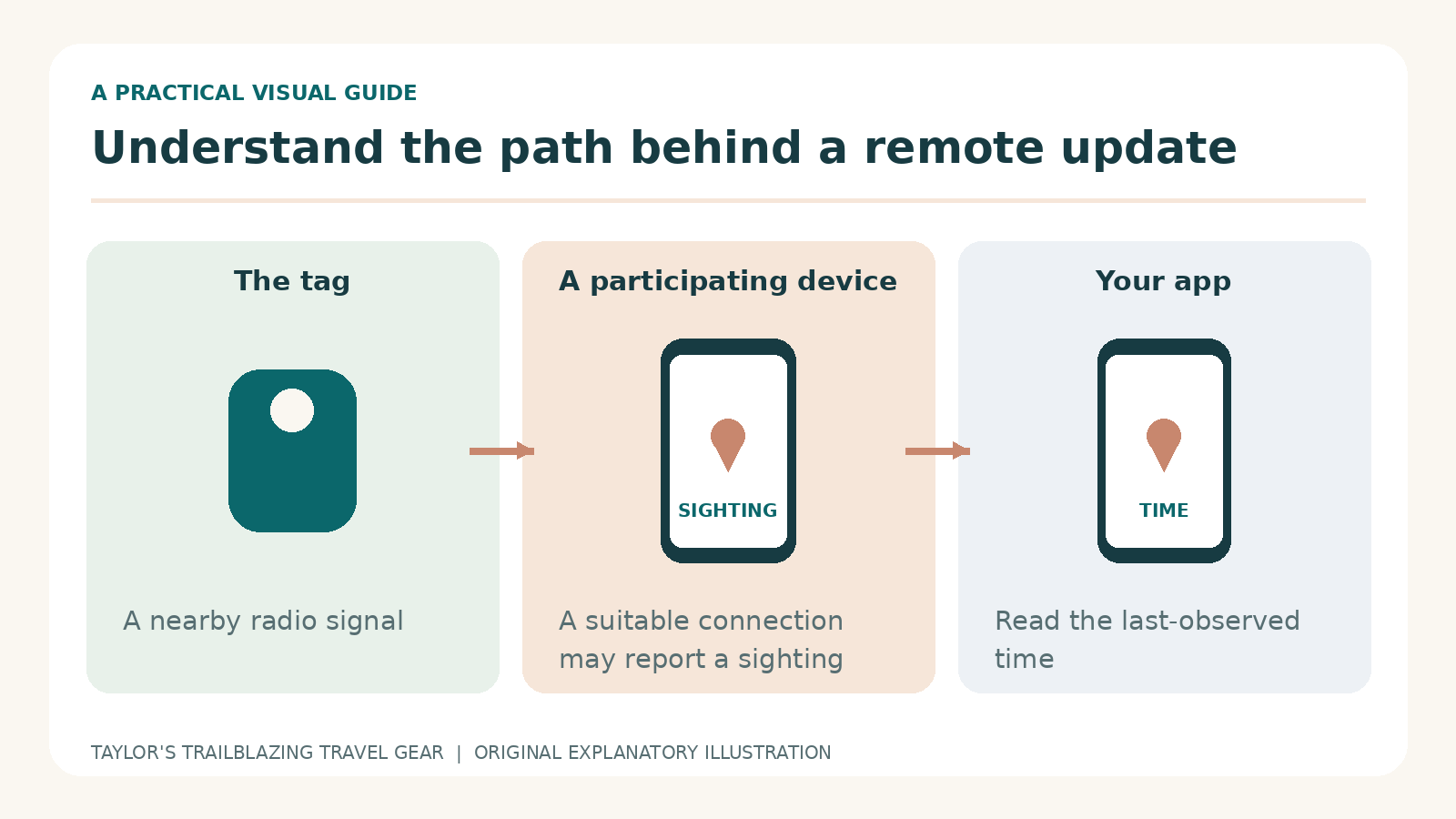
Tile’s own support states that it does not contain GPS or provide real-time location monitoring. Its app can show a last-known connection, and network assistance can provide further sightings when the relevant conditions are met. Therefore, an old point is not necessarily a fault, and an empty period does not by itself establish that the tag has failed. [5] [17]
AirTag also depends on its finding network for distant observations rather than a private mobile-data connection inside the tag. Neither product gives you the right to expect a continuous route trace. Do not compare their effectiveness by treating a Bluetooth range number as a measure of global coverage.
Do not turn one anecdote into a coverage map
A successful recovery at a busy airport is useful to the person involved, but it is not a controlled comparison between networks. Different devices, settings and surroundings can produce different outcomes. This guide has no route-level testing dataset, so it does not assign a percentage chance of recovery or claim one network always wins in a particular country.
Reading a map without over-reading it
Look for the observation time
Imagine that a tag was last seen at 09:40 and you open the app at 10:15. The information is 35 minutes old. That arithmetic matters more than how confidently the app draws the dot. When passing it on, describe the last observation time rather than saying the suitcase is definitely there now.
Next consider the size of the place. A terminal, hotel or station can contain several floors and restricted areas. A point over the building does not identify a particular room or conveyor. Tile’s support specifically cautions that its map is two-dimensional and a bag may be on another floor. [17]
Treat changes as clues, not instructions
A later sighting can justify updating the airline’s report or checking an appropriate public lost-property desk. However, it is not a reason to enter staff-only areas or travel to a private address unannounced. If theft is suspected, share the evidence with the relevant authorities rather than confronting someone based on a consumer map.
A useful note records the timestamp, the app’s wording and what you independently know about the bag. Separate those facts from your guess about how it moved. That distinction makes the information easier for another person to assess and reduces the risk that a stale point sends the search in the wrong direction.
Keep the bag and tag conceptually separate
A tag may become detached, be left in an organiser or remain in a suitcase after some contents are removed. Therefore, locating it does not prove that every item is still present. Keep a sensible packing record and photograph the bag itself. The tracker provides information about its own position, not an inventory audit of the luggage.
Free features, paid extras and a realistic budget
A subscription is not required for basic Tile finding
Life360 states that Tile can help locate nearby and distant items without a subscription. Optional Tile Premium features include Smart Alerts, expanded location history and wider sharing. Do not buy a plan merely because a comparison article implies that the tracker becomes useless without one; start with the specific extra function you need. [6]
Price the complete arrangement
Count the required tags, any holders, delivery and a paid plan only where it solves an identified problem. A discounted multipack may be poor value if several units will sit unused. Equally, a higher-priced single tag may be sensible when it avoids buying incompatible accessories or paying repeatedly for a feature your household does not use.
A useful worksheet has four lines: hardware today, required accessories, recurring charges and eventual replacement. Put the current checkout figures into those lines yourself. This is better than treating a temporary sale price as a permanent product characteristic, particularly when different sellers offer different generations under similar names.
UK reimbursement claims need particular care
Tile’s membership documentation says new UK and Australian subscribers have not been eligible for its item-reimbursement feature since 16 December 2024. Existing eligibility has separate conditions. Do not mistake a US promotional benefit for cover included with a new UK purchase, and do not treat a tracker plan as a substitute for checking your travel insurance. [6]
Sharing: two people, a family and a temporary helper
Tile app sharing has its own rules
The Tile app’s documented free sharing arrangement is with one other member; unlimited sharing is a Premium feature. The same support page allows sharing between compatible iOS and Android devices. That may be enough for a couple, but it is different from assuming that every relative can join without a plan or a separate setup. [8]
Life360 Circles are a different arrangement
In Life360, linked Tiles can be visible to Circle members, with controls for assigning and managing them. Therefore, the Tile app’s one-person rule should not be presented as a universal limit across every Life360 arrangement. Review the exact Circle and account visibility before adding a suitcase, particularly when that Circle already includes people who do not need to see it. [9]
Apple borrower sharing requires acceptance
AirTag’s borrower sharing also requires supported accounts and an accepted invitation. It is not the same as sending a screenshot, and it should not be assumed to happen automatically because people are related. Test the intended person’s access before departure and remove it when no longer appropriate. [19]
For a temporary helper, choose the narrowest sensible access. Someone collecting a delayed suitcase may only need the airline’s delivery details, not permanent visibility of every tagged item you own. Consider the actual task rather than using the most expansive sharing setting because it is the easiest button to find.
App permissions are part of the travel preparation
Bluetooth alone is not the whole setup
Tile’s permission guidance covers Bluetooth, location, notifications, a data connection and background operation. A phone may have Bluetooth switched on while an app-specific permission remains denied. Check the app’s own permission status rather than assuming the main phone toggle tells the whole story. [11]
A practical test includes putting the phone away briefly and returning to the app, not only watching the screen immediately after activation. You are trying to spot configuration problems while help and internet access are easy to obtain. Do not change unrelated privacy settings indiscriminately; enable what your chosen workflow actually requires and understand why.
Revisit settings after updates or long storage
An app that was configured correctly last year may be unused, restricted or paused by the time the next holiday arrives. Tile’s support highlights Android’s unused-app hibernation setting as one possible issue. Reopen the app and check its status before travel rather than assuming that an old successful pairing is enough. [11]
Similarly, a new phone can change account access or notification behaviour even when the physical tag has not changed. Add tracker checks to your phone-migration routine. That small administrative step is less frustrating than discovering on arrival that the old handset still holds the only working arrangement.
Learn where each app keeps the controls
If using Life360, follow its current activation and item-management instructions. Do not spend the departure queue searching for a button shown in an old Tile-app tutorial. Life360’s activation guide includes account verification, naming and a successful connection check; complete those tasks before packing the tag into the suitcase. [12]
Airline recovery: what each system can contribute
AirTag offers a temporary recovery webpage
Apple’s Share Item Location feature creates a temporary webpage for a lost item and can be used with an airline that supports it. At least one signed-in Apple device needs to remain online to provide updated information. Sharing ends on reunion, after seven days or when manually stopped. This is separate from ordinary borrower access. [10]
The practical advantage is a defined way to provide continuing location information without giving away an account password. However, it still depends on the carrier’s process and the available sightings. A supported sharing link is not a guarantee that staff can immediately reach the bag or deliver it to your address.
Tile provides observations, not an assumed integration
Tile’s location, last-seen details and recovery notifications can help you explain what the app has observed. However, do not assume that an airline accepts a Tile sharing link through an AirTag-specific form. Ask which evidence the carrier wants, and use the normal baggage-report channel with a clear timestamped description.
The ordinary report remains essential whichever tag you use. Keep the baggage receipt, claim reference and current delivery contact details. A technically excellent tracker does not tell the airline which hotel you will be staying in tomorrow, nor does it replace the information needed to identify the physical suitcase.
Do not delay reporting while waiting for a better point
When the bag is missing, begin the carrier’s process promptly instead of waiting indefinitely for a fresh sighting. You can supply additional evidence later through the requested channel. A consumer tracker is useful supporting equipment, but its quiet periods should not prevent you from taking the normal practical steps available to you.
Battery design and the long-term ownership decision
Replaceable does not mean maintenance-free
AirTag and the compared Tile Pro allow battery replacement. That can be convenient for long-term ownership, but it creates a small maintenance task. Check the correct battery type for the exact model, keep loose cells away from children and make sure the compartment is properly secured after replacement. A fresh battery still needs a successful finding test.
A sealed model needs an end-of-life plan
Tile Slim’s battery approach suits a thin format, but it is not the same as opening a Pro and replacing a cell. Factor eventual replacement into your decision, and use an appropriate electronics recycling route when the device reaches the end of its service. Do not try to cut into a sealed tracker to improvise a battery change.
The advertised life is a claim under the maker’s conditions, not a calendar appointment guaranteed for your unit. Check the device before an important journey even when the estimated lifetime has not elapsed. The useful question is whether it works now, not whether its purchase date suggests it ought to work.
Attachment, privacy and a human recovery route
Keep the tracker with the thing you mean to find
A suitcase pocket, internal loop or suitable holder can keep a tag associated with the bag. However, placing it in your wash bag means it follows the wash bag when you remove it. Decide whether the target is the suitcase, a document organiser or a smaller day bag, then create a dedicated place that matches that intention.
An AirTag holder is a separate purchase
TORRO’s leather keyring is one compatible holder example for both AirTag generations. It is sold without the tracker and should be assessed as an attachment accessory, not a guarantee of theft prevention or a sealed waterproof case. Check the clasp and ensure the chosen bag attachment point will not be removed during normal repacking. [20]
Tile’s QR route is not the same as a public address label
Life360’s current Lost and Found guidance says a finder scanning the relevant Tile QR code can submit a message or location, which triggers an email to the owner without displaying the owner’s contact details. This differs from its passive labels. Check the current flow and keep the registered email usable during the trip. [13]
A plain contact card still has value. It can help a person who does not recognise the tracker or cannot use the QR route. Choose a reachable contact method without unnecessarily displaying a full home address, and keep a separate photograph of the bag and its identifying details.
Unwanted-tracking safeguards are not interchangeable
Understand the limitation before choosing a mode
Tile’s Scan and Secure is a scanning feature, not something this guide treats as equivalent to Apple’s unwanted-tracker alerts. Tile also documents an Anti-Theft Mode that hides devices from Scan and Secure, subject to its enrolment conditions. Because that is a significant privacy trade-off, it is not recommended here as a default luggage setting. [14] [15]
Do not use a tracker to monitor another person without their knowledge. Tell a borrower when a tagged bag is being lent and use appropriate sharing or remove the tracker. The fact that the device is physically attached to property does not eliminate the privacy implications for the person carrying it.
No consumer safeguard is a complete guarantee
Apple provides unwanted-tracker alerts and safety guidance, but the existence of those tools should not be described as perfect protection. Likewise, a lack of an alert does not prove that no tracking device is present. Follow the relevant platform’s safety instructions and seek appropriate help if an unexpected device raises a genuine concern. [16]
For a luggage purchase, the sensible aim is transparent use and limited access. Avoid evaluating products by how secretly they can follow someone. A device designed to help recover belongings should remain part of an accountable, understandable travel arrangement.
Three realistic buying scenarios
Two iPhone users with checked cases
AirTag is a reasonable starting point when both travellers have compatible phones and are comfortable with Find My. Give each independently travelling case an identifiable item name and confirm shared access where useful. There is little reason to complicate the setup solely to acquire an extra app or a different-shaped tag.
An iPhone and an Android phone sharing one bag
Tile may be attractive because the two people can use a compatible cross-platform arrangement. However, agree which app and sharing method you will use, then test both phones. The advantage is not an abstract promise that all devices work; it is the practical possibility of giving both travellers usable access without changing phones.
A document organiser carried separately
Tile Slim can be a more convenient physical fit than a round tag, provided the organiser has a secure suitable pocket. Nevertheless, it follows the organiser when that is removed from the suitcase. Label the item accordingly in the app so a future location does not get mistaken for the whereabouts of the main bag.
A household handover drill before buying more tags
Ask the other person to perform the task
Once the first tracker is configured, hand the phone or instructions to the person who may need to help and ask them to identify the correct item. Let them read its timestamp and show the route to a nearby search. This reveals whether the arrangement is genuinely usable without the original owner narrating every tap.
Use a familiar, safe location and a bag whose position is known. The exercise is about understanding controls, not measuring network performance. Write down any step that caused confusion, such as similar item names or a sharing invitation that had never been accepted. Correct those issues before expanding the setup to several cases.
Decide what access is actually necessary
A helper may need to see one shared suitcase rather than every tracked item. Review the chosen app’s visibility and make the arrangement as limited as practical. A family relationship or existing Circle is not, by itself, a reason to give everyone more information than the task requires.
Finally, rehearse the non-technical handover: where the baggage receipt is saved, who reports a missing case and which phone number the airline should use. The tracker should fit into that routine. If the app works but nobody knows how to contact the airline, the household is not yet prepared for the situation that motivated the purchase.
When a Tile works in one app but not the other
Treat it as an app-specific problem first
Life360’s support provides a specific route for the case where a Tile rings in the Tile app but not in Life360: check the Life360 version and refresh it, then review the required settings. It also notes conditions affecting shared Tiles. That is a more useful starting point than immediately replacing the hardware. [22]
Check which account is linked and whether the intended item is actually the one selected. Similar names can obscure a simple mismatch, particularly after phone changes or adding several tags. Keep the working configuration intact while you establish what differs in the second app, rather than changing everything simultaneously.
If neither app can ring it, check the local basics
Bring the bag within a sensible nearby distance and confirm that the correct tag is still inside. Review battery condition and the required phone permissions. Follow the maker’s troubleshooting guidance for the model. If the bag is not physically available, distinguish that limitation from a failed test you could have completed at home.
Do not interpret an unsuccessful remote ring attempt as proof that the tag is broken. Ringing is a local finding action with connection requirements, not an unlimited-distance command that must work through every situation. Preserve the last useful observation and use the supported lost-item process instead of treating all failures as the same fault.
Work travel and borrowed equipment need clear ownership
Keep personal and team items distinct
A company equipment bag may have a different owner from the person carrying it for one journey. Agree who registers its tracker, who can view it and what happens when the trip ends. Avoid silently linking a shared work bag to a private household account, or assuming that a colleague should accept unrelated family location visibility.
The arrangement should remain understandable when staff or phones change. Record the item name and the responsible contact through an appropriate internal process. This is a practical ownership suggestion, not advice to bypass an employer’s device or privacy policies. Ask the relevant person before installing apps or creating tracking arrangements on managed equipment.
Close the loan properly
When equipment is returned, check that the tracker is physically present and that temporary sharing has ended where appropriate. A bag on a shelf may still be visible through an old account even though the journey is over. Treat access review as part of returning the equipment, alongside chargers, keys and any other supplied accessories.
If ownership is being transferred permanently, follow the maker’s current process with both parties aware of the change. Do not assume that removing a bag from a personal packing list removes its tracker from an account. Clear handovers prevent unnecessary confusion on the next journey.
A cabin bag unexpectedly becomes checked luggage
Keep the essentials and the tracker roles separate
Before handing over a cabin bag at the gate, follow the airline’s instructions about items that must remain with you. A tracking tag does not change the rules for power banks, spare batteries or other restricted contents. Nor does it make it wise to leave immediately needed documents in a bag that you may not see until arrival.
This is also a useful moment to confirm that the tracker stays in the bag rather than in the pouch you remove. A carefully named suitcase tag becomes misleading if it leaves with your electronics organiser. Keep the physical arrangement simple enough to understand during a hurried change of luggage plan.
Save the new baggage information
Retain the receipt or identification provided when the bag is accepted and check the stated collection point. Do not assume the tracking app knows whether the airline intends to return it at the aircraft door or through the baggage hall. Operational instructions come from the carrier; the app provides a separate observation of the tag.
When reunited, put any temporarily removed organiser back in its intended place and recheck the item names. A quick reorganisation prevents a later map point from being interpreted using an arrangement that changed at the gate. This is a packing discipline rather than a special feature of either tracker brand.
Compare purchase options without false precision
Use a priority order rather than an invented score
Put compatibility first, then the required sharing arrangement, physical fit, maintenance and cost. A tracker that fails the first requirement cannot compensate with a longer advertised Bluetooth range. Likewise, a thinner model is not automatically better when the actual pocket is large and a replaceable battery matters more to you.
You can mark each requirement as essential, useful or irrelevant for the trip. This creates a clear decision without pretending to calculate an objective comfort or reliability score. The result may differ between two members of the same family, especially when their phones and luggage habits are different.
Compare the price of the configuration you will use
A low headline figure for a single tag cannot be compared directly with a multipack containing accessories. Check the actual selected quantity, model and seller. Exclude any advertised benefit that does not apply in your region or requires a subscription you have not included. That keeps the purchase decision attached to real conditions rather than promotional shorthand.
Revisit the comparison when your phone, household sharing or luggage arrangement changes, not merely whenever a new product appears. A working device that still meets the essential requirements can remain the sensible choice. Maintenance and a clear recovery routine often provide more value than replacing equipment without identifying the problem an upgrade would solve.
Pros and cons without the marketing shortcuts
Common mistakes when choosing or using either system
Buying from an old comparison without checking the model
The same brand name can cover different generations, batteries and software requirements. Read the current maker’s page for the selected unit, then check the retailer’s exact option. A lower price is not automatically a bargain when it buys a version that does not support the function you intended to use.
Paying for reassurance rather than a defined function
A paid plan can be useful, but it cannot guarantee an airport sighting or force an airline to recover a case. Identify the feature you need and verify its UK availability before subscribing. If basic finding and one relevant sharing arrangement meet the requirement, begin there rather than assuming a higher tier must be safer.
Forgetting that the app needs attention
Permissions, account access and battery condition can change between holidays. Make a short check part of packing instead of treating the tag as a device that can be forgotten indefinitely. A maintained, familiar system is a better travel tool than a more expensive one that nobody has opened since the day it arrived.
Frequently asked questions
Can Tile show a suitcase continuously as it travels?
No. Tile explicitly describes Bluetooth-based finding rather than built-in GPS or real-time monitoring. Distant information depends on suitable network sightings, and notifications may not arrive immediately. Use the observation time to interpret the point and do not assume a silent period means the suitcase has stopped moving. [5] [17]
Is Tile unusable without Premium?
No. The manufacturer says basic nearby and distant finding is available without a subscription. Premium adds particular features rather than turning an otherwise inactive device on. Decide whether you need those extras and check their regional conditions. A subscription is not a guarantee of faster sightings or recovered luggage. [6]
Can my partner use Tile on Android while I use an iPhone?
A compatible cross-platform sharing arrangement is supported, but both devices and the chosen app route need checking. The Tile app and Life360 do not have identical requirements or sharing controls. Test the exact arrangement before travel instead of relying only on the phrase works with iOS and Android. [3] [8]
Is Tile Slim the best format for a suitcase?
Not necessarily. Its thin shape is especially relevant to a flat organiser or pocket, whereas a Pro or AirTag may be easier to secure elsewhere. Slim also has a different battery lifecycle. Choose the physical format for a specific compartment and make sure the tracker stays with the item you intend to locate. [7]
Will a Tile work inside Apple Find My?
The compared Tile devices use their supported Tile or Life360 system; they should not be bought on the assumption that they join Apple’s Find My accessory network. An iPhone running the Tile app is still using Tile’s workflow. Phone compatibility and finding-network membership are different specifications. [5]
Should I put an AirTag and a Tile in the same bag?
Two systems may provide different observations, but they also add cost, batteries and account administration. They do not guarantee recovery or create a single combined network. For most routine use, first make one suitable setup work properly. Consider extra redundancy only after identifying why its added maintenance is worthwhile for you.
Can an airline use my Tile app account to find the bag?
Do not share your account password. Ask the airline which supporting evidence it accepts and provide the requested screenshot or information through its normal channel. An AirTag-specific link field should not be assumed to accept Tile data. Keep the baggage-report reference with any update you send. [10]
Is the Tile QR code a replacement for a contact card?
It is an additional recovery route, not a reason to remove every human-readable identifier. A finder may not recognise the code or have a suitable connection. Keep a simple contact method associated with the bag and ensure the email linked to the tracker remains accessible while travelling. [13]
Can I use these trackers in checked baggage?
Check the operating airline’s current rules for the exact model and battery. Small tracking devices and larger power banks are different categories. The FAA publishes relevant US small-battery limits, but international carriers can apply their own requirements. Do not infer universal permission from a retailer calling a product travel-friendly. [21]
What should I do after lending a tagged organiser?
Review who can see the item, remove access that is no longer needed and confirm that the tag has returned with the organiser. Tell the borrower it is present before the loan. Clear ownership and sharing habits prevent confusion and are more useful than leaving broad permissions enabled indefinitely.
Final recommendation: make the easiest reliable arrangement
Choose AirTag when a compatible Apple-based workflow already fits your travelling household and its recovery tools are relevant to your airline. Choose Tile when the cross-platform arrangement or a particular physical format solves a real problem that AirTag does not solve as neatly. Then compare the correct generation and the complete cost.
Whichever route you take, keep the tag secure, maintain the app and treat each sighting as evidence with a timestamp. The best luggage tracker is not the one that encourages you to forget the ordinary baggage process. It is the one that adds a useful, understandable clue when that process needs help.
Sources and fact-checking notes
- Apple UK: AirTag and feature compatibilityFind My network operation, nearby-finding hardware restrictions and device positioning.
- Apple: second-generation AirTag specificationsCurrent physical and battery specification for the named generation.
- Life360: Tile app compatibilityTile app operating systems and unsupported device categories.
- Life360: Life360 app device requirementsDifferent minimum systems for the Life360 app; these are not conflated with Tile app requirements.
- Life360: how Tile worksBluetooth finding, lack of GPS and the role of last-known positions.
- Life360: Tile Premium and Premium ProtectFree finding, optional features and restrictions on new UK item-reimbursement enrolment.
- Life360: Tile model comparisonGeneration-specific battery and Bluetooth-range information.
- Life360: sharing a Tile or phoneTile app sharing limits and support across iOS and Android.
- Life360: managing Tiles in the Life360 appCircle visibility, assignment and app-specific controls.
- Apple: sharing the location of a lost itemTemporary recovery webpage, online-device requirement and expiry.
- Life360: Tile permission settingsLocation, Bluetooth, background operation and app-hibernation settings.
- Life360: activate a Tile in the Life360 appAccount verification, activation and naming.
- Life360: Tile Lost and FoundQR recovery messages and the distinction from passive labels.
- Life360: Scan and Secure FAQThe scope and limitations of Tile unwanted-tracker scanning.
- Life360: Tile Anti-Theft ModePrivacy-relevant exception to Scan and Secure detection; not recommended here as a default.
- Apple: unwanted-tracker safety guidanceAlerts, safety limitations and finding information for an unknown tracker.
- Life360: find a missing TileIn-range and out-of-range workflows, delayed notifications and stale locations.
- Apple: current AirTag setup instructionsGeneration-specific software requirements; used instead of older compatibility assumptions.
- Apple: share an AirTag with another personBorrower accounts and accepted invitations.
- TORRO: leather AirTag holderHolder compatibility, attachment and the fact that the tracker is separate.
- FAA: baggage equipped with lithium batteriesUS small-battery limits and the need to check the operating airline.
- Life360: ringing a Tile in Life360App-specific finding prerequisites and supported shared-Tile behaviour.
Illustrations in this article were created for Taylor’s Trailblazing Travel Gear. Third-party photographs, where used, are credited beside the image or in the source list.