AirTag vs Samsung SmartTag for Luggage
The right tracker starts with your phone, but the useful comparison continues all the way to a delayed-baggage report.
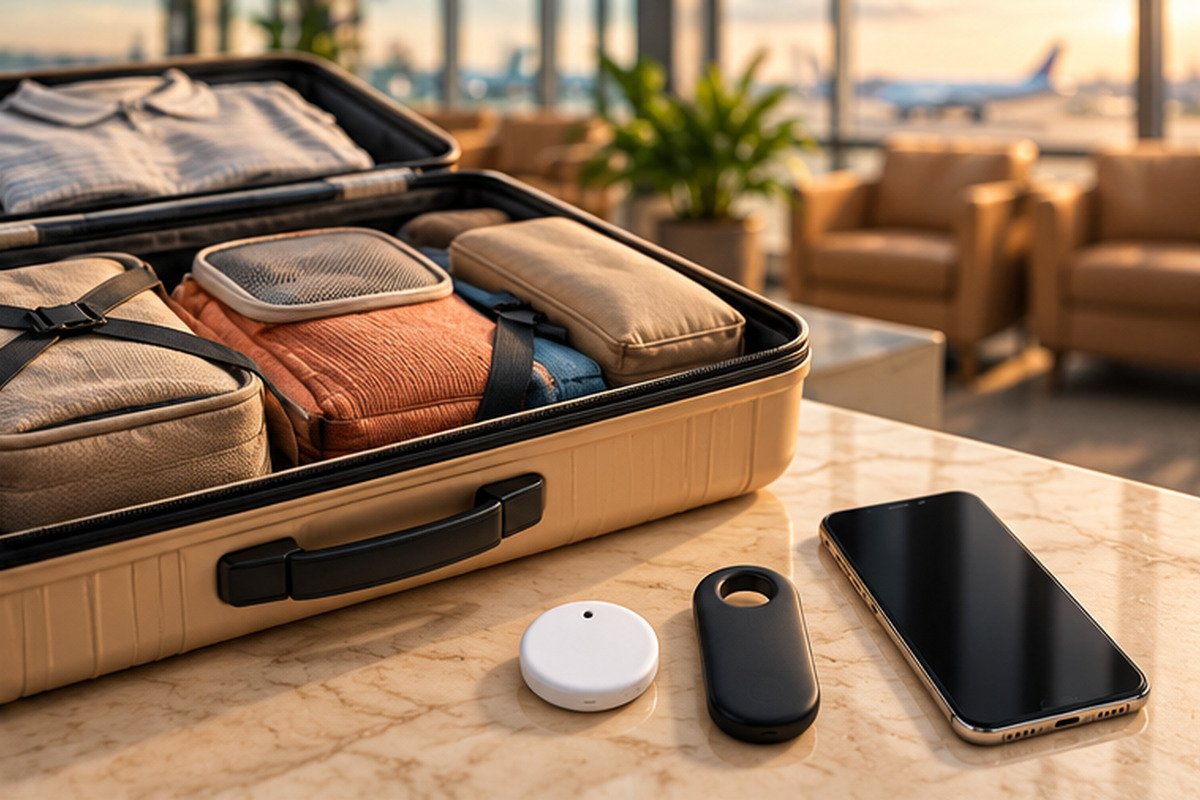
AI-generated conceptual luggage scene. The unbranded objects are illustrative, not accurate photographs of the products compared.
AirTag vs Samsung SmartTag for luggage is primarily a compatibility decision, followed by a question about how you would use the information when a bag goes missing. A tracker that your travelling companion cannot manage, or whose map you mistake for a live flight monitor, can be less reassuring than its packaging suggests.
For the main UK buying comparison, this guide uses AirTag (2nd generation) and Galaxy SmartTag2. Samsung has also announced SmartTag3, which needs separate treatment rather than quietly attributing its features to the older model. The generation notes below explain the distinction. [1] [4] [6]
The recommendations are based on official specifications, support instructions and a documented airline recovery workflow. They are not airport field-test results, network-speed measurements or a promise that either device will recover your luggage. The aim is to choose a workable system and prepare it properly before departure.
AirTag vs Samsung SmartTag for luggage: the decision order
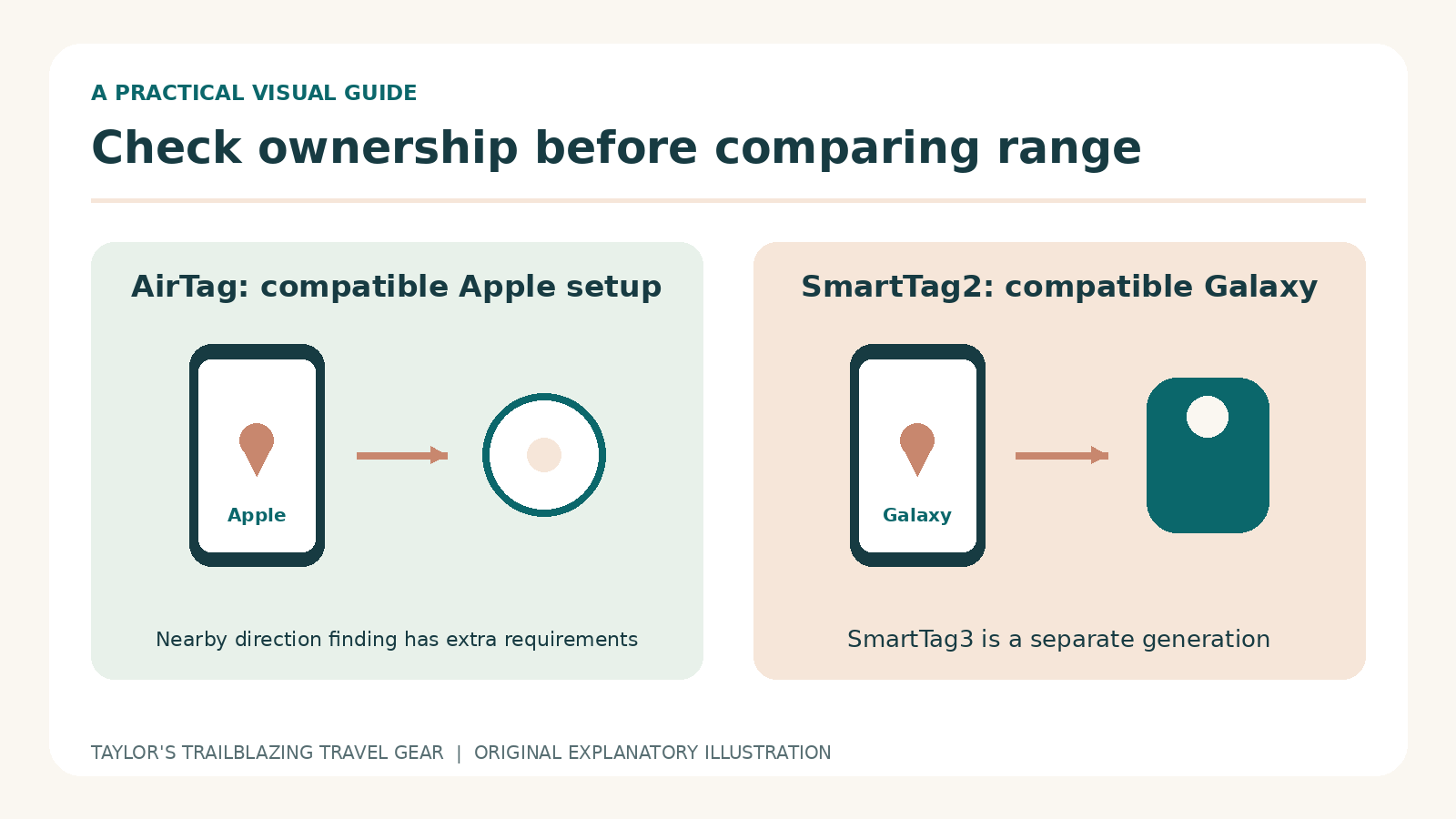
Compatibility comes before range
First establish who will own the tracker in the app and which phone that person will carry. An AirTag is not an Android-owned tracker, and SmartTag2 is not a generic accessory for every Android handset. Even within the correct brand family, software and hardware requirements affect what you can do. [2] [4]
Next decide who needs access if the owner is unavailable. A couple travelling together may be comfortable with one person managing the bag, whereas relatives arriving on different flights may need shared access. Write down that arrangement before buying a multipack. It is much easier to resolve an account mismatch at home than beside a baggage desk.
Recovery tools matter more than a dramatic map
The best system is the one that gives you useful information you can explain accurately. A recent airport location may help an airline investigate; it does not identify the exact loading belt or prove that the bag is on a particular aircraft. Therefore, compare the process for reading timestamps and sharing evidence, not just the appearance of the map.
Which generations this comparison covers
AirTag: an older guide may describe different hardware
Apple’s second-generation AirTag looks familiar but has different nearby-finding and setup requirements from the original. Consequently, an inexpensive listing described only as AirTag deserves a closer look. Check the generation in the product title and specification, rather than assuming that the current Apple webpage describes every unit still sold by retailers. [1] [2]
A working first-generation unit does not become useless simply because another version exists. For an existing owner, the useful question is which function is currently missing. Better nearby finding may matter if you often search within a building, but buying a newer tag does not eliminate the need for nearby participating devices when the bag is far away.
SmartTag2: keep its features attached to its name
SmartTag2 is the Samsung model used for the main specification and buying examples here. Do not confuse it with the original SmartTag or SmartTag+, and do not assume that a new software advertisement means every older tag receives the same hardware capability. A retailer’s photographs, product code and compatibility notes should describe one consistent model.
SmartTag3: a separate, newly announced option
Samsung announced SmartTag3 on 30 September 2026, with Korea availability from 7 October, followed by the US and additional markets in 2027. Its limited iOS support does not include Compass View, Ring Phone or Left Behind Alert. This is not a confirmed UK buying option for the review date, nor an update to SmartTag2’s compatibility. [6]
For a near-term UK trip, prioritise a device you can obtain, set up and test on the phone you already own. An imported unit with uncertain local feature support is not automatically a better travel purchase simply because its generation number is higher.
A practical comparison, not a universal winner
| Question | AirTag, second generation | Galaxy SmartTag2 |
|---|---|---|
| Ownership platform | Compatible Apple device and Apple Account | Compatible Samsung Galaxy device and Samsung account |
| Distant location updates | Participating Find My network devices | Participating Galaxy finding-network devices |
| Nearby direction finding | Compatible UWB-equipped iPhone; generation restrictions apply | Compass View on supported UWB Galaxy phones |
| Attachment | Separate holder or a secure pocket | Integrated loop; attachment still needs checking |
| Battery approach | User-replaceable CR2032 | Replaceable coin-cell design |
| Airline example verified here | British Airways accepts a temporary Apple location link | Do not assume an equivalent airline integration |
| What neither guarantees | Continuous location, loading confirmation or recovery | Continuous location, loading confirmation or recovery |
On a small screen, swipe within the table to see every column.
The table summarises the documented functions, not measured accuracy. A compatible phone can still encounter a weak signal, an old map update or an inaccessible bag. Meanwhile, a traveller who only needs occasional nearby ringing may not use every directional feature. Buy the functions you can actually operate, rather than an abstract specification advantage. [1] [3] [4] [7]
Phone support: ownership is different from finding a lost tag
Check the current setup instructions
Apple’s current setup article specifies iOS or iPadOS 26.2.1 or later for second-generation AirTag. Some specification wording differs, so the more explicit current setup instruction is the practical reference used here. Check whether your own device can install the required version before opening the tracker packaging. [2]
Samsung similarly separates basic compatibility from advanced nearby finding. Owning a Galaxy phone does not by itself prove that the handset contains ultra-wideband hardware. Review the exact phone model and the current app support. An app installation completing successfully is not evidence that every advertised directional function is available. [4]
A helpful stranger does not become the owner
A lost-item message can sometimes be read by a finder using a different phone platform. SmartTag2’s NFC Lost Mode is an example: the finder needs a suitable NFC reader and web browser, not ownership of the tag. That does not mean the same phone can register and manage the tracker as its own. [5]
This distinction matters when shopping for a relative. A product can be readable by their phone in a recovery situation without being a suitable tracker for them to own. Ask which task you are checking: initial pairing, everyday management, nearby direction finding, shared viewing or reading a found-item message.
A phone upgrade is rarely a sensible tracker accessory
Do not let a modest luggage purchase become a reason to replace a working phone unless you already need the upgrade for other reasons. Start with the functions your current equipment supports. If those are insufficient, compare other compatible systems separately rather than hoping a workaround will provide native features reliably during travel.
How a distant suitcase appears on the map
The network reports sightings
When your bag is away from your phone, these trackers rely on compatible participating devices nearby to help report its location. That is a different system from a tracker with its own mobile connection. Samsung’s guidance explicitly describes updates when a SmartTag comes within range of other Galaxy devices; Apple’s Find My explanation describes its own network mechanism. [3] [11]
The practical consequence is uneven information. A bag in a busy public area may receive a useful update, while one in a more isolated place may show an older location. No manufacturer specification establishes the update interval for your particular journey. Avoid setting an expectation that refreshing the app must produce a fresh point every few seconds.
Read the timestamp before drawing a conclusion
A dot at the departure airport can mean that the last useful sighting happened there. It does not, by itself, prove that your bag failed to travel. Likewise, a new point near the destination airport is encouraging but does not confirm delivery to the carousel. The time attached to the observation is part of the information, not a small-print detail.
As an example, imagine a screenshot taken at 15:10 showing a last-seen time of 14:25. The evidence is a 45-minute-old observation, not a live 15:10 position. Describe it that way to the airline. This fictional example illustrates interpretation; it is not a measured performance result for either tracker.
Do not compare networks from one holiday story
A friend’s quick recovery and another person’s stale update do not establish a reliable ranking for every airport. The devices, surroundings, settings and time may all differ. Since no controlled route testing was performed for this guide, it does not assign either network a recovery percentage or claim that one always updates faster.

Nearby finding: the last part of the search
Direction arrows require the right hardware
AirTag’s Precision Finding and SmartTag2’s Compass View are nearby tools, not a way of pointing through an entire city. Their availability depends on compatible phone hardware and software. Apple’s newer AirTag also has generation-specific restrictions, so check the footnotes for the precise iPhone model rather than assuming every recent iPhone is equivalent. [3] [4]
These tools can be useful when the map has already brought you close to a bag in a room or collection area. However, walls, other objects and the bag’s construction can affect radio communication. A direction cue is a search aid, not permission to enter a restricted area or open somebody else’s luggage.
Bluetooth range is not worldwide tracking range
Samsung advertises a maximum Bluetooth range of 120 metres for SmartTag2 under its stated conditions. That figure concerns a local radio connection. It is not the maximum distance between you and a remotely located suitcase, because network-assisted sightings are a separate mechanism. Nor is it a promise of the same reach through luggage, vehicles or terminal walls. [5]
A more useful home test is ordinary and repeatable: place the packed suitcase in another room, check what the app offers and try finding it without relying on memory alone. Do not use an unsafe or restricted location simply to create a more dramatic test. The aim is to learn the interface before you need it.
Sound is helpful but not always practical
Both systems provide audible finding functions. Nevertheless, a tag buried among clothing can be harder to hear than one on a table, and a busy baggage hall is not a quiet room. Learn the visual cues as well as the sound. If hearing a small speaker is difficult for you, check the available accessibility tools on your specific phone.
Make your contact details useful away from home
Use a contact route you will actually check
A lost-item message is only useful when its contact method reaches you. Before travelling, consider whether your normal number will receive calls or messages abroad and whether your registered email remains accessible. Keep the format clear for an international finder, including the appropriate country code where relevant, without adding unnecessary personal information.
If you change your phone or travel communication arrangement, review the tracker message and the airline report separately. They are not necessarily synchronised. Updating a number in one place does not prove that every other recovery channel now uses it. A small checklist is more dependable than assuming all your accounts share the same contact settings.
Keep public and private information separate
A recovery message should help return the item, not publish your itinerary or home address. Give only what is needed for contact. More detailed delivery instructions belong in the carrier’s authorised process or a conversation with the appropriate handler, rather than an unrestricted message readable by anyone who finds the tag.
Discuss the wording with the person who will respond, especially when a family member is acting as the contact. They should know which suitcase the message concerns and how to reach the traveller. This turns a static tag setting into a practical recovery route instead of leaving an unfamiliar caller to explain the situation from the beginning.
The airline handover is a separate workflow
Report delayed baggage through the normal channel
If your bag does not arrive, use the airline’s reporting process and keep the reference, baggage receipt and current contact details. A tracker screenshot can support that report, but it does not replace it. Ask where updates should be sent and how to change your delivery address if your itinerary moves on. [16]
Be precise about what you know. Say that the app last detected the tag near a particular airport at a stated time. Avoid telling staff that it proves a specific loading mistake. Clear, limited evidence is more useful than a confident interpretation that the tracker cannot actually support.
AirTag has a documented sharing example
British Airways accepts a Share Item Location link in a delayed-baggage report. The link is temporary, can be stopped by the owner and expires after seven days; access also ends when the item is reunited in proximity. Follow the airline’s current instructions for submitting it. Do not post that link publicly. [7]
This is different from ordinary borrower sharing with friends or family. The two functions solve different problems and should not be confused when preparing for travel. Practise locating the relevant item menu before departure, but only create and disclose a recovery link when there is a genuine need.
Do not invent a Samsung equivalent
A Samsung map or screenshot may still be useful to a baggage team. However, this research did not establish an equivalent SmartTag2 link integrated into the same airline process. Ask the operating airline which evidence it accepts. A location-sharing feature existing in an app does not automatically mean an airline’s reporting system can ingest it.
Place the tracker so it stays with the suitcase
An internal pocket is a sensible starting point
Choose a secure, accessible pocket that belongs to the bag rather than an organiser you routinely remove. That reduces the chance of leaving the tag in the hotel when you repack. Avoid positioning it where other objects can crush it, and do not bury it inside a metal container that adds an unnecessary barrier to radio signals.
A leather holder or loop can make attachment easier, but it is still an accessory that needs inspection. Check the clasp after handling the luggage and make sure the tag cannot simply slide out. No holder makes a tracker theft-proof or guarantees that it will stay attached through every baggage-handling event.
AirTag holders need explicit compatibility
TORRO lists its leather keyring as compatible with first- and second-generation AirTag, with the tracker sold separately. This is a relevant holder example, not a waterproof enclosure or a guarantee of baggage security. Check its clasp and whether the chosen attachment point keeps it with the bag when you remove other accessories. [13]
Give the bag a human-readable identity too
A tracker and a contact label solve different problems. The tracker can provide a sighting; a label can help someone contact you when the app is unavailable. Use a reachable phone number or email address and avoid displaying unnecessary personal information. Keep a separate record of the suitcase description and baggage receipt on your phone.
Take a clear photograph of the bag before handing it over. Include its distinguishing features rather than only a close-up of the tracker. A baggage team needs to identify the physical suitcase, not just understand which brand of tag you put inside it.
Battery life, water resistance and travel permission
Treat battery claims as planning information
Both compared models use replaceable coin-cell batteries rather than requiring a charging cable for each trip. Manufacturer battery-life claims depend on usage and conditions; they are not a reason to ignore a low-battery warning just before a holiday. Check the app and perform a basic finding test while you still have time to buy the correct replacement. [1] [4]
For AirTag, Apple’s guidance specifically warns that some bitterant-coated CR2032 batteries may not work and advises choosing compatible packaging. Keep batteries and loose covers away from children. After replacement, check that the cover is secure and that the tag actually responds, rather than assuming a newly opened battery must have solved the problem. [12]
Resistance ratings are not luggage insurance
Both products carry a water-resistance specification, but that does not make the complete arrangement indestructible. A leather holder, a damaged battery cover and an exposed attachment can each change the practical situation. Keep the tracker protected from avoidable impacts and prolonged soaking, and inspect it after a difficult journey. [1] [4]
Ask the operating airline about the exact device
The FAA’s US guidance identifies limits of 0.3 grams of lithium metal or 2.7 Wh for the relevant small batteries in checked-baggage tracking arrangements and tells passengers to check with the airline. That is not a universal approval for every tracker or international route. Confirm the operator’s current requirements, especially for different battery designs. [10]
A tracker is also not a power bank. Do not use permission for a small baggage tag to justify leaving a larger spare battery or charging device in checked luggage. Review those items under their own airline rules rather than treating everything electronic inside the case as one category.
Prepare the tracker before the journey
Complete setup on an ordinary day
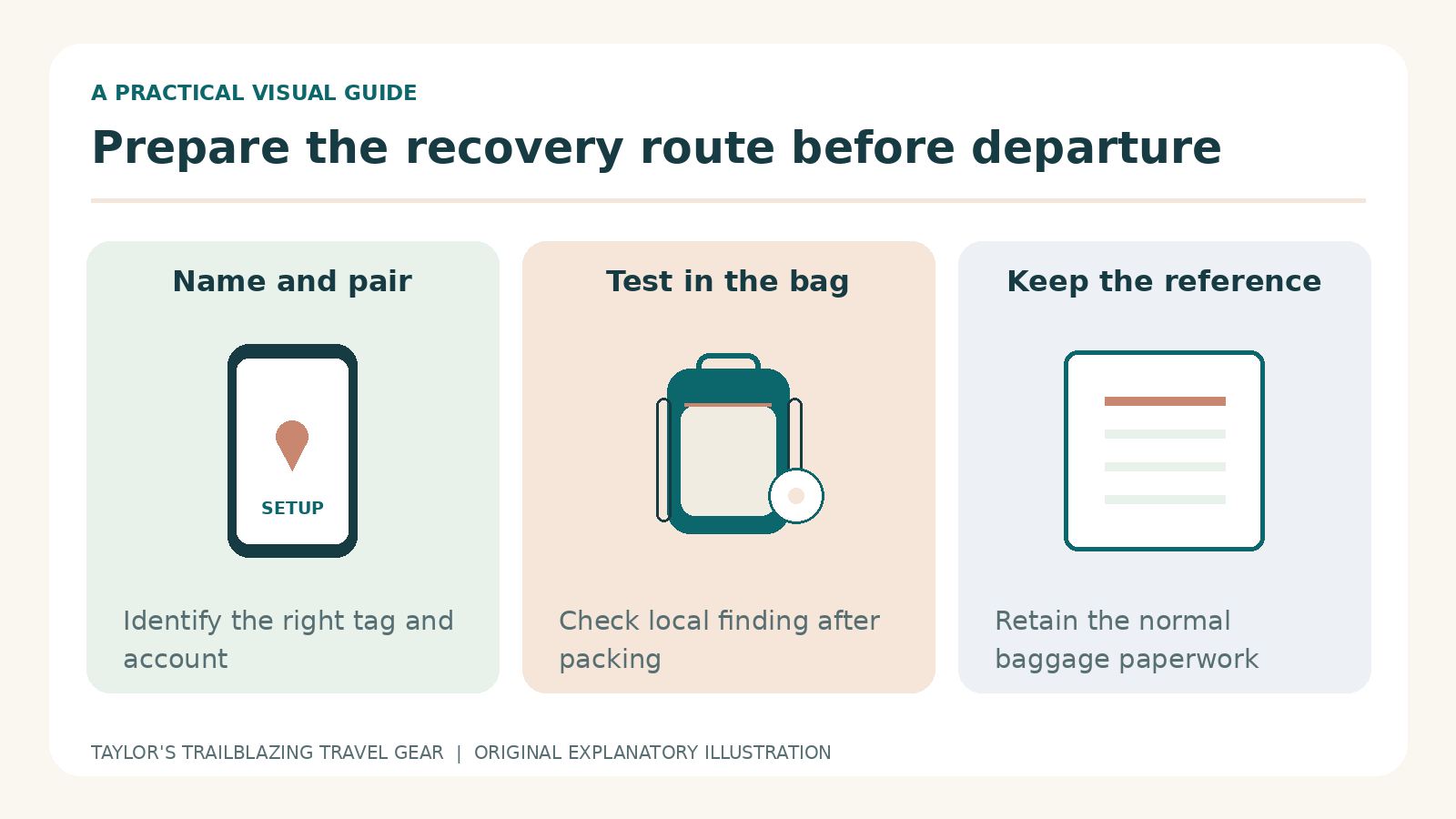
Choose an unhurried moment with working internet access. Install or update the required app, check the account and follow the maker’s registration instructions. Then give the item a recognisable name such as Blue Cabin Case rather than leaving several identical default names. Samsung’s item-registration guide includes naming and map confirmation. [2] [11]
After setup, put the tag in the bag, close the compartment and check it again. This catches the surprisingly practical problem of testing a tag successfully on the kitchen table and then forgetting to put it back in the suitcase. Keep the tracker with the item you intend to monitor, not with your spare accessories.
Test the actions you would actually use
Try ringing the tag, reading its last-seen information and locating any sharing controls. Next, ask the intended travelling companion to show you how they would find the correct item. A successful demonstration by the account owner alone does not prove that the family arrangement works when someone else needs to act.
Do not deliberately leave luggage unattended in a public place to test remote tracking. A short supervised exercise at home is enough to learn the interface. Network performance in a real airport cannot be guaranteed by that exercise, but familiarity with the controls can still remove a layer of confusion.
Keep a simple departure check
Before the final zip-up, confirm that the named tag responds, the battery shows no warning and the contact details remain current. Save the airline’s baggage-report route somewhere accessible. These small checks are more useful than repeatedly opening the app during the flight and trying to interpret every gap as a problem.
Buying new, used or open-box trackers
Confirm ownership can be established
A previously used tag needs to be properly released from its earlier ownership arrangement before another person can depend on it. Ask the seller to demonstrate that this has been done and follow the manufacturer’s current transfer instructions. A physical reset or a fresh battery is not something to assume will remove every account association.
For a gift, leave time for the recipient to complete setup with their own supported account. Registering everything to your phone first can create unnecessary transfer work later. Help the recipient check their phone and app requirements, but keep the final ownership arrangement aligned with the person who will actually use the luggage.
Inspect what the offer includes
Check whether the listing contains one tracker, several trackers, a holder or merely an accessory. Product photographs sometimes show a complete arrangement even when one component is sold separately. Read the selected variant and package contents, then compare those details with what arrives before putting the packaging aside.
Region and seller matter as well as the model name. For an imported listing, check delivery, returns, local support and any feature restrictions. This guide identifies retail destinations, not a guarantee that every marketplace seller provides identical stock or purchase conditions. Do not assume a familiar brand name settles those questions.
Leave time to discover a mismatch
Avoid ordering a tracker so late that the first attempt at pairing happens in the departure lounge. A practical schedule leaves time to identify the wrong generation, obtain a compatible accessory or return a faulty unit. Paying for speed does not create additional time to understand a system that does not suit your phone.
Troubleshooting without destroying useful information
The tag responds nearby but the remote map looks old
A successful nearby sound test shows that some local communication is working. It does not force a new distant network sighting after the bag leaves you. Keep the last observation and its time, then follow the maker’s current troubleshooting guidance. Repeatedly refreshing the screen cannot manufacture a participating device beside the suitcase.
Avoid removing the tag from the account merely because a remote update is delayed. Before changing ownership or resetting anything, understand what information and access may be lost and whether the tag is physically available to set up again. A drastic account change is a poor first response to an observation gap during a baggage search.
The phone cannot find the tag at home
Check the battery state, physical placement and the intended app permissions in a controlled setting. Bring the tagged bag nearby and use the manufacturer’s troubleshooting sequence. If several trackers are being set up, handle one at a time so you know which response belongs to which physical unit.
After any repair or battery change, test the tag inside the packed bag again. This is a useful point to check its name and attachment as well. An apparently repaired device is not ready for travel until the complete arrangement, rather than the loose tag on a table, has been checked.
The wrong item name appears in a screenshot
Similar bags and default names can cause avoidable confusion. Rename the items while they are physically in front of you, and confirm each one by a nearby action. Do not change names based solely on memory after the cases have separated. A tidy naming system is a simple way to avoid sending the airline evidence for the wrong suitcase.
A delayed bag on a trip that keeps moving
Keep delivery information ahead of the itinerary
A tracker may show movement while the airline still needs your next reachable address. If you are changing accommodation, ask the carrier how to update delivery details and which contact method it will use. Do not assume the location app shares your current hotel with the baggage team or changes the report automatically.
Maintain a small record of the report reference, the latest agreed delivery address and the date you expect to leave it. This is an organisational suggestion, not a substitute for the airline’s instructions. It helps you provide consistent information when different staff members handle the case over several days.
Avoid contradictory instructions from multiple helpers
When two travellers can view a tag, agree who communicates with the airline. Otherwise, both may submit different screenshots, addresses or interpretations at the same time. Shared access is useful for resilience, but a clear point of contact can make the practical recovery process less confusing.
When the bag is returned, check that it is the correct suitcase and inspect its condition through the carrier’s normal process. End any temporary sharing that is no longer needed and review the tracker attachment before the next journey. Finding the tag is not the same as confirming the full contents and condition of the luggage.
Privacy and the limits of theft protection
Use trackers for your belongings
A luggage tracker is not permission to monitor another person’s movements without their knowledge. Explain its presence when lending a tagged bag and use appropriate sharing arrangements. Apple’s safety guidance describes alerts and sounds intended to help identify unwanted tracking. Do not disable or circumvent those protections to make a luggage setup more secretive. [9]
The existence of alerts also means these are not covert anti-theft guarantees. A tag can be noticed, removed or damaged. Treat tracking as one layer of information alongside sensible packing and identification, rather than a substitute for keeping irreplaceable items under your control.
A map pin is not a confrontation plan
If a bag appears somewhere unexpected, pass the relevant information to the airline or appropriate authorities. Do not enter private premises or accuse someone solely on the basis of a consumer tracker point. The location can be imprecise or stale, and the tag may no longer be with the rest of the luggage.
A useful record includes the observation time, a screenshot and the existing baggage-report reference. Keep the language factual. That helps another person evaluate the evidence without having to untangle assumptions about routes, handling teams or who may have possession of the bag.
Pros and cons for a UK luggage buyer
Common buying and travel mistakes
Confusing a tag with a live GPS service
The small coin-cell form factor can make the system seem effortless, but it still depends on the relevant finding network. Do not promise a travelling relative that they will see the suitcase moving continuously. Explain in advance that gaps and older sightings are normal possibilities, so the first quiet period is not automatically interpreted as a loss.
Buying the wrong generation from a familiar-looking page
Check the title, model, quantity and seller together. A marketplace page can offer several versions or redirect attention to a newer listing. Read the selected option before checkout and again when the parcel arrives. A product photograph alone is not enough to distinguish every AirTag generation or Samsung listing.
Neglecting the ordinary baggage process
A detailed map does not supply a missing baggage-report number, current hotel address or receipt. Prepare those basics and keep essentials in the luggage arrangement permitted by your airline. The tracker should make communication easier, not encourage you to leave all your useful information in the case you are trying to recover.
Frequently asked questions
Can I manage SmartTag2 from an iPhone?
Do not buy SmartTag2 for iPhone ownership. Reading a lost-item message is different from registering and managing a tag. Check the exact model and ownership platform, especially when a shop page also discusses a newer generation. A product-family name is not a reliable compatibility specification. [4]
Does AirTag work when my suitcase is in another country?
It may receive network-assisted sightings away from your phone, but this depends on compatible participating devices and conditions around the bag. It is not limited to a direct Bluetooth link with your own phone, yet it also does not provide a guaranteed worldwide update schedule. Read the location timestamp before deciding what a point means. [3]
Can either tracker confirm that my bag is on the aircraft?
Not reliably. A recent point near a stand or terminal is not a loading scan, and an older airport point does not prove that the bag stayed behind. Use the airline’s own baggage information where available. Treat tracker sightings as supplementary observations rather than a substitute for the carrier’s handling records. [3]
Should I put the tracker inside or outside the suitcase?
An internal, secure pocket is a sensible starting point because it keeps the tag with the bag and away from casual knocks. Check that you do not routinely remove that pocket or organiser. An external attachment can be convenient, but inspect its clasp and do not assume it is impossible to detach.
Do I need a separate mobile-data plan for the tag?
These compared Bluetooth item trackers do not use a separate traveller-purchased SIM plan. However, your phone needs an appropriate connection to obtain remote app information, and network sightings depend on participating devices. No SIM subscription does not mean that every feature works without internet access in every situation. [1] [4]
Should I replace an original AirTag before a holiday?
Only after identifying a function you actually need and confirming the replacement works with your phone. A working existing tag may already provide the sightings and basic finding you use. Check its battery and setup first. A newer tag is not a remedy for forgetting to name, attach or test the one you own. [2]
Can I lend a tagged suitcase to someone?
Yes, but explain that the tag is present and arrange supported access where appropriate. Review who can see the item, and remove sharing after the loan if it is no longer needed. Do not assume that lending the suitcase automatically transfers ownership of the tracker or changes its account permissions. [8]
What should I send to an airline when the tracker shows a location?
Start with the baggage-report reference and follow the airline’s requested channel. Provide a timestamped screenshot or the supported temporary sharing link, and describe it as a last observed location. Avoid publishing a live access link on social media or presenting the point as proof that a named person has the case. [7] [16]
The recommendation: choose a usable recovery setup
For most travellers already using a compatible iPhone, begin with AirTag and learn both nearby finding and the airline-sharing route that applies to your carrier. For an established Galaxy setup, SmartTag2 is a sensible comparison point when its compatibility and functions meet your needs. Neither choice should depend on a claim of guaranteed recovery.
Buy the correct generation, attach it securely, test it before departure and keep the normal baggage paperwork. Those practical steps matter more than declaring one small tag universally best. The purchase succeeds when you can interpret and use its information calmly, including the occasions when it has no fresh update to show.
Sources and fact-checking notes
- Apple: AirTag, second-generation technical specificationModel dimensions, battery and radio features. Current setup guidance is used where software wording differs.
- Apple: add an AirTag to Find MyCurrent generation-specific setup requirements and account preparation.
- Apple UK: AirTag product and compatibility notesFind My network explanation, nearby-finding restrictions and battery-life claim.
- Samsung UK: Galaxy SmartTag2 product specificationGalaxy compatibility, physical design and supported finding features.
- Samsung: SmartTag2 launch and feature explanationBluetooth range, NFC Lost Mode and the distinction between normal and power-saving operation.
- Samsung UK: SmartTag3 announcement, 30 September 2026Rollout sequence and limited cross-OS feature support; not a UK stock confirmation.
- British Airways: sharing an AirTag location for delayed baggageAirline-specific use of a temporary Share Item Location link and seven-day expiry.
- Apple: share an AirTag with another personBorrower access, account requirements and the distinction from airline sharing.
- Apple: detect unwanted trackersUnwanted-tracking alerts, sounds and safety guidance.
- FAA: baggage equipped with lithium batteriesUS battery limits and advice to check the airline, especially for international journeys.
- Samsung UK: locate an item using Samsung FindRegistration, item naming and nearby Galaxy-device location updates.
- Apple: replacing an AirTag batteryReplacement battery compatibility and child-safety warning.
- TORRO: leather AirTag keyringHolder compatibility with both AirTag generations; the tracker is not included.
- Amazon UK: AirTag second-generation single unitVerified retail model identity; no live price is reproduced.
- Amazon UK: Galaxy SmartTag2 whiteVerified retail model identity; seller and region should be checked.
- British Airways: delayed-baggage reporting guidanceReporting, contact details and the separation between the airline process and consumer tracking.
Illustrations in this article were created for Taylor’s Trailblazing Travel Gear. Third-party photographs, where used, are credited beside the image or in the source list.