Bluetooth Luggage Tracker vs GPS Tracker
Separate finding a location from getting that location back to your phone.
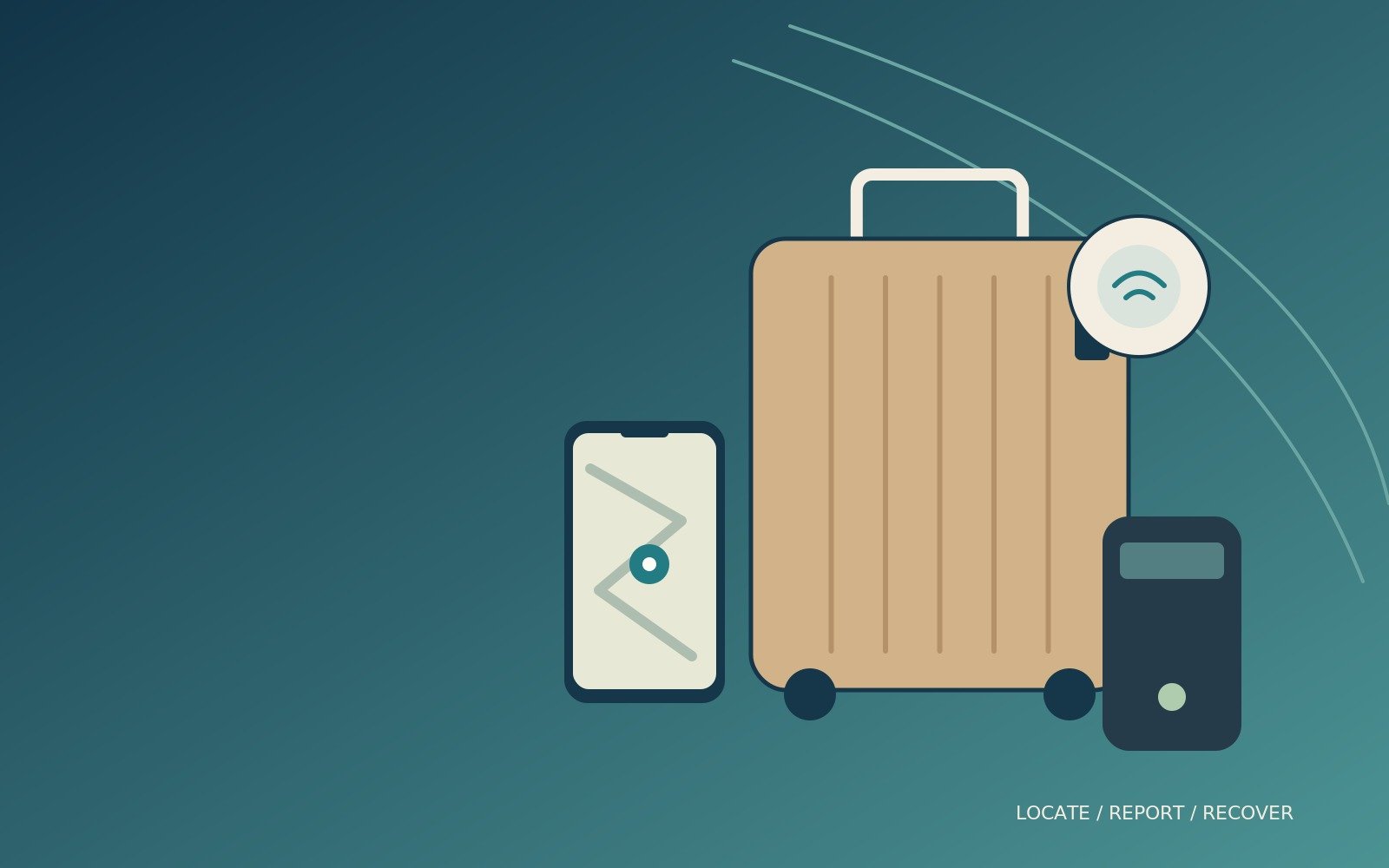
Bluetooth luggage tracker vs GPS tracker is a comparison between two different ways of finding a bag and reporting its location. A small Bluetooth tag can be useful far beyond your own phone’s Bluetooth range because participating devices in its network can report sightings. A GPS receiver, meanwhile, can calculate a position without a nearby phone, but it still needs a way to send that position back to you.
For many ordinary flights, a compatible small Bluetooth tag is the simpler starting point. GPS and cellular trackers become more interesting for specialist needs, extended ground journeys or situations where you want a device with its own reporting connection. That extra independence brings service-plan, battery, coverage and flight-rule questions.
This guide compares published technology and practical use cases, not measured recovery rates or hands-on airport testing. The recommendation is about choosing an appropriate system for your own belongings. No tracker guarantees continuous updates, prevents a bag being mishandled or replaces an airline’s lost-baggage process.
A compatible tag
Choose the finding network your phone can actually use.
GPS plus a data link
Satellite positioning alone cannot send a location to your app.
Check the exact device
Battery size and radio behaviour matter more than the word tracker.
Report it to the airline
A map is useful evidence, not a replacement for a baggage report.
Bluetooth luggage tracker vs GPS tracker: start with two questions
How does the device know where it is?
A Bluetooth tag generally broadcasts a short-range signal that a compatible phone or other participating device can detect. The wider finding service uses those detections to report the item’s location. The tag does not need to contain its own GPS receiver to appear on a map somewhere far from you. Its distant usefulness depends on the finding network, not an impossibly long Bluetooth link.
GPS is a satellite-positioning system. A suitable receiver uses satellite signals to calculate its position, but that calculation alone does not tell your phone where the receiver is. Consumer GPS trackers commonly add a cellular or other communication link so location reports can reach an app or service. Positioning and reporting are separate jobs. [1]
How does that information reach you?
A crowd-finding Bluetooth tag relies on suitable nearby devices and the supporting service. A GPS/cellular tracker relies on its own supported connection, subscription and coverage, as well as its ability to obtain a useful position. Some products combine GPS, mobile networks, Wi-Fi positioning and Bluetooth, so the categories are not mutually exclusive hardware recipes. GEGO PRO is one such multi-technology example. [2] [3]
The practical choice is therefore about dependencies. Would you prefer a small tag supported by a large phone ecosystem, or a rechargeable device with its own communications service? Neither approach eliminates gaps. Understanding which part of the system is missing when a location stops updating is more useful than treating GPS as an automatic upgrade.
Back to topA Bluetooth tag's range is not its entire finding area
Nearby finding and distant network finding are different
When the bag is close, a compatible tag can help you make it ring or use supported nearby-finding features. When it is elsewhere, network reports can place it on a map after a participating device detects it. That is why a Bluetooth tag may help with a bag at a different airport even though your own phone is nowhere near it.
However, a distant report is not a promise of a fresh observation whenever you open the app. The bag may be in a storage area without a suitable nearby device, or the service may apply privacy and reporting rules. Read the timestamp alongside the map. A pin showing the last observation should not be mistaken for a continuously verified live position.
Do not turn advertised range into an airport guarantee
A manufacturer’s Bluetooth range figure is not a promise that the same distance works through luggage, walls, crowds or aircraft structures. Nearby radio conditions differ from a simple open-space specification. Use range claims as context and test the practical arrangement with your own bag rather than relying on a single number.
This is also why tag placement deserves a modest check. Put the device in a secure, accessible part of the bag and confirm that it can still be found in an ordinary nearby test. Do not dismantle the suitcase or permanently seal the battery compartment merely to conceal the tag. Maintenance and compliance remain part of the system.
Back to topGPS does not mean worldwide communication without coverage
Satellite positioning needs a useful reception environment
A GPS receiver can have difficulty obtaining a reliable position inside buildings or other obstructed locations. Consumer trackers may use additional methods to provide an approximate location when satellite positioning is weak. A location on the app is therefore not always a fresh GPS fix, even when the product is sold as a GPS tracker. [1] [3]
Ask what the product reports indoors, how it identifies the source or accuracy of a position, and what happens when it cannot obtain an update. Those questions matter for luggage, which spends much of its journey inside terminals, vehicles and storage areas. A product suited to an open-road vehicle task may behave differently in that environment.
The tracker needs a supported reporting route
A cellular tracker requires compatible network coverage and an active service arrangement. Global coverage is not the same as coverage at every location or support on every network. Regional shutdowns, roaming arrangements and the product’s supported radio technologies can matter. Check the provider’s current country and network coverage for the actual route rather than assuming a general worldwide claim settles it.
GEGO says PRO requires a service plan, and Tracki also explains that its service requires a subscription. Those are recurring commitments separate from buying the hardware. A phone data plan does not automatically activate the tracker, and a tracker subscription does not automatically give your phone internet access. [4] [5]
Back to topCompare the systems by practical trade-offs
| Question | Bluetooth crowd-finding tag | GPS/cellular tracker |
|---|---|---|
| Distant location reports | Through nearby participating devices and the finding service | Through the tracker’s supported data connection |
| Main dependency | Correct phone ecosystem and available network sightings | Positioning reception, mobile coverage and active service |
| Battery arrangement | Often a coin cell or compact rechargeable battery | Usually rechargeable; check the exact capacity and usage mode |
| Ongoing cost | Basic finding may not need a separate subscription | Commonly requires a service plan |
| Frequent updates | Not guaranteed by the presence of a map pin | Depend on the plan, mode, coverage and battery |
| Air travel | Check exact device and operating-airline rules | Extra care with battery limits and radio/flight-mode approval |
| Sensible starting use | Ordinary luggage finding within a supported ecosystem | Specialist or ground tracking where independent reporting matters |
On a small screen, swipe the table sideways. The rest of the article stays within the page.
Read this as a framework, not a universal product ranking
Individual products can depart from these broad patterns. Some Bluetooth tags are rechargeable, some GPS products combine several positioning systems, and additional paid services may be offered around otherwise subscription-free basic finding. Compare the exact device rather than assuming every product in a category shares the same battery, app or terms.
The decision should also reflect the consequence of a missing update. A leisure traveller who wants occasional reassurance has a different need from someone managing valuable equipment on repeated ground transfers. More frequent reporting can be useful, but it should be a verified capability rather than a reason to ignore the additional maintenance and service requirements.
Back to topChoose the phone ecosystem before the tag shape
Apple AirTag: check the generation and software
The current second-generation AirTag is an Apple Find My product with Bluetooth and Ultra Wideband features, a replaceable CR2032 battery and a published 11.8g weight. Apple lists iOS 26.2.1 or later for the current iPhone setup. Nearby Precision Finding also depends on supported hardware and regional availability, so pairing and full feature support are not identical checks. [6] [7]
The buying link below is for the second-generation single item. Do not assume a lower-priced older listing has the same requirements or enhanced features. Equally, an Android phone is not a substitute for the supported Apple setup merely because it can detect certain unwanted-tracking alerts. Choose the ownership ecosystem first.
Samsung SmartTag2 is not a generic Android tag
Samsung describes SmartTag2 compatibility with Galaxy smartphones and tablets running Android 11 or later, with some features requiring Ultra Wideband. That does not mean every Android phone can own and use it in the same way. The linked marketplace example is the black SmartTag2; check the exact product and regional support before ordering. [8]
A Samsung user may find the ecosystem a natural fit, while someone with a different Android brand may be better served by a product designed for Google’s Find Hub network. A familiar Android logo is not enough to establish compatibility. Confirm the app, supported device and any feature-specific requirements while there is time to choose an alternative.
Back to topCross-platform products still need one network choice
Chipolo POP can be set up for either ecosystem
Chipolo POP supports Apple Find My or Google’s Find Hub, but only one of those networks at a time. Switching involves removing and resetting the tracker as instructed, then setting it up in the other ecosystem. This is flexibility when choosing or changing phones, not simultaneous access to both crowd-finding networks. [9]
That can make the product useful for someone who wants a less platform-specific purchase. However, a mixed-phone household should check item-sharing capabilities separately. One tag compatible with either platform does not automatically mean every family member can view it together through different native apps.
Pebblebee Clip 5 offers a rechargeable alternative
Pebblebee’s Clip 5 supports the major finding-network options and uses USB-C charging, with a manufacturer claim of up to twelve months on a charge. Its page notes that the charging cable is not included. Treat the battery-life figure as a stated maximum, not a promise for every pattern of ringing, alerts and use. [10]
The linked marketplace item is Clip 5, not an earlier Pebblebee Clip. Check the selected network, supported phone and current setup instructions. A rechargeable format can be appealing, but it creates a small pre-trip charging task instead of a coin-cell replacement task. Neither approach is maintenance-free.
Back to topGPS/cellular devices deserve an additional flight check
GEGO PRO illustrates both the attraction and the questions
GEGO PRO combines GPS, cellular connectivity, Wi-Fi and Bluetooth, and the manufacturer advertises location history and travel-oriented features. Its required service plan is part of the purchase decision. Those functions may suit a traveller who specifically needs independent reporting, but the feature list is not proof of uninterrupted positioning or coverage everywhere. [4] [3]
The manufacturer’s broad flight-safe and certification wording should not replace the operating airline’s requirements for your exact device. Ask for the model-specific battery rating, instructions for its radio behaviour in flight and any approval process the carrier requires. A cargo-related approval or generic compliance statement is not automatically permission for your passenger checked bag.
Do not choose a tracker by battery life alone
A larger battery can help a ground-tracking task while changing the air-travel assessment. More frequent reporting can also use energy differently from a low-activity mode. Establish which usage mode a battery-life claim describes and whether that mode provides the update frequency you actually need.
Back to topCheck battery limits and radio behaviour separately
Small tracking batteries have specific treatment
The FAA’s baggage guidance gives limits of 0.3g lithium content for lithium-metal batteries or 2.7Wh for lithium-ion batteries in the relevant checked-baggage context, and specifically tells travellers to check with the airline before using baggage tracking devices. Those are not the much larger limits commonly discussed for cabin power banks. [11]
Do not convert a mAh number into a confident approval without knowing the battery’s rated voltage and the rule that applies. For a lithium-ion battery, watt-hours are calculated from capacity in amp-hours multiplied by nominal voltage. Lithium-metal content is a different measure. Ask the manufacturer for the appropriate documented specification instead of guessing from physical size.
A flight mode must do what the operator requires
EASA’s cargo-tracking FAQ explains that the agency does not certify or approve individual tracking devices; operators are responsible for authorising portable electronic devices on their aircraft. That is useful context, not a passenger-baggage approval list or a substitute for the conditions imposed by your carrier. Check the exact device and its permitted operating mode for your journey. [12]
Battery compliance and radio compliance are separate questions. A small battery does not establish that every transmission mode is permitted, and a claimed automatic flight mode does not establish that the battery is within the relevant limit. Obtain both answers and keep the device accessible enough to follow any instructions given by the airline.
Back to topRead the timestamp before reacting to the map
Last seen is not the same as currently confirmed
Imagine arriving while the app still shows your bag at the departure terminal. That could indicate a genuine delay, but it could also be the last available report before the bag entered an area without a fresh sighting. The timestamp, flight status and baggage-belt information need to be considered together. Do not treat a stale pin as conclusive proof that the bag missed the aircraft.
Likewise, a location near the arrival airport does not prove the bag is already on the belt or ready for collection. It might be in an aircraft, sorting area or vehicle. A tracker gives an additional observation; it does not expose the airline’s complete handling process. Use it to ask better questions rather than to infer a precise operational story from one dot.
Approximate locations need cautious interpretation
GPS, Wi-Fi and crowd-finding reports can have different accuracy and freshness. A pin near a building is not proof that a bag is inside a particular room, shop or home. Preserve the report and pass it to the appropriate airline or authority when needed. Do not enter restricted areas or confront someone solely because an app displays a location nearby.
This is especially important after an apparent theft. Your safety and a proper report matter more than personally retrieving the device. A tracker can support a recovery process without becoming an instruction to pursue the bag yourself. Keep screenshots private and share them only through the relevant support or reporting route.

Plan the complete cost, not just the hardware price
A subscription can change the comparison
A GPS/cellular device may appear inexpensive until you include its required service plan, renewal terms and the period you intend to use it. Tracki, for example, lists separate subscription arrangements with different update intervals. GEGO also requires a plan, with some travel benefits tied to particular service choices. Read the exact terms rather than comparing only the device prices. [5] [4]
For a one-off holiday, ask whether there is a minimum term, whether unused months can be paused and what happens when a plan ends. For frequent travel, consider the annual cost and the value of the functions you will genuinely use. No current price advantage is claimed here because offers, billing options and regional terms can change.
Basic finding and optional benefits should stay separate
A tag may provide basic finding without a separate subscription while offering paid extras through a companion service. A GPS product may bundle recovery assistance or other benefits that have their own eligibility conditions. Do not treat a headline recovery promise as equivalent to travel insurance, automatic compensation or guaranteed retrieval.
For a straightforward tag comparison, inspect the current AirTag listing and the SmartTag2 listing alongside the phone requirements, rather than choosing by price alone. The research did not independently confirm every marketplace offer. Check the exact item, seller, warranty route and any needed accessory before ordering.
Back to topSecure the tag without making maintenance impossible
An internal attachment can be practical
Choose a place where the tag is unlikely to fall out during ordinary packing or security access. A suitable internal loop or secure pocket can be convenient, provided you can still reach the battery or charging port and follow airline instructions. Test the nearby finding behaviour with the bag packed in its normal way.
Avoid attaching the device to something you frequently remove, such as a small pouch that may leave the suitcase while the suitcase continues elsewhere. The tracker follows whatever contains it. A carefully chosen position is useful precisely because it reduces the chance of checking the location of a detached accessory instead of the main bag.
Holders are accessories, not additional trackers
TORRO’s leather AirTag keyring is specified for first- and second-generation AirTags, with the AirTag sold separately. The tan variant provides a clip-style attachment and a published 10g weight. Check that the attachment suits the bag and does not leave the device dangling where it could be snagged or separated. [13]
A holder does not create GPS capability or improve the finding network. Its purpose is retaining the tag in a useful position. The TORRO tan AirTag keyring is an option to inspect when the bag lacks a suitable pocket or attachment, not an essential purchase for every AirTag user.
Back to topSet up the tracker before the departure day
Pair, name and test one item at a time
Install the required app, complete the account setup and pair the tag while you have time to resolve any issue. Give each item a name that identifies the actual bag, not a vague label such as tracker two. Photograph the luggage separately so an airline report is not dependent on remembering its brand and appearance under pressure.
Then test nearby finding and any sharing arrangement you intend to use. Confirm that the device remains associated with the right account and that your travelling phone can access it. Apple publishes specific setup guidance for the second-generation AirTag; check those requirements before buying one for an older device. [7]
Decide who needs access during a shared trip
For a couple or family, establish who owns the tag and who can see its location through supported sharing. Do not assume a travelling companion can log in or view the item at the last minute. Keep access within the product’s intended sharing features rather than distributing account passwords casually.
Products such as Chipolo POP and Pebblebee Clip 5 can suit different platform choices, but the selected finding network still matters. Test the chosen arrangement on the phones that will travel. A flexible product name is not a substitute for a working setup.
Back to topKeep your phone connected without confusing the two subscriptions
Remote reports still need a way to reach your screen
Your phone normally needs an appropriate internet connection to view fresh remote location information. Nearby functions and cached information may behave differently, but do not assume the entire system remains fully available when the phone has no connectivity. Pebblebee explicitly lists cellular service or an internet connection among its requirements. [10]
Check your roaming plan, airport Wi-Fi arrangements or another suitable data option before departure. A travel eSIM can be useful for the phone where the handset and destination support it. It does not install a mobile connection inside an AirTag or replace the required subscription of a separate GPS/cellular tracker.
Do not buy connectivity for the wrong device
A phone data plan and a tracker’s embedded service are separate products. Confirm which device uses each plan and which network or countries it covers. If a tracker requires its own subscription, your phone’s working internet connection does not remove that requirement. Conversely, the tracker’s service does not necessarily provide data for your phone.
Keep the troubleshooting sequence simple: is the phone online, is the account accessible, is the tracker powered, and when was the last report received? That sequence can prevent unnecessary purchases or repeated resets. A delayed observation is not always evidence that you need a different connectivity plan.
Back to topDo a three-part rehearsal with the actual bag
Check identity, access and nearby finding
Start with the bag packed as it will travel. Confirm that the app name corresponds to that bag, make the tag ring where supported and practise reaching it without unpacking everything. Check the battery status and the charging or replacement procedure. This simple rehearsal can reveal a poor attachment or an awkward maintenance position before you are standing at check-in.
For a Galaxy-based arrangement, the SmartTag2 option should be assessed with the compatible phone that will actually travel, not a different household device used only for setup. The same principle applies to every ecosystem. The important result is that the equipment and account going on the journey work together.
Practise interpreting an old observation
Look at how the app displays the time of the last location report and any accuracy information. Learn where battery status, sharing controls and support instructions appear. Do not deliberately leave valuable luggage unattended to manufacture a tracking test. A normal, supervised check is enough to learn the interface without creating the problem you are trying to avoid.
A rechargeable model such as Clip 5 adds a charging-status check to that routine. Keep its required cable accessible where appropriate and follow its instructions, rather than relying on an advertised maximum battery life as a reason never to inspect it. The intended finding network should also be confirmed after any reset or change of ownership.
Finally, prepare a fallback record outside the tracking app: a photo of the bag, baggage receipt when issued, travel details and the airline’s reporting route. Keep that information available on your phone in a sensible, private form. The rehearsal succeeds when you can identify the bag, understand the observation and contact the right organisation even if the tracker has no fresh update.
Back to topWhen luggage is missing, use the official process first
Report the bag before leaving the airport where possible
Contact the airline or its handling agent and follow the lost or delayed baggage process. The CAA provides guidance on reporting and pursuing baggage issues. Keep the baggage receipt, report reference and relevant travel details. The tracker is supplementary evidence, not a substitute for creating a record with the organisation responsible for handling the bag. [14]
Give staff a clear description and explain what the tracker shows, including the time of the observation. Avoid overstating the precision. A concise report such as last detected near this terminal at this time is more useful than asserting an exact room or conveyor location that the device cannot establish.
Use temporary location sharing appropriately
Apple’s Share Item Location feature can create a temporary webpage for a lost item, including sharing with an airline that supports the process. Apple says sharing ends when you are reunited with the item, after seven days or when you stop it manually. Use the airline’s accepted channel rather than posting the link publicly. [15]
Keep a record of who received the link and follow up using the baggage report reference. The availability of a sharing feature does not mean every airline automatically monitors every tag. Confirm that staff have the information they need and continue with the official process even when the map begins updating again.
Back to topPrivacy and responsible use belong in the buying decision
Track your belongings with appropriate consent
Use a luggage tracker for your own bags or items you are authorised to monitor. When sharing luggage with another adult, explain the device and agree the arrangement. Do not use a baggage comparison as a reason to track someone secretly, and do not disable safety features intended to warn people about unwanted tracking.
Crowd-finding networks include privacy protections that can influence reporting and alert behaviour. Google describes encryption and protections within Find Hub, while product setup and sharing rules differ between ecosystems. Review those controls so they are not a surprise during a trip. Convenience does not remove the need to use the equipment responsibly. [2]
Keep location evidence out of public posts
Screenshots can reveal your route, accommodation or other personal information. Share only what is useful through the airline, support service or relevant authority. A publicly posted tracking link may continue exposing updates longer than you intended, so use supported temporary-sharing tools and stop access when the matter is resolved.
Also review the account when selling or giving away a tag. Remove it using the manufacturer’s process so the next owner can set it up correctly and you do not retain unintended access. This is a small administrative task, but it is part of owning a connected travel accessory rather than a passive luggage label.
Back to topChoose by trip type rather than the most advanced feature list
Ordinary flights and occasional holidays
For an occasional flight, begin with a small tag that fits your phone ecosystem and the operating airline’s requirements. Prioritise easy setup, sensible battery maintenance and a secure position in the bag. The second-generation AirTag is a logical product to assess for a compatible Apple user, while other ecosystems need their own appropriate option.
Do not pay for continuous-looking tracking merely because the idea feels reassuring. A tag can provide useful sightings without a separate cellular service, while gaps remain normal limitations to understand. The goal is another source of information if the bag is delayed, not minute-by-minute surveillance of every handling step.
Road trips and specialist equipment transfers
A GPS/cellular device may be more attractive for repeated ground journeys where independent reporting, location history or geofencing serves a clear need. Check network coverage and the realistic battery demands of the chosen update mode. A charging routine and recurring service cost are easier to justify when the functions are genuinely used.
For mixed air-and-ground travel, resolve the flight rules before deciding that one device will cover everything. It may be simpler to use a compliant luggage tag for flights and a different approved arrangement for specialist ground equipment. One product does not have to solve every tracking task to be useful.
Back to topCommon mistakes and realistic trade-offs
Bluetooth tags: strengths and limitations
Their main attraction is a compact, relatively simple setup within a supported ecosystem. Replaceable-cell or long-interval rechargeable designs can be convenient for travel. The limitation is dependence on suitable network sightings for distant reports, plus phone compatibility and feature restrictions. A map pin should always be read with its timestamp and context.
The most common mistakes are buying the wrong ecosystem, failing to pair the device before departure, overlooking a depleted battery and assuming a long advertised Bluetooth range guarantees airport performance. Another is putting the tag in a removable pouch and later tracking the pouch rather than the suitcase.
GPS/cellular trackers: strengths and limitations
Their attraction is a reporting connection that does not depend on another traveller’s phone being nearby, provided the device has supported coverage and service. Some offer location history and configurable updates. The trade-offs include charging, subscription terms, indoor positioning limits and a more careful air-travel assessment.
Avoid assuming that GPS means no subscription, no coverage gaps or automatic airline approval. Do not buy a larger battery solely for endurance without checking how it changes the flight situation. The best technology is the one whose dependencies and maintenance you understand, not the one with the most impressive abbreviation.
Back to topFrequently asked questions
Can an AirTag be found outside Bluetooth range of my phone?
Yes, a compatible finding network can report the tag when another participating device detects it. That is different from your phone maintaining a direct Bluetooth connection across a huge distance. Reports depend on suitable sightings and service behaviour, so they are not guaranteed to be continuous. Check the last-seen timestamp before treating a map position as a current observation.
Does a GPS tracker work without a SIM or subscription?
A GPS receiver can calculate a position without a mobile subscription, but sending that position remotely is a separate task. Many consumer GPS trackers use an embedded cellular service that requires a plan. Other communication arrangements exist, so check the exact product. Do not assume that a free satellite-positioning signal makes remote tracking hardware and its ongoing communications service free.
Which tracker should I choose for an Android phone?
Check the exact ecosystem. Samsung SmartTag2 is intended for compatible Galaxy devices, not every Android handset. Products supporting Google’s Find Hub may suit other Android phones, subject to their requirements. Chipolo POP and Pebblebee Clip 5 offer platform choices, but setup and sharing still need checking. Choose by supported ownership and features, not just an Android word in a retailer listing.
Can I put a GPS tracker in checked luggage?
Only after confirming the exact device’s battery specification, radio behaviour and the operating airline’s current requirements. A general GPS or luggage label is not approval. Small baggage-tracker limits differ from familiar cabin power-bank limits, and a claimed flight mode does not settle every requirement. Give the airline the model details and follow its answer rather than assuming a manufacturer marketing statement is universal permission.
Why does my tracker still show the departure airport?
It may be showing the last available report rather than a fresh confirmation that the bag remains there. Check the timestamp, whether your phone is connected and any other available information. If the luggage does not arrive, follow the airline’s reporting process and provide the observation accurately. A stale pin alone is not proof of a particular baggage-handling mistake.
Can I use a travel eSIM to make a Bluetooth tag into GPS?
No. An eSIM installed on your phone can provide phone data where supported, but it does not add satellite-positioning or cellular hardware to a Bluetooth tag. It also does not replace a separate tracker subscription. Keep the tag’s finding network, a GPS device’s communications plan and your phone’s internet access distinct when buying or troubleshooting the setup.
Is a rechargeable tag better than a coin-cell model?
It depends on the maintenance routine you prefer and the exact device’s requirements. A rechargeable tag needs a charging check; a replaceable-cell model needs a suitable battery and correct replacement procedure. Neither is maintenance-free. Check the airline rules and manufacturer instructions for the actual product rather than treating one battery format as automatically more suitable for every journey.
Will a tracker guarantee that the airline returns my bag?
No. It can provide useful location information, but it cannot move the bag, identify every handling step or replace the baggage-report process. Keep the airline receipt and report reference, share relevant observations through the accepted channel and preserve the timestamp. If a location appears suspicious, pass the evidence to the appropriate staff or authority rather than attempting a risky personal recovery.
Final recommendation: choose the simplest compliant reporting system
For ordinary flights, start with a small Bluetooth tag that works with your phone and meets the operating airline’s requirements. Understand that its distant reports rely on the finding network and may arrive intermittently. Set it up early, maintain the battery and place it securely without making it inaccessible.
Choose GPS/cellular tracking when independent reporting serves a defined need and you have checked coverage, subscription, charging and any flight restrictions. The useful distinction is not cheap versus advanced. It is whether you prefer network sightings or a device with its own reporting service, and whether you are prepared for the dependencies of that choice. In either case, keep the airline’s official recovery process at the centre of a missing-bag situation.
Back to topSources and fact-checking notes
Research checked on 11 October 2026. The technology comparison separates positioning, reporting and nearby finding. Phone requirements and baggage rules should be rechecked before travel. No recovery-rate test or universal airline approval is claimed. Several marketplace pages showed no featured offer.
- GPS.gov: satellite signals, receivers and positioning
- Google: how Find Hub crowdsourced finding and privacy work
- GEGO: PRO questions, coverage and claimed flight mode
- GEGO: PRO hardware and required service plan
- Tracki: service plans and subscription requirements
- Apple Support: AirTag second-generation technical specifications
- Apple Support: adding an AirTag and current operating-system requirements
- Samsung UK: Galaxy SmartTag2, compatibility and specifications
- Chipolo: POP specifications and one-network-at-a-time compatibility
- Pebblebee: Clip 5 specifications and network choices
- FAA: baggage equipped with lithium batteries and location trackers
- EASA: individual cargo-tracker approval and operator responsibility
- TORRO: leather AirTag keyring, compatibility and dimensions
- CAA: reporting lost, delayed or damaged baggage
- Apple Support: temporary Share Item Location links
Illustrations in this article were created for Taylor’s Trailblazing Travel Gear. Third-party photographs, where used, are credited beside the image or in the source list.