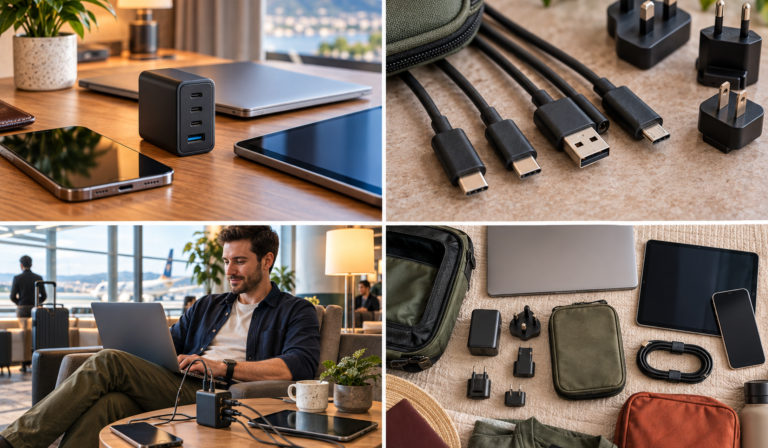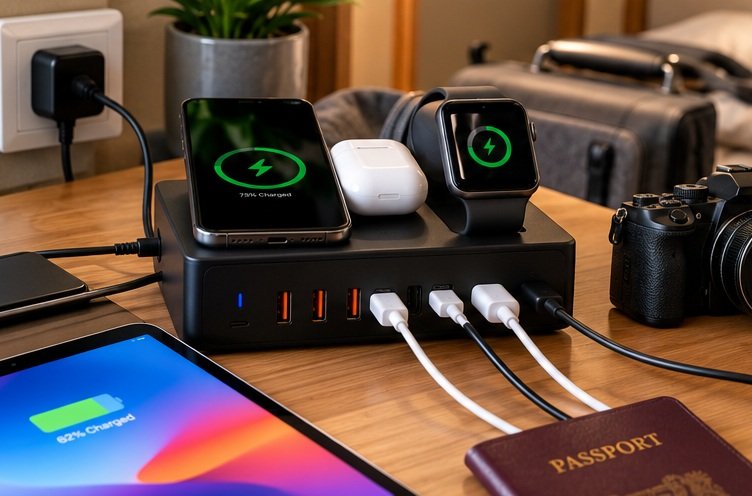
Best Multi-Device Charging Stations for Hotel Rooms
Build one reliable charging point around the devices, cables and time you really have.
The best multi-device charging stations turn a hotel desk into a useful charging point without turning the floor into a web of cables. However, the right model depends on whether you are charging one person’s small accessories, two working laptops or a mixed family kit. Port count is only the beginning of that decision.
This comparison explains six different options and the situations in which each might earn its space. It also works through shared-power planning, socket placement, travel input checks, device leads and the pieces that are easy to leave behind. The aim is a complete, tested-at-home arrangement rather than a powerful box bought on the assumption that every socket can deliver its largest advertised output at once.
Anker Prime 200W
Four USB-C plus two USB-A ports.
Belkin WCH015
Four ports; allocation still needs checking.
Satechi 145W
Match the supplied heads to every destination.
Anker MagGo A2557
Phone, Apple Watch and compatible earbuds.
Best multi-device charging stations: choose the arrangement, not the biggest number
A hotel charging station should replace an awkward collection of plugs with a predictable place to recharge. However, six sockets on the front do not mean six devices can each receive the largest number printed on the box. The useful comparison is the combination you will actually connect: perhaps a laptop and two phones, or a phone, watch and earbuds beside the bed.
This shortlist separates wired desktop chargers, an interchangeable-head travel charger and an Apple-focused folding wireless station. It is based on manufacturer specifications, identified UK buying listings and practical planning judgements. No laboratory measurements of efficiency, sustained output, operating temperature or charging time are claimed. Also, quoted maximum outputs are capabilities of particular arrangements, not promises that every device will draw that power.
| Station / model | Charging role | Important check | UK listing |
|---|---|---|---|
| Anker Prime 200W / A2683 [1] | 4 USB-C + 2 USB-A; desktop | 200W is shared, not available from each port | Check A2683 |
| UGREEN Nexode 200W [2] | 4 USB-C + 2 USB-A; desktop | Exact six-port generation and UK lead | Check six-port model |
| Belkin WCH015 [3] | 4 USB-C; 200W total | Device leads are not included | Check WCH015 |
| Anker Prime 250W / A2345 [4] | 6 ports; display and power modes | Extra controls are worthwhile only if used | Check A2345 |
| Satechi 145W [5] | 4 USB-C; interchangeable heads | Socket clearance and included regional heads | Check travel bundle |
| Anker MagGo / A2557 [6] | Compatible Apple phone/watch/earbuds | Needs external power; not a laptop charger | Check A2557 bundle |
The starting choices for different rooms
For a mixed USB-C and USB-A kit, begin with the Anker Prime 200W or UGREEN Nexode 200W. For an all-USB-C desk, compare the Belkin 200W. Anker’s 250W model is worth considering when its display and configurable allocation will actually help. Meanwhile, Satechi’s 145W travel model favours a compact multi-country kit, and the folding MagGo suits a compatible Apple bedside trio rather than laptop charging. [1][2][3][4][5][6]
Make a charging schedule before counting ports
Distinguish the devices you own from those you charge together
Write down the devices you will bring, their charging connections and when they need power. A camera battery charger used after dinner does not necessarily need a permanent port throughout the night. Likewise, a laptop that is already full before bed may not have to compete with two phones at the same time. Therefore, count simultaneous needs rather than the total number of electronics in the suitcase.
Next, identify the difficult charging window. It could be an hour in the room before going out, an evening of laptop work or the morning before an early departure. Build the kit around that window rather than the easiest scenario. A station that eventually charges everything is not necessarily suitable when the equipment must be ready together at a specific time.
Give the essential device priority
Decide which item must keep working if the available power is lower than expected. For a work trip, it may be the laptop; for another journey, the phone containing boarding access matters most. This is a planning decision, not a reason to exceed the charger’s specification. Put the essential load on the appropriate port and schedule lower-priority accessories around it.
The exercise may show that you need less equipment than expected. A phone, earbuds and an occasional tablet can be well served by a smaller charger than a workstation carrying two laptops. Conversely, a couple who both work in the room may need a more capable arrangement than a compact three-in-one wireless pad. The word travel covers both situations, but their charging demands are different.
Anker Prime 200W A2683: my mixed-device starting point
A clearly identified six-port desktop format
The A2683 has four USB-C ports and two USB-A ports, with up to 200W combined output. Anker states that two USB-C ports can each provide up to 100W when used together. Its UK specification lists 100-240V input, dimensions of 112 x 76 x 35mm and a weight of 563g. These figures do not make it a featherweight travel plug. [1]
I would start here for a traveller who wants one desk-based charging point for several ordinary devices and still carries USB-A accessories. The two-port laptop arrangement is particularly useful information to have before buying. However, do not assume the same allocation remains available after every other port is filled. Review the current chart for the exact occupied-port combination you need.
Why it may be more charger than your trip requires
The weight and mains lead deserve a place in your packing calculation. Compare the complete station with the smaller chargers it would replace, not just one charger body against another. If it replaces two substantial laptop bricks, the balance may be attractive. If you only recharge one phone, the desktop format is difficult to justify.
A shared station also creates a shared point of failure or loss. For an important work trip, I would retain a small compatible fallback rather than making every essential device depend on one object. That does not mean carrying a second full-size station. It means deciding in advance how the most important device will be charged if the primary arrangement is unavailable.
UGREEN Nexode 200W: another six-port option for a mixed kit
Compare the exact six-port generation
The Nexode 200W desktop model in this guide has four USB-C and two USB-A ports. UGREEN describes a 200W total and a two-laptop arrangement of up to 100W plus 100W through the appropriate ports. The UK listing includes a detachable mains lead and a USB-C cable. Other Nexode products have different port layouts, so the family name alone is not enough. [2]
Its appeal is similar to the Anker: one reachable box on the desk rather than several chargers squeezed around a wall socket. Nevertheless, the two models should not inherit each other’s sharing chart, cable bundle or packed dimensions. Treat them as separate products and compare the exact details that affect your equipment rather than assuming 200W makes them interchangeable.
Check the seller and current stock before planning around it
The manufacturer’s UK page and marketplace availability can differ. Therefore, use the buying listing to confirm the particular six-port unit, the UK mains connection and the included leads. A listing for an imported version may look almost identical while leaving you with a different cable or support route. Do not assume a stock photograph establishes the contents of the delivered box.
For a practical trial, connect the laptop or laptops first and verify the normal charging behaviour. Then add the lower-priority devices in the configuration you expect to use. This does not replace electrical testing; it simply confirms that your real equipment works as intended before departure. Record the successful port arrangement so that unpacking in a hotel does not become another compatibility exercise.
Belkin BoostCharge Pro 200W: for an all-USB-C hotel desk
Fewer legacy ports, a straightforward desk role
Belkin’s WCH015 has four USB-C outputs, up to 200W total and a maximum single-port output of 140W. The UK page describes a desktop design and a detachable 1.5-metre power cord; charging cables for the devices are not included. Belkin’s support information lists a two-year warranty. Check the exact UK product and regional terms rather than transferring a protection promise from another market. [3][9]
I would compare this with the six-port options when your entire kit already uses suitable USB-C cables. Removing unused USB-A sockets can make the purchasing decision simpler, but it does not automatically make the product smaller or better. The relevant advantage is matching the connections you actually need without paying attention to ports that will remain empty.
Check the occupied-port allocation before committing
A 140W single-port capability is not a promise of four simultaneous 140W outputs. If one laptop needs a high-power arrangement while other devices charge, inspect the exact sharing chart and the laptop’s compatible input. A total-power headline cannot establish that combination on its own. This guide does not invent a four-device split where a verified allocation is required.
Remember the cost and space of device cables. A station without them can still be a good choice when you already own the correct leads, but it should not be compared with a bundled product as though the kits were identical. Make the cable list before ordering so that the new station does not arrive without the connections needed for the first evening’s use.
Anker Prime 250W A2345: for travellers who will use the controls
The display is useful when it answers a real question
Anker’s A2345 combines four USB-C and two USB-A ports with a 250W total rating, a first USB-C port capable of up to 140W, a display and a control dial. The product supports different power-management modes, including port priority. These are configuration features, not a guarantee that every connected device will reach its own maximum together. [4]
I would consider it for somebody who regularly sets up a temporary workstation and wants visible charging information. A display can make the arrangement easier to understand than an unlabelled collection of plugs. However, it should not encourage constant adjustment when a simpler, tested allocation already works. Buy the controls because they solve an actual need, not because they make the charger look more advanced.
Allow time to learn the product before the trip
Check the available modes, the meaning of the displayed figures and any relevant setup requirements at home. Do not make hotel Wi-Fi availability a prerequisite for understanding your basic charging arrangement. Save the important instructions locally and know how to use the essential controls without beginning a lengthy setup process after a late arrival.
This is not my automatic recommendation for the lightest possible kit. Compare the whole package with the equipment it replaces and consider whether a less elaborate station already meets the required port combination. If the extra output and controls never change what you can charge or how conveniently you can do it, they are not providing a meaningful travel benefit.
Satechi 145W travel charger: for a compact kit with planned plug changes
A travel charger rather than a long-lead desktop station
Satechi’s 145W model provides four USB-C ports and interchangeable regional plug attachments. The manufacturer lists up to 140W from an appropriate single-port arrangement, with a 145W total ceiling. It also makes clear that connected-port combinations change the available output. Therefore, treat it as a different format from a desktop station with a long detachable mains lead. [5]
I would shortlist it when the journey includes the socket types covered by the supplied attachments and the equipment is mainly USB-C. The smaller number of separate power components can be attractive. Nevertheless, confirm the actual destinations and the delivered set of heads rather than assuming the word international includes every possible socket configuration.
The wall position becomes part of the decision
A directly connected charger depends on the wall socket’s position and clearance. A recessed socket behind a desk may leave little room for the charger and its device leads. Consequently, think about the places where you normally stay and whether a corded station would give you more freedom to position the electronics on a table.
The removable attachments also need a storage routine. Keep unused heads together in a defined pocket and check the wall socket before departure. A travel charger is not conveniently adaptable when the necessary head has been left in the previous room. This is a small operational detail, but it can matter more than a modest difference in advertised size.
Anker MagGo A2557: a bedside option for a compatible Apple trio
It charges a different set of devices
The folding MagGo A2557 is designed around a compatible iPhone, Apple Watch and wirelessly chargeable earbuds. Anker lists up to 15W for the phone, 5W for the watch and 5W for earbuds. It folds to 89 x 60 x 25mm and weighs 195.6g, before counting the separate power adaptor and cable. It is not a laptop charger or a power bank. [6]
That makes it useful for a traveller who wants to put three compatible small devices in one defined place at night. However, the Apple Watch position is not a universal smartwatch charging pad. Nor should a family with several different phones assume that a three-in-one product provides three interchangeable phone-charging positions. Match each position to the actual device.
Check cases, watch bands and the complete supplied kit
A compatible phone still needs suitable alignment and a case that does not obstruct charging. Likewise, the watch band must allow the watch to sit correctly on its module. Try the exact phone case and band you travel with, rather than testing only bare devices and discovering the practical mismatch after arrival.
Anker’s UK page checked for this review showed the A2557 as sold out, while identifiable marketplace listings remained visible. Check the selected seller and included power adaptor carefully. A retailer listing is not a promise of a current offer, and the compact folded dimensions should not be mistaken for the size of the entire powered kit. [6]
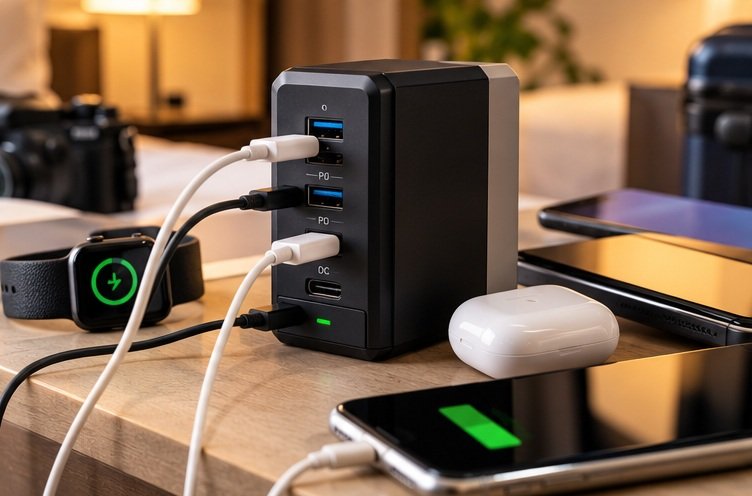
Understand total power, per-port power and sharing
Start with a worked requirement rather than a product slogan
Imagine a planning example with a laptop allocation of 65W, two phones allocated 25W each and a small accessory allocated 5W. The arithmetic total is 120W. This is an illustrative requirement, not a statement about the exact draw of your devices or the behaviour of a particular charger. It helps you identify the kind of port combination that needs verification.
Now consider the sockets. You need four suitable outputs, but the label 120W or 200W does not prove that the charger can provide that exact split through those particular ports. Therefore, compare the manufacturer’s occupied-port table with your proposed arrangement. A station may have enough headline total power while allocating less than you need to the laptop in a four-device configuration.
| Illustrative device allocation | Arithmetic allowance | What you must verify |
|---|---|---|
| Laptop | 65W | Correct port, cable and supported charging mode |
| Phone one | 25W | Available output with the laptop attached |
| Phone two | 25W | The particular three-device allocation |
| Small accessory | 5W | Suitable low-power charging arrangement |
| Combined planning example | 120W | A verified four-device split, not only a 120W headline |
Leave room for how devices actually behave
A device does not draw its highest charging power continuously throughout a charge. Battery level, workload and supported protocols affect the arrangement. Nevertheless, that is not a reason to buy an unsuitable station on the assumption that everything will conveniently ask for less. Use documented requirements and a practical trial rather than relying on optimistic averages. [11]
Some multi-port chargers change allocations when devices are connected or disconnected. Check the manufacturer’s information and observe your actual setup before travelling. If a brief interruption would be a problem for a particular device or task, use an arrangement that avoids that dependency. A charging station is not an uninterruptible power supply merely because it has spare ports.
Keep the cable in the calculation
A high-output port still needs a cable suitable for the intended charging mode. The same USB-C connector shape can appear on leads with different power and data capabilities. USB-IF specifically advises selecting cables for the capabilities required. Therefore, label the lead assigned to a demanding laptop rather than treating every loose USB-C cable as equivalent. [8]
Plan the room around safe placement and practical reach
A desk station needs a clear, stable surface
A central desk can be a useful charging location for several people, but it is not automatically the best bedside arrangement. If someone needs a phone alarm within reach, provide a suitable cable route or a separate charging plan. Avoid running taut leads across the room simply to keep every device attached to the same impressive station.
Check the mains lead as part of the whole kit
A detachable power cord gives flexibility in positioning, but only when it is the correct type and rating for the equipment and supply. Do not improvise with a random lead because the connector appears to fit. Keep the supplied or manufacturer-approved lead together with the station, and confirm the destination connection before packing. [7]
The lead also occupies luggage space. Coil it without stressing its ends and compare its packed size with the chargers it replaces. A desktop charger photographed without its mains cable can look deceptively compact. The honest comparison is the station, mains connection, device leads and any necessary adaptor carried together in the same pouch.
Keep an accessible fallback
For an important phone or work computer, know what you will do if the room’s convenient socket is unavailable. That may be a smaller compatible charger or a planned charging window elsewhere. It is not a reason to use a damaged socket, stack unsuitable adaptors or ignore the property’s instructions. A simple fallback is preferable to a complicated improvised electrical arrangement.
Check voltage and plug fit before leaving the UK
The input label decides supply compatibility
A plug adaptor changes the physical connection; it does not by itself change the mains voltage. Electrical Safety First advises checking the appliance’s input requirements and the adaptor’s suitability. Therefore, inspect the exact station and power supply you will take rather than remembering that a different charger from the same brand worked on a previous trip. [7]
For a station with a separate adaptor, read that adaptor’s input label as well as the station’s charging specifications. A low-voltage USB input printed on a wireless pad does not establish the mains compatibility of the brick powering it. Likewise, the device’s USB output rating and the destination’s mains voltage answer different questions and should not be confused.
Treat interchangeable heads as a defined set
A travel charger supplied with several regional heads can simplify a multi-country trip, but it remains necessary to check every stop where you expect to recharge. Include an overnight connection or a hotel stay between separate flights. The head you need is determined by the actual socket and supply, not merely by the continent printed on a marketing graphic.
Keep the attachment instructions available and fit each part properly before connecting it. If an adaptor or socket does not provide a secure, appropriate connection, do not force it into service. Ask the property for help or use a suitable alternative. A charging plan should remain conservative when the mains connection is uncertain.
Build a kit for solo travel, couples or a working family
Solo leisure travel
Start with the phone, earbuds and any camera or tablet actually coming on the trip. If they do not need simultaneous high-power charging, a large desk station may be unnecessary. A compact compatible charger or an appropriate bedside wireless arrangement can be simpler. However, include the correct watch or camera connection rather than assuming one modern USB-C lead covers every accessory.
The benefit of a station in this scenario is organisation rather than raw power. One defined charging location can make the departure check easier. Yet the same result may be possible with the equipment you already own and a better routine. Buy the station when it solves a persistent problem, not merely because the hotel room has fewer sockets than your desk at home.
Two travellers sharing a room
List both people’s devices and their preferred overnight locations. A shared desktop station can be useful for phones, tablets and accessories that can remain together. Nevertheless, two laptops being used simultaneously require a more deliberate power allocation than two phones left to recharge while you sleep. Match the station to the more demanding genuine use case.
Agree which cable belongs to which device before the first evening. Small labels or distinct cable colours can reduce accidental swapping without requiring a complicated storage system. Also, decide who checks the charger and mains lead before departure. A shared accessory is easier to leave behind when each person assumes the other packed it.
Family travel or a temporary working desk
A family may bring several low-demand devices, whereas a single remote worker may bring fewer but more demanding ones. Therefore, the number of travellers is a poor substitute for a device list. Separate charging deadlines from optional overnight top-ups and consider whether a short queue for a port is acceptable.
For a working desk, preserve the laptop’s required charging arrangement and keep docking or display needs separate. A multi-port charger does not provide the data functions of a hub. It can power the equipment while a separate connection handles screens and storage. Treat those as related parts of the kit, not interchangeable products with similar-looking USB-C sockets.
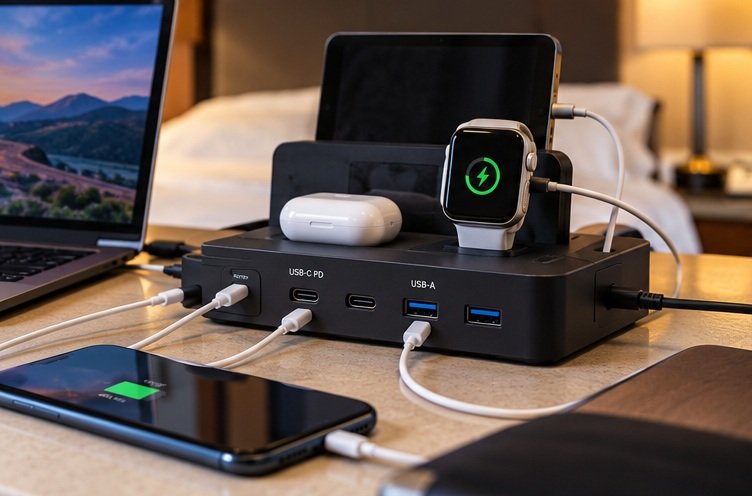
Make room for cameras, handhelds and older accessories
A camera battery charger can change the port plan
Look at the actual battery charger you use, not merely the camera’s newest advertised connection. A separate charging cradle may need its own USB lead or a mains connection that the station does not provide. Therefore, place the cradle on the equipment list as an item in its own right. Do not count the camera and assume its removable batteries will somehow share the phone’s charging routine.
If the camera can charge a battery internally, check the manufacturer’s conditions before relying on that route. You may prefer a separate cradle so that a spare battery can charge while the camera remains available. That is an operational choice rather than a competition for the fewest cables. The best station supports the way you use the equipment without making every evening a sequence of battery swaps.
A gaming handheld may need its port while in use
A handheld device used during the evening can create a longer charging session than a phone left briefly on the desk. Check its recommended charging arrangement and whether your chosen station maintains the required allocation when other devices are connected. Then include the physical reach from the station to the chair or desk where the device will actually be used.
Do not route a taut cable across the bed or the room to preserve the central layout. Instead, move the charging session to a suitable surface or use an appropriate independent charger. The station’s convenience should not depend on turning the room into a cable obstacle course. Comfort and placement are part of the kit specification, even though they do not appear in a wattage table.
Older USB-A accessories may justify a mixed-port station
A familiar USB-A accessory lead can be a legitimate reason to choose one of the mixed-port models. However, inspect the accessory’s charging requirements rather than assuming an adaptor will solve every mismatch. Keeping the original working lead may be simpler than buying a new cable for a device whose connection is easy to misidentify.
Group occasional accessories into a planned charging window. A small light, headphones or another low-demand item may not need a dedicated port throughout the entire evening. Once it is ready, remove it and place it back in its normal storage position. This keeps the station useful as a temporary charging area instead of allowing every small device to accumulate around it until checkout.
Test the complete setup before the return window closes
Recreate the busiest charging session
Connect the actual devices, cables and station in the combination you expect to use. Start with the essential laptop or phone, then add the other equipment. Check normal charging indications, any warning messages and whether the cable lengths permit stable placement. This is a functional rehearsal, not a claim that you have independently certified the electronics.
Let the arrangement run during ordinary use while following the manufacturer’s instructions. If a device behaves unexpectedly, remove one variable at a time: another connected load, the cable or the port choice. That is more informative than moving every plug at once. Record the successful configuration, especially when different ports have different capabilities.
Test the quiet and dark parts of the experience
A bedroom is different from a daytime office. Check whether a display or indicator is distracting and learn any available dimming setting. Also, listen for anything unusual and follow the maker’s guidance if you notice a problem. Do not cover a bright charger with clothing to hide the light; choose a suitable setting, position or different product instead.
A folding wireless station deserves a separate alignment check. Place the phone in its travel case, the watch with its usual band and the actual earbuds case on their intended positions. Confirm they remain correctly seated when the table is lightly disturbed during normal use. A charging symbol that appeared once is less useful than a repeatable arrangement you can set up confidently.
Repack every component after the trial
Unplug and account for the station, its mains lead or power adaptor, interchangeable heads and device cables. Then fit them into the pouch you will use. A product that performs well on a table may still be an awkward travel choice when the complete kit occupies more space than expected. The trial should include packing, not stop at the first successful charge.
Compare value without an unreliable price race
Consider the equipment replaced and the equipment added
A more expensive station can be sensible if it replaces several chargers you would otherwise carry and works with existing cables. Conversely, an inexpensive unit can become poor value if it requires new leads, a larger organiser and another adaptor. Write down the complete kit before comparing totals rather than treating the charger body’s price as the whole purchase.
This guide does not freeze short-lived sale prices into a permanent ranking. Check the current UK offer, seller, delivery estimate and bundle contents when buying. In particular, confirm that a low price does not refer to a different generation, a refurbished unit or an imported plug version. Those can be legitimate purchases, but they need to be understood rather than discovered after delivery.
Warranty terms belong to the exact purchase
Read the manufacturer’s warranty and the seller’s support route before an important trip. A warranty is not a promise of immediate replacement abroad, and an additional connected-equipment policy may have conditions that matter. Do not let an impressive protection amount outweigh basic compatibility, a credible seller and enough time to test the product before travelling.
Keep the order confirmation and model identification accessible. If a recall or support question arises, a clear model number is more useful than remembering that the charger was the black one with several ports. This is another reason the shortlist identifies A2683, A2345, WCH015 and A2557 rather than relying only on broad brand families.
Pros and cons of a central hotel charging station
The practical advantages
One charging location can reduce the hunt for spare sockets and make it easier to see which devices are ready. A corded desktop station can also bring the USB ports to a usable surface instead of leaving them hidden behind furniture. For a larger kit, those everyday benefits may matter more than the difference between two headline wattage figures.
Central charging can make departure checks more systematic. Empty the desk, account for each device, then pack the station and its lead. However, the routine has to be deliberate. A powerful charger does not stop a watch being left on a bathroom shelf or a spare cable remaining in a wall socket.
The trade-offs
A station can be heavier than a small plug, and the mains lead or wireless power adaptor adds bulk beyond the photographed body. Shared power also requires attention to port allocation. Moreover, concentrating charging in one item makes a loss or fault more consequential, particularly when every traveller depends on it at the same time.
Some rooms will not suit a central arrangement. A small bedside shelf, distant socket or need to keep phones on opposite sides of the bed may favour separate chargers. Therefore, treat the station as an option for the way you travel rather than a universal upgrade. A simpler arrangement that works comfortably is better than a more capable one that constantly gets in the way.
Common mistakes that cause disappointing charging
Reading 200W as 200W from every socket
The total rating is shared within the manufacturer’s specified arrangements. Always check the per-port maximum and the occupied-port table. A charger with enough total power on paper can still allocate less than a particular laptop needs when several ports are used. Do not fill unused sockets automatically; connect devices according to the verified plan.
Assuming a wireless watch position is universal
An Apple Watch charging module is not a general-purpose position for every smartwatch. Check the exact watch model, band and charging requirements. Similarly, a wireless earbuds position requires a compatible charging case. A three-in-one label names the intended combination; it does not turn three surfaces into interchangeable charging sockets for any three devices. [6]
Forgetting that a station is not a battery
The desktop chargers and folding MagGo discussed here need an external power supply. They do not keep devices charging after the mains is disconnected merely because they are called stations. A power bank is a different product with different packing and operator-rule considerations. Keep that distinction clear when planning for a journey with long periods away from sockets. [6]
Using brightness or heat as a reason to cover the charger
Do not place clothing over an operating charger to block an indicator, and do not use bedding as its resting surface. Follow the manufacturer’s ventilation and use instructions and the property’s electrical guidance. If the product’s lights or placement are unsuitable for the room, change the arrangement rather than concealing the problem beneath fabric. [10]
Assuming the power lead will stay attached during packing
Detachable leads and regional heads are easy to separate from the main unit. Give every part a defined position and check the wall socket before leaving. A station packed without its mains connection is only part of a charging kit. The simplest prevention is a component count made before the room door closes.
Frequently asked questions
Which station is best for two laptops and two phones?
Start with the laptops’ required charging inputs and the current sharing charts for the candidate stations. The Anker Prime 200W and UGREEN Nexode 200W document useful two-laptop arrangements, but that does not automatically establish the allocation after two phones are added. Choose a verified four-device combination or schedule the phone charging separately. The right answer depends on the specific computers and whether they are working while charging. [1][2]
Is a 250W station always faster than a 200W one?
No. A device can only use a supported charging arrangement, and the selected ports, cables and other connected loads affect the result. A higher total can help when it enables a combination the smaller station cannot provide. However, it may make no practical difference to a phone-and-earbuds kit. Compare the actual use case before paying for capacity or controls that will remain unused.
Can I charge a Samsung phone from an Apple-focused three-in-one?
Do not assume that the entire arrangement is suitable. A phone’s wireless compatibility, magnetic alignment, case and supported charging rate need checking, while the Apple Watch module remains intended for compatible Apple Watches. For a mixed Android and Apple kit, a wired multi-port station is often the clearer starting point because you can use each device’s appropriate lead or charging accessory. Treat every position separately rather than relying on the product’s count.
Does a USB-C charging station replace my laptop dock?
Not unless the exact product explicitly includes the data, display and peripheral functions you need. The stations in this guide are charging products, not general replacements for a USB-C hub. A socket that supplies power does not automatically connect monitors or storage. Keep the known-compatible dock and its cable in the plan when work requires them, and evaluate charging and data as separate functions. [8]
Can I use a UK station in another country?
Check the exact input label, destination supply and suitable plug connection. A physical adaptor does not by itself convert voltage. Also inspect any separate power brick used by a wireless station. Do not assume that a brand’s international reputation means every regional model accepts every supply. Electrical Safety First’s guidance is a useful starting point, but the delivered product’s rating and the manufacturer’s instructions decide the specific arrangement. [7]
Should I use the hotel room’s built-in USB sockets instead?
They may be convenient, but do not make the entire charging plan depend on their availability or capability. A socket visible in a booking photograph is not a verified charging specification for the room you receive. Bringing a suitable charger gives you a known arrangement to use with an appropriate mains connection. If the property offers charging equipment, follow its instructions and inspect any connection before using it.
Will a six-port station overcharge small accessories?
Port count alone does not answer compatibility. Use equipment that supports the accessory’s required charging arrangement and follow both manufacturers’ instructions. A higher headline maximum is not an instruction for the accessory to draw that amount, but a vague claim of universal compatibility should not replace a check of older or unusual devices. Test the exact accessory and cable before the trip rather than relying on appearance. [11]
What should I do if one device stops charging when another is connected?
Check the station’s allocation chart and any guidance about renegotiation when ports change. Then try the known-good cable and a supported port arrangement, changing one variable at a time. If the behaviour remains unexplained, contact the manufacturer rather than repeatedly reconnecting everything. For a device that must not be interrupted, use a tested independent charging arrangement instead of assuming spare total wattage guarantees continuity.
Does the MagGo A2557 work without its power adaptor?
No. It needs a suitable external power source and is not a power bank. Anker specifies the supplied 40W wall charger for the intended arrangement. Therefore, include the adaptor and connecting cable when evaluating its packed size, and verify the contents of the particular seller’s bundle. The compact folded pad is only one part of the complete charging kit. [6]
Is it worth carrying a backup charger as well?
For essential equipment, a modest compatible fallback can be sensible. The purpose is not to duplicate every port but to keep the most important phone or computer usable if the shared station is lost or faulty. Choose the fallback deliberately, store it separately where practical and know its limitations. A small backup that you have already tried is more useful than an elaborate emergency plan dependent on unverified local purchases.
My final recommendation
For a larger mixed-device hotel kit, compare the Anker Prime 200W A2683 with the UGREEN Nexode 200W six-port model and check the precise sharing arrangement you need. Choose the Belkin WCH015 when four USB-C outputs suit the equipment better. Move to the Anker A2345 only when its extra capacity, display and controls provide a clear practical benefit rather than a more impressive headline. [1][2][3][4]
For a smaller international kit, the Satechi 145W deserves consideration when the supplied heads match the route and a directly connected wall format suits you. For a compatible Apple phone, watch and earbuds beside the bed, the folding MagGo is the specialist option, with current stock and the complete power bundle checked carefully. Neither format should be mistaken for the other’s charging role. [5][6]
Finally, test the entire setup and pack it once before deciding it is a travel improvement. Include mains leads, adaptors and device cables in both the space calculation and the departure checklist. The strongest charging station is the one that delivers a verified arrangement for your devices and can be used comfortably in the room, not simply the one with the most sockets.
Sources and fact-checking notes
Model information and named UK listings reviewed on 10 October 2026. Outputs are manufacturer maxima under specified conditions; the 120W example is arithmetic planning, not a measured load or a model-specific allocation. Anker A2557 and UGREEN direct-store stock need checking. Buy from a reputable seller and inspect the exact UK bundle.
- Anker Prime 200W A2683: output, input and dimensions
- UGREEN Nexode 200W six-port: bundle and specification
- Belkin WCH015: UK output and included mains lead
- Anker Prime 250W A2345: ports and allocation controls
- Satechi 145W travel charger: ports and interchangeable heads
- Anker MagGo A2557: supported devices and power supply
- Electrical Safety First: travel input and adaptor guidance
- USB-IF: cable capabilities and compatibility
- Belkin support: WCH015 specification and warranty
- Electrical Safety First: bedroom charging precautions
- USB-IF: USB Power Delivery
Manufacturer descriptions establish specifications, not independent test results. Illustrations are conceptual and do not depict exact product features or prove fit, compatibility or performance.
Illustrations in this article were created for Taylor’s Trailblazing Travel Gear. Third-party photographs, where used, are credited beside the image or in the source list.