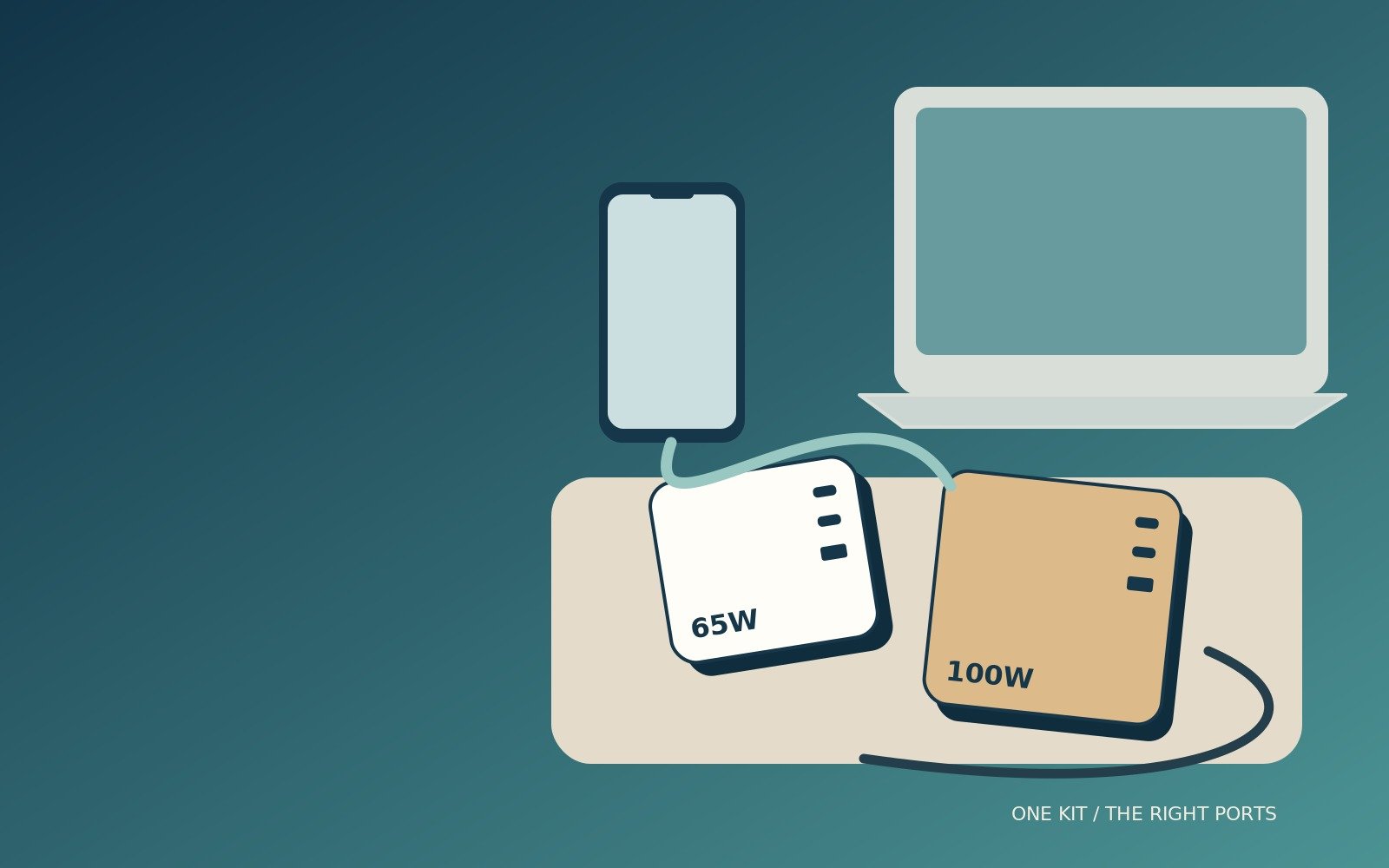
65W vs 100W Travel Charger: Which Do You Need?
Match the power available at each port to the devices you actually carry.
The 65W vs 100W travel charger decision starts with your most demanding device and the moments when several devices need power together. A larger number on the charger is useful only when the laptop, charging protocol, port allocation and cable can make use of it. Otherwise, you may carry a bigger plug without changing the result.
For a phone and a modest-power USB-C laptop, 65W can be entirely practical. A 100W unit becomes more interesting when you need greater laptop power or a useful share of power for a second device. However, a four-port charger does not provide its headline wattage independently at all four ports.
This is a research-led comparison of charging requirements, published specifications and practical schedules, not a hands-on speed test. The aim is to choose the smallest complete kit that will work on your trip, including the cables and destination plug arrangements that are easy to overlook.
65W can be enough
A suitable laptop-only or phone-first kit may not need a larger charger.
100W helps sharing
Only when the specified port allocation matches your devices.
Check the cable
A 60W cable can limit a 65W or 100W charging arrangement.
Read the port map
Total watts are not watts available at every socket.
65W vs 100W travel charger: choose by the job
Start with what needs power at the same time
List the devices you intend to charge, then mark which ones genuinely need to charge together. A laptop used for an evening of work has a different requirement from a laptop switched off while you eat dinner. A phone needed for navigation immediately after landing may deserve the first charging slot even when the laptop is the larger device.
This distinction often settles the purchase. If the laptop can receive an adequate supply from one compatible 65W port and the other devices can wait, the larger charger may add little. If you need substantial laptop power and phone charging concurrently, the useful comparison is the allocated output in that exact combination, not 65 against 100 in isolation.
Consider three answers, not two
There are really three possible outcomes: a suitable 65W charger, a suitable 100W charger, or neither. Some phones and tablets need far less, while some demanding laptops need more than 100W for their intended performance or fast-charge mode. Other laptops require a proprietary supply or a particular USB-C charging configuration.
Keep the original device guidance close to the decision. Apple, for example, lists specific adapters and cables for fast charging different MacBook models; a generic 65W claim is not the same thing as satisfying those combinations. The right choice is the one that meets your required charging behaviour, rather than the largest of two options that may both be wrong. [1]
Back to topSeparate watts, charging speed and battery capacity
Watts describe power, not a promised finish time
Power is a rate of energy transfer. A 100W charger has roughly 54% more headline output capacity than a 65W charger, but that does not mean every battery charges 54% faster. The device may accept less, alter its demand as the battery fills, or reduce charging for temperature and other management reasons.
Treat advertised charging times as results from specified conditions, not your itinerary timetable. A laptop performing a demanding task while charging is not in the same situation as an idle test machine. Battery state, cable, settings and the selected port can all differ. Leave practical margin rather than planning to reach the gate at the exact minute a promotional charging claim suggests.
Watt-hours answer a different question
A battery’s watt-hour figure describes an amount of energy, not the charger power it can accept. Dividing a hypothetical 50Wh battery by 50W gives one hour as a simplified energy calculation, but it is not a realistic full-charge guarantee. Conversion losses, device use and changing charging demand prevent that simple division from describing every part of the process.
This matters when comparing a travel charger with a power bank. A mains charger needs a suitable electrical supply; it does not store a reserve for later. A power bank is a separate battery-powered product with its own output, usable energy and flight restrictions. Do not buy a 100W wall plug expecting it to help when no outlet is available.
Back to topRead the device specification before the charger listing
Check the charging port and required protocol
A USB-C-shaped connector does not by itself establish the laptop’s charging capability. Confirm that the relevant port accepts power, which charging standards it supports and what supply the maker recommends. A charger can have sufficient total watts while lacking the particular voltage profile or device-specific fast-charge support you need.
For phones, do not equate a laptop-capable charger with maximum phone charging speed. Different fast-charge modes can require particular protocol support, current levels or cables. Look for the exact phone model in its manufacturer’s guidance rather than relying only on a long compatibility list in a retailer title.
Use the original adapter as a clue, not the whole answer
The supplied adapter’s rating is a useful starting point, but it is not always the minimum power that makes the device usable. Some devices can charge more slowly from a lower-power compatible source, especially when idle. Others show warnings or cannot maintain battery level during demanding use. Establish the behaviour you require rather than assuming a smaller replacement will perform identically.
Write down a clear requirement such as sufficient power for ordinary document work while charging a phone separately. That is easier to assess than a vague wish for the fastest charger. For work-critical devices, retain a proven supply until the replacement has been checked under the actual tasks and charging combinations you expect to use.
Back to topShared ports are the most important buying detail
A total rating is a pool, not a multiplication
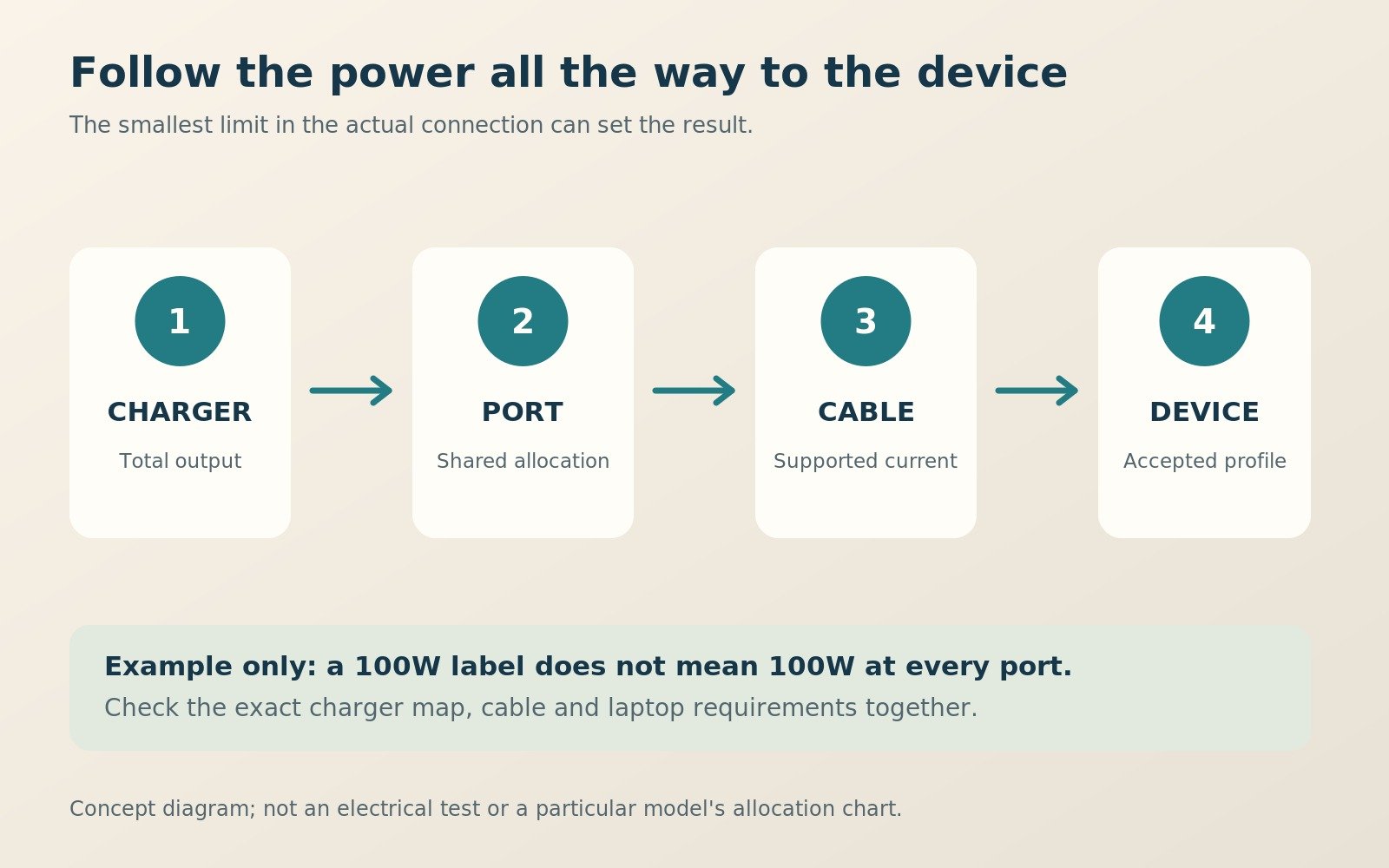
A 100W four-port charger has a total power budget, not four independent 100W supplies. Connecting another device can change what is available at the first port. The allocation may also depend on which ports are used, not merely how many. Read the manufacturer’s combination chart and match its port labels to the physical charger.
A common mistake is adding a phone to a laptop setup without checking whether the laptop’s allocation drops below the intended level. The extra device may only need a small amount of power, yet the charger’s preset distribution can reserve more than expected. Do not assume every multi-port supply dynamically divides power in the way you would choose.
Treat illustrative allocations as examples, not specifications
Suppose one hypothetical 65W charger offers 45W to a laptop and 20W to a phone when two ports are used. That may suit a modest laptop workload but not a requirement for 65W at the laptop. A hypothetical 100W design offering 65W plus 30W could solve that particular problem. These are planning examples, not verified allocations for the named products below.
The same reasoning applies to three or four devices. A watch, earbuds or camera battery can alter the active configuration even when its actual demand is small. Keep the diagram for the exact model and test the intended combination. Counting sockets is only the beginning of judging whether they are useful.
| Your requirement | Start by checking 65W | Start by checking 100W |
|---|---|---|
| Compatible modest-power laptop, charged alone | Often a sensible first candidate | Extra output may not change the result |
| Laptop plus phone simultaneously | Verify the laptop’s reduced allocation | More total capacity can help if the port map fits |
| Phone, watch and earbuds only | May already be more than necessary | Usually a poor reason by itself to buy more watts |
| Laptop fast-charge mode near 100W | May not meet the required supply | Check the exact protocol, port and cable |
| Workstation or gaming laptop with a larger supply | Do not assume adequate performance | Still may not replace the original supply |
| Two laptops | Only if both needs fit the split | Not automatically 100W per laptop |
On a small screen, swipe the table sideways. The rest of the article stays within the page.
Back to topChoose a cable that does not quietly cap the result
The 60W cable trap affects both categories
At the common 20V USB Power Delivery level, 3A corresponds to 60W. Reaching 65W at that voltage requires more than 3A; reaching 100W requires 5A. A suitable electronically marked 5A USB-C cable is therefore important when you want the full output of these arrangements. A physically fitting cable should not be assumed to support the charger’s headline rating.
USB-IF’s current certification rules distinguish cable power capability with 60W and 240W markings. Older correctly specified 100W cables can still be relevant for suitable 100W-or-lower use; the newer marking system does not make every existing cable useless. Match the cable’s actual documented capabilities to the complete charging system. [2]
Power, data and video are separate capabilities
A high-wattage cable is not automatically a high-speed data cable or a display cable. UGREEN’s 65907 example is specified for 240W charging but USB 2.0 data and no video output. The separately linked marketplace cable advertises 240W, 10Gbps and display support. They are different products, so do not transfer the second one’s data features to the first. [3]
For a charging-only kit, an appropriate power cable can be sufficient. For a laptop that also connects to a monitor or fast storage, check those additional capabilities explicitly. Label your cables by their jobs and avoid carrying several almost-identical leads that create uncertainty at the hotel desk.
Back to topCompare two clearly identified wall chargers
UGREEN Nexode 65W folding model, SKU 90663
UGREEN’s UK specification identifies the 90663 as a three-port design with two USB-C ports and one USB-A port. It lists 65W total output, a 100-240V input range and enclosure dimensions of 57 x 50 x 46mm. Those details make it a useful example of a compact laptop-oriented charger, without establishing the result for every device combination. [4]
The linked UK marketplace listing is the folding three-port Nexode, not every product UGREEN sells with 65W in its name. Confirm the model, plug version and supplied contents before purchasing. Current marketplace offers were not independently confirmed, and a matching product page does not promise that a particular seller or price will be available.
UGREEN Nexode 100W wall model, SKU 40749
The UK 40749 specification lists three USB-C ports, one USB-A port, 100W total output, a 100-240V input range and dimensions of 70 x 50 x 50mm. It is a separate four-port wall charger, not the corded desktop unit or a newer smart-display model. Keep those distinctions intact when comparing reviews and retailer pages. [5]
Its greater total budget makes it worth examining for a laptop-and-phone arrangement, but the useful decision still depends on the allocation chart. Do not treat a broad claim about charging multiple devices at full speed as proof that each receives its individual maximum simultaneously. The total budget must still be shared.
Back to topCompare the whole travel footprint
Enclosure dimensions are not the entire packed kit
The published 90663 and 40749 enclosure measurements suggest different shapes, but neither number alone describes the space required in your bag. Plug pins, destination adapters, cable bends and a protective pouch all matter. A larger enclosure with a better packing shape may fit your particular organiser more comfortably than a smaller block with awkward projections.
Make a simple paper footprint or arrange a similarly sized object in the intended pocket. Include room to remove it without dragging every cable out. For a tight personal-item bag, the location and shape of the charger can be as significant as a modest difference in volume.
More devices can mean more accessories
Consolidating several chargers into one only saves space if you count the replacement cables and adapters fairly. A single multi-port block plus three appropriate cables may be a good reduction; the same block plus the original adapters kept just in case may not be. Decide which items the new purchase genuinely replaces.
A cable organiser should also earn its space. The BAGSMART Bubble Electronic Organizer is listed at 21 x 13.5 x 5.8cm and 100g, but the selected beige variant showed notification-only availability when checked on 11 October 2026. It is an optional organisation example, not a necessary purchase or a place to operate a covered charger. [6]
Back to topMatch the plug and input rating to the route
Read the input line, not just the destination name
The two UGREEN wall examples publish 100-240V, 50/60Hz input ranges. That is relevant to international use, but it does not make their physical plug fit every socket. Check the exact plug supplied and the destination arrangements for every leg of the journey. Do not infer the input range of another edition solely from a shared brand name. [4] [5]
Swappable heads are another format to compare
UGREEN’s separate 90409 travel charger includes US, UK and EU plug heads and three charging ports. That can be convenient on a suitable route, but it is not the same model as the folding 90663. Compare the complete head set, the way unused heads are stored and whether the destinations actually use the supplied arrangements. [7]
A universal-looking accessory should not be treated as automatically safe or compatible. UK product-safety reports have identified travel adapters with hazardous construction. Buy from a traceable supplier, inspect the product and stop using anything damaged or loose. Never stack an improvised chain of adapters to overcome a poor fit. [8]
Back to topPlan four realistic charging schedules
A weekend with a phone and an occasional laptop
On a short leisure break, the laptop may only need a top-up while you prepare for dinner. Charging the laptop first and the phone afterwards can make a compatible 65W supply entirely workable. You do not need to buy extra simultaneous power merely because both devices are in the bag.
Choose that schedule only when it is realistic for your habits. If you routinely arrive with both batteries low and leave again quickly, sequential charging may become a nuisance. The Nexode 65W folding model is a candidate to assess against that routine, rather than a universal recommendation for every small laptop.
An evening of work followed by an early departure
A working traveller may need the laptop to remain powered while a phone recovers for the next morning. Here, a correctly allocated 100W unit may offer a useful improvement. Check the laptop’s supply under the two-port configuration and confirm that the phone’s required charging mode remains available.
The Nexode 100W wall model is worth comparing for this job, but use the exact device combination before relying on it away from home. The important result is stable operation and a sensible charge level by departure, not a brief high number immediately after connecting the cable.
Two people sharing one outlet
For a couple, the conflict may be access to a socket rather than a laptop’s maximum demand. Agree which devices need charging first and which can wait. Two phones and a tablet can have a very different combined requirement from two laptops, even when the same three cables are connected.
A multi-port block can make that arrangement tidier, but keeping one small independent backup may be sensible when both people rely on their phones. Count that backup honestly in the kit’s weight and volume. Consolidation reduces clutter, while a single point of failure creates a separate trade-off.
A demanding laptop used away from the desk
A laptop that needs a high-power proprietary adapter may not be a good candidate for either category as a complete replacement. A lower-power USB-C supply may be useful for lighter work or charging while idle, where the device supports it, but those are different promises from maintaining full performance.
Check the manufacturer’s requirements and run a realistic work session before departure. Do not pack away the original supply because a marketplace title lists your laptop family. Compatibility can mean that some charging occurs, not that every workload and charging mode is supported at the level you need.
A hub or dock can change the power that reaches the laptop
The PD input rating may be higher than the host output
A USB-C hub between the charger and laptop can reserve power for its own operation. UGREEN’s Revodok Pro 106, SKU 45363, is described with 100W pass-through input but up to 85W output to the connected device. That is a product-specific example of why a 100W charger does not necessarily deliver 100W through every intermediate accessory. [9]
Do not subtract a universal amount for every dock. Check the exact hub’s rated host output, required input and behaviour with a lower-power charger. A device that works directly from a 65W supply may have a different experience through a hub. The cable connecting the charger to the hub also needs to support the intended power, while the host connection must meet its own requirements.
Test the arrangement you actually use for work
Include the external display, storage, network connection and other normal accessories in a sensible trial. A successful laptop-only test does not reproduce the complete desk arrangement. At the same time, do not assume every peripheral adds a fixed amount that can simply be deducted from the headline rating. Follow the hub’s documentation rather than constructing an unsupported power budget.
A practical workaround may be to charge the laptop directly through another supported port while using the hub separately, but only where the laptop’s guidance permits that setup. Another may be to choose a higher-capacity supply or a different hub. Resolve the complete connection before ordering; replacing a 65W charger with 100W does not remove a host-output limit built into the dock.
Back to topMake a small port map for your own kit
Give every cable a defined job
Create a short note showing the laptop port, phone port and cable used for each. Add the manufacturer’s published allocation for the important combinations. This does not need to become a complicated spreadsheet: a photo of the diagram and a plain-language note can prevent guessing when you are tired after a late arrival.
For example, record laptop alone, laptop plus phone, and phone plus tablet. Mark any combination that is unsuitable for the laptop’s intended workload. If a small accessory must wait, say so in the plan. The benefit is consistency: everyone sharing the charger knows which connection to use instead of moving cables between sockets until a charge symbol appears.
A 65W folding charger can be a sensible choice when those combinations meet the real task. Do not reject it merely because a 100W product exists. However, when the documented allocation falls short during an important session, the shortcoming is specific and worth addressing rather than something to overlook for a smaller enclosure.
Keep the note with the equipment you will carry
Photograph the actual model label, not just a retailer screenshot, and keep the instructions available offline where practical. A charger replaced under warranty or bought in another region may not be identical to the original. Update the note when the hardware changes so a convenient reference does not become a source of stale assumptions.
A 100W wall charger earns its place when the resulting map provides a useful improvement. That might be enough laptop power alongside the phone, rather than a dramatic single-device speed increase. Recording the exact benefit makes it easier to choose between models that advertise the same total watts but distribute them differently.
Back to topJudge a quick top-up by the next task
Battery percentage alone can be misleading
Before a short charging opportunity, decide what you need the device to do afterwards. A phone required for navigation, boarding information and messages has a different priority from a tablet used for optional entertainment. Put the essential device on a suitable port first. More theoretical total output is not helpful if it is allocated to the wrong task.
For a laptop, consider whether the next session will be light reading or sustained work. A partial charge that is adequate for one may not be adequate for the other. This guide does not convert a given number of minutes into a promised runtime because devices, workloads and battery condition vary. Use your ordinary experience and leave a sensible margin.
Separate battery charging from powering the workload
Some incoming power may be used by the running device rather than stored in its battery. A laptop that shows charging can therefore gain battery percentage slowly while doing demanding work. That observation does not by itself prove the charger is defective. Check the supply required for the workload and compare behaviour with the device idle, following the maker’s instructions.
This is another reason to choose by your busiest realistic session. A 65W supply may be adequate for charging the same laptop while it rests, while a suitable 100W supply may provide more useful headroom during work. The distinction is the operating scenario and supported input, not a permanent label that one charger is good and the other bad.
Back to topA desktop charger may solve the placement problem
A cable to the mains can improve access
The linked UGREEN Nexode 100W desktop listing is a separate four-port product with a mains lead, rather than the 40749 wall block. That format can place USB ports on the desk when an outlet is behind furniture. It may suit a longer stay or a work setup where reaching a wall-mounted charger repeatedly is inconvenient.
However, the mains cable belongs in the packed-size comparison. A desktop unit can improve usability while occupying more total space than a compact wall plug. Check the plug, cable length, regional version and manufacturer instructions. Do not assume the wall charger’s dimensions or allocation chart applies to the desktop model.
Choose placement before chasing smaller dimensions
Look at the typical places where you charge: a hotel desk, bedside outlet, airport seat or shared accommodation table. A heavy block that hangs poorly from a loose socket is not improved by a favourable specification sheet. Avoid using an outlet or adapter arrangement that does not retain the charger securely.
For desk-heavy travel, a properly specified corded unit may be more practical than the smallest wall charger. For one-bag weekends, a compact folding model may be simpler. This is a format decision alongside the wattage decision. More power and smaller dimensions should not distract from a setup that you can use safely and comfortably.
Back to topCheck the new kit before travelling
Begin with one device and a known-good cable
Use the charger’s instructions and start with the most demanding device connected to the intended high-power port. Check that the device recognises charging and behaves normally during ordinary use. A charge icon alone does not establish maximum speed, but it is the first step before introducing a more complicated arrangement.
Then add the second device using the exact ports and cables you plan to pack. Observe whether either device disconnects, changes its charging indication or behaves unexpectedly. Some multi-port supplies briefly renegotiate power when connections change; determine whether that behaviour is acceptable for your equipment rather than assuming it is always invisible.
Change one variable at a time
If performance is disappointing, isolate the cause. Try the intended device alone, then a suitable known-good cable, then the correct port combination. Keep the charger ventilated and follow the device guidance. Randomly swapping every component at once makes it difficult to know whether the issue was the cable, protocol, port allocation or supply.
The linked 240W cable is one option to inspect when a cable’s documented power capability is inadequate, but a new lead is not a cure for every charging problem. Do not use an unverified adapter or improvised cable to force a device beyond its intended input. Preserve a working arrangement until the replacement is understood.
Back to topUnderstand heat without using touch as a laboratory test
Warmth is not a complete diagnosis
A charger can become warm during use, particularly while delivering substantial power, but touch alone cannot certify that it is safe or faulty. The enclosure, ambient temperature and output load all affect what you feel. Follow the manufacturer’s operating guidance and do not cover the charger with bedding, clothing or a closed organiser while it is working.
Stop using equipment that is damaged, smells abnormal, discolours, crackles or behaves erratically. Disconnect it safely and seek support rather than running repeated stress tests. UK safety reports show that dangerous adapters can have serious construction faults, so a headline wattage or familiar-looking casing is not an adequate safety check. [10]
A pouch is for transport, not charging under cover
Use a pouch to keep cables and an unplugged charger organised. Remove the equipment for operation and allow it to cool appropriately before packing. Keep wet toiletries separate from electrical equipment, and avoid placing a charger where a cable will be repeatedly pulled or sharply bent during use.
The BAGSMART Bubble organiser is an optional way to separate accessories, with the selected variant’s availability caveat noted earlier. Its padding and pockets do not turn it into a safe enclosed charging station. A simple existing pouch may perform the organisation job perfectly well without adding another purchase.
Back to topCompare value without inventing a live saving
Calculate the cost of a functioning kit
Compare charger, required cables, destination adapters and delivery together. A lower-priced block can become less attractive when it needs extra parts, while a larger unit can be wasteful when its added ports never serve a real purpose. Check whether a cable is actually included rather than assuming a product photograph shows the complete box contents.
No fixed price advantage is claimed here because variants, offers and seller terms change. Some marketplace pages did not expose a confirmed current offer during research. Review the exact model, seller, returns and supplied plug before ordering. An old discount attached to a similar product name is not a reliable basis for choosing a travel power system.
Decide what would justify the upgrade
A useful upgrade might remove a second charger, allow laptop-and-phone charging without an inconvenient wait, or fit a pocket that your existing supply cannot. Write that benefit down before buying. If the current kit already achieves it, replacing the charger merely to move from 65W to 100W may add cost without improving the trip.
For a desk-focused arrangement, compare the 100W desktop format with a wall block rather than judging both only by wattage. For a compact kit, compare the actual replacement footprint. The strongest value decision connects a known problem to a verified capability instead of rewarding whichever listing has the biggest number.
Back to topPros and cons of each power class
Why 65W can be the sensible choice
A suitable 65W charger can provide enough power for a compatible modest-demand laptop while keeping the kit straightforward. It may suit sequential charging, short trips and travellers who rarely need several high-demand devices at once. A folding plug can be convenient, although that is a feature of a particular model rather than a property of the wattage class.
Its main limitation is reduced headroom when power is shared. It may also fall below a device’s specified fast-charge requirement even when ordinary charging works. Do not assume every USB-C laptop is a 65W laptop, or that a 60W cable allows the complete advertised output. The smaller choice still needs a complete compatibility check.
Why 100W can be worth the extra kit space
A suitable 100W design can support a higher-power laptop or a more useful simultaneous charging arrangement. It is particularly worth examining when your current frustration is a laptop supply dropping too far after you connect a phone. The benefit comes from the actual output map, not from having more sockets for their own sake.
The trade-offs include potentially greater size, more complex power-sharing behaviour and no guarantee of improved charging for low-demand devices. Some laptops still need more or different power. Treat 100W as additional capacity to allocate intelligently, not a universal travel standard or a promise that the original laptop adapter can always stay at home.
Common mistakes that lead to the wrong purchase
Matching the largest number and ignoring the rest
The frequent errors are buying total watts without reading individual ports, keeping an unsuitable cable, and overlooking the device’s required protocol. Another is comparing a wall charger with a corded desktop unit while excluding the latter’s mains lead. These mistakes can make an apparently clear 65W-versus-100W decision misleading.
Also check the product generation. A name such as Nexode covers multiple designs with different port counts and features. This guide identifies the 90663 and 40749 specifically; a smart-display, retractable-cable or five-port listing should be assessed on its own specifications. Similar names are not permission to combine whichever measurements look most attractive.
Confusing charging capability with travel readiness
A working charger at home still needs a suitable destination connection and a practical place to operate. Check the input rating, correct plug arrangement and cable condition before departure. Pack essential charging equipment where it is reachable, especially when a bag might be checked unexpectedly, and distinguish ordinary mains adapters from battery-containing power banks. [11]
Finally, keep a realistic fallback for work-critical travel. That might be a proven original supply, a small phone charger or a clear plan for charging in turns. The right fallback depends on the consequences of failure. It should be a deliberate part of the kit, not a collection of duplicates added because the new charger was never properly checked.
Back to topFrequently asked questions
Is 100W always faster than 65W?
No. A device only benefits when it can accept the additional power through the selected port, protocol and cable. A phone or laptop with a lower charging limit may behave similarly with both. Charging demand also changes during use and as the battery fills. Compare the performance you need, such as laptop-and-phone charging together, rather than translating the headline wattage difference directly into a charging-time claim.
Can a 100W charger damage a phone that needs less?
A correctly designed, compatible USB charging system negotiates the appropriate supply rather than simply forcing the charger’s maximum into every device. However, that does not make damaged, counterfeit or poorly constructed equipment safe. Choose a reputable, correctly specified charger and cable, follow the device guidance and stop using anything that behaves abnormally. Maximum power and product safety are separate questions.
Can I charge a 65W laptop with a 100W charger?
Potentially, when the charger supports the laptop’s required input profiles and you use an appropriate port and cable. Check the manufacturer guidance and the allocation with other devices connected. The 100W total does not mean 100W remains available to the laptop in every multi-port arrangement. Some devices also have requirements beyond matching the approximate wattage printed on their original supply.
Is a 60W USB-C cable enough for a 65W charger?
It can be enough for a device that only needs up to the cable’s supported limit, but it is not the right assumption when you want the full 65W at 20V. That requires more than 3A. Use a suitable documented 5A cable for the full-power arrangement. A newer 240W-rated cable can provide headroom, but its data and video capabilities still need separate checking.
Can two laptops share a 100W charger?
Only when the charger’s actual split and both laptops’ requirements make that workable. It is not two independent 100W supplies. A combination that charges two idle laptops may be inadequate while both perform demanding work. Check the port map, use appropriate cables and test the normal tasks you expect on the trip before relying on one unit for both computers.
Does a travel plug adapter change the voltage?
A basic mechanical plug adapter changes the physical connection, not the mains voltage. The charger must accept the destination supply within its own input rating. Some travel products combine mechanical adapters with USB charging electronics, so read the exact instructions and distinguish the USB outputs from any mains pass-through socket. Never assume a suitable USB phone charger also makes a high-power appliance compatible.
Should I buy a GaN charger as well as choosing the wattage?
GaN can help manufacturers build compact, efficient power supplies, but it does not replace the wattage, protocol, port-sharing and safety checks. Compare the actual product and complete kit. A GaN label is not a guarantee that every device charges faster or that the enclosure remains cool. The separate GaN-versus-standard comparison addresses whether that technology offers a useful reason to replace a working charger.
Which would you choose for a typical laptop-and-phone trip?
Start with 65W when the laptop’s guidance permits it and charging in turns is acceptable. Start with 100W when you need more laptop power or meaningful simultaneous charging, then verify the exact allocation. Neither answer should override the device requirements. Buy for the busiest realistic charging session, not the most complicated collection of devices you could theoretically connect.
Final recommendation: buy the output you can use
Choose 65W when it meets the laptop’s requirements and your charging schedule without awkward compromises. Choose 100W when the extra capacity produces a verified benefit at the ports you will actually use. A suitable 5A cable, correct input rating and reliable destination connection are part of that decision, not accessories to consider afterwards.
Before ordering, complete one sentence: this charger will power these devices, through these ports and cables, in this destination. If any part remains uncertain, resolve it first. A properly matched smaller kit is better than an oversized one chosen by its headline number, while a genuinely useful 100W setup can make busy travel charging much simpler.
Back to topSources and fact-checking notes
Research checked on 11 October 2026. The manufacturer wall-charger references are UK SKUs 90663 and 40749. Marketplace listings identify the corresponding product families; confirm the exact SKU and regional plug before buying. Port allocations presented as hypothetical are not model specifications. Several marketplace pages showed no featured offer.
- Apple Support: compatible Mac fast-charge power sources and cables
- USB-IF: cable capability and current 60W/240W logo requirements
- UGREEN UK: 240W cable, SKU 65907; charging and data capabilities are separate
- UGREEN UK: Nexode 65W three-port folding charger, SKU 90663
- UGREEN UK: Nexode 100W four-port wall charger, SKU 40749
- BAGSMART UK: Bubble Electronic Organizer, selected beige variant
- UGREEN UK: Nexode 65W travel charger with US, UK and EU heads, SKU 90409
- OPSS: international travel adaptor safety report
- UGREEN UK: Revodok Pro 106, SKU 45363, 100W input and up to 85W host output
- OPSS: USB Power Adapter CT-15 safety report, illustrating construction hazards
- CAA: safe packing of batteries and electronic devices
Illustrations in this article were created for Taylor’s Trailblazing Travel Gear. Third-party photographs, where used, are credited beside the image or in the source list.